
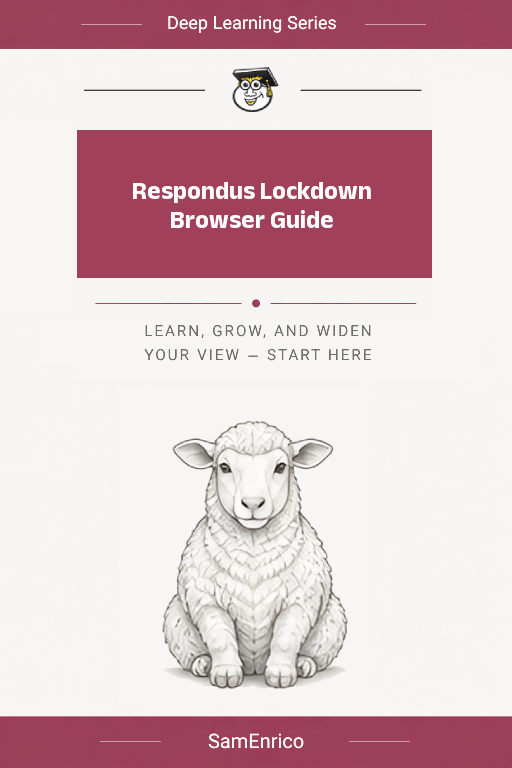
Respondus Lockdown Browser Guide eBook
Install and configure Respondus Lockdown Browser c
Install and configure Respondus Lockdown Browser correctly including webcam check and pre exam system validation.
Formats
Free sample
Chapter 1: The Digital Mirror...--You are about to let a piece of software watch you take a test. That sentence either fills you with mild discomfort or absolute dread, depending on who you are. For some students, Respondus Lock Down Browser and its companion, Respondus Monitor, represent nothing more than a minor inconvenience—a few extra clicks before an exam. For others, the idea of a webcam recording their every blink, glance, and whispered breath feels like an invasion of privacy so profound that it triggers anxiety attacks before the first question even loads. And for a significant number of students, the real problem is neither fear nor principle—it is simply that the software refuses to work, and they have no idea why.This book exists because all three of those groups need help.
The anxious student needs to understand what the software can and cannot see. The principled student needs to know their rights and the limits of automated proctoring. And the frustrated student—the one staring at an error code five minutes before a final exam—needs a solution, fast.Before we dig into installation, configuration, or troubleshooting, we have to answer a more fundamental question: What exactly is Respondus Lock Down Browser, and why is your university asking you to install it on your personal computer? The answer is more nuanced than most people realize.The Two Faces of Respondus Most students use the term "Lock Down Browser" as a catch-all for the entire proctoring experience. This is like calling every vehicle a "car" when you are actually dealing with trucks, motorcycles, and bicycles.
In reality, Respondus offers two distinct products that work together but serve entirely different functions.Lock Down Browser is the first component. Think of it as a digital prison for your computer. It is a custom web browser—built on the same underlying technology as Chrome but heavily modified—that prevents you from doing almost anything except taking your test. Once you launch Lock Down Browser, you cannot open a new tab. You cannot right-click to copy text.
You cannot take a screenshot. You cannot open any other application, whether it is Spotify, Slack, or your notes. The browser locks your screen resolution, disables keyboard shortcuts like Alt+Tab and Command+Tab, and even prevents you from printing the exam questions. If you try to click outside the browser window, the software either ignores the click or warns you that your attempt has been logged.Lock Down Browser is, by design, a restrictive environment. It does not record you.
It does not watch you. It simply walls you off from the rest of your computer. Every university that uses Respondus requires Lock Down Browser for proctored exams because without it, a student could simply open a second window with their notes, search engine, or a messaging app. The browser closes those loopholes.Respondus Monitor is the second component, and this is where the watching begins. Monitor is the webcam-based proctoring system that records video and audio of you during the exam.
When your instructor enables Monitor, the Lock Down Browser activates your webcam, checks your microphone, and begins recording from the moment you complete the ID verification process until the moment you submit your final answer. The recording is uploaded to the Respondus cloud or your university's servers, where it can be reviewed by your instructor or, in some cases, analyzed by automated algorithms that flag suspicious behavior.Here is the critical distinction that most students miss: You can use Lock Down Browser without Monitor. Many universities require the browser for all online exams to prevent cheating, but they only activate the webcam recording for high-stakes tests like midterms and finals. If your instructor has not enabled Monitor, you will simply launch the browser, take your test, and close it—no webcam, no recording, no room scan. The book will teach you how to tell the difference before you start, saving you from unnecessary anxiety.What the Software Actually Does to Your Computer To use Respondus effectively—and to troubleshoot it when it fails—you need to understand what happens under the hood when you launch the browser.
This is not magic, and it is not spying. It is a series of deliberate, documented system calls that any security researcher can analyze.When you launch Lock Down Browser, the software immediately performs a process scan. It takes an inventory of every application running on your computer at that moment. It looks for known cheating tools (screen capture software, virtual machines, remote desktop applications) and also looks for legitimate programs that could be used to cheat (browsers, note-taking apps, messaging platforms). If it finds a prohibited process, it displays a warning and asks you to close that application before proceeding.
In some configurations, the browser will refuse to launch until the offending process is terminated.Once the process scan is complete, Lock Down Browser enables a series of system-level restrictions. On Windows, this involves hooking into the operating system's keyboard and mouse input streams to block shortcuts. On Mac, it uses Apple's Event Tap API to intercept and cancel prohibited keystrokes. The software also requests access to your screen resolution and display settings, forcing your computer into a full-screen mode that cannot be minimized or resized.For exams with Respondus Monitor enabled, the browser then activates your webcam and microphone. This requires specific operating system permissions.
On Windows, the browser must have camera access enabled in the Privacy settings. On Mac, you must grant permission for the browser to access the Camera and Microphone in System Preferences or System Settings. If these permissions are missing, the browser will either display an error or proceed without recording—which may cause your instructor to flag the exam as invalid.The final step before the exam begins is the ID verification and room scan. The software captures a photo of your face and a photo of your student ID, then asks you to slowly pan your webcam around your testing environment. The room scan is not stored in full; Respondus typically records only the scan as part of the video stream.
Your instructor can review it later to ensure you do not have notes, textbooks, or another person in the room.The Ethics Question: Privacy, Data Storage, and FERPALet us address the elephant in the room. Having a piece of software watch you take a test feels invasive because it is invasive. The question is whether that invasion is justified, and more practically, what data is actually collected and who can see it.First, the legal framework. In the United States, student educational records are protected by the Family Educational Rights and Privacy Act (FERPA) . Video recordings of you taking an exam are considered educational records.
This means your university cannot share those recordings with third parties without your consent, and you have the right to request access to your own recordings. Some universities have interpreted FERPA to require that students be notified before proctoring occurs—which is why you typically see a consent screen before the webcam activates.However, FERPA has significant limitations. It does not prevent Respondus itself from processing your video data, because Respondus acts…
This is the end of the free sample. Get the eBook to keep going. Buy now
About this book
Details
- Author
- Griffiths Cheri
- Publisher
- SamEnrico
- Language
- English
- Genre
- Non-Fiction, Student's Shortcut, Respondus Guide, Lockdown Browser
- Released
- 2026-05-26
- Pages (approx.)
- 144
- Available as
- eBook, Audiobook

Read better in the ZLOADR app
Your eBooks on your phone or tablet. Sign in with your SamEnrico account and start reading.
More by Griffiths Cheri
 HIIT Hydration StrategiesGriffiths Cheri$11.99
 Competitive Analysis CreativityGriffiths Cheri$11.99
 Valorant Competitive Addiction GuideGriffiths Cheri$11.99
 Smokeless Tobacco Cessation WorkbookGriffiths Cheri$11.99
 Ototoxic Medications for SeniorsGriffiths Cheri$11.99
 Gold Rush Gambit: How a 19th-Century Mining Baron Bought an ElectionGriffiths Cheri$11.99
 Echoes of the Silent Stars: The Unsung Heroines of Apollo 11Griffiths Cheri$11.99
 Understanding Cardiomyopathic LentiginosisGriffiths Cheri$17.99
 Oil and Gas B2B Selling GuideGriffiths Cheri$12.99
 Warehouse StaffGriffiths Cheri$11.99
 How to Start a Curtains, Drapes and Interior Blinds (commission Agent) Business (Beginners Guide)Griffiths Cheri$11.99