
Non-FictionSelf-HelpPresentation Skills
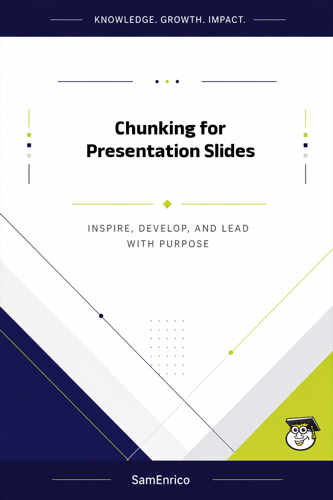
Chunking for Presentation Slides eBook
Group slide content to remember your flow without
by Potter Ramon
Group slide content to remember your flow without notes.
Formats
Free sample
Chapter 1: The Four-Slot Trap--–- Sarah had spent three weeks preparing for this moment. As Vice President of Strategy at a mid-sized tech firm, she had delivered dozens of presentations to the executive team. But this one was different. This was the annual budget review, the meeting where funding decisions were made for the entire next fiscal year. She had rehearsed in front of the mirror.
She had practiced with her husband as the audience. She knew her material cold.The boardroom filled with eleven executives, each one holding a printed copy of her 47-slide deck. Sarah stood at the front, remote control in hand, feeling the familiar flutter of anticipation. She clicked to slide one. Perfect.
Slide two. Still perfect. Slide three. She was on fire. Then she clicked to slide four.Slide four contained fourteen bullet points spread across three columns, a chart in the upper right corner, the company logo in the bottom left, a footer with the date and "Confidential" stamped in red, and a stock photo of a team shaking hands.
Sarah looked at the slide. Then she looked at her notes. Then she looked back at the slide. Her mouth opened, but no words came out. She could feel the silence expanding like a balloon.
Someone coughed."I'm sorry," she said finally. "Let me just…" She turned her back to the executives and read directly from the screen. "Point one: optimize supply chain logistics. Point two: reduce overhead by twelve percent. Point three…" Her voice trailed off.
She had lost her place. She scanned the slide frantically, her finger tracing the screen like a tourist reading a map upside down. When she finally finished the slide, she was flushed and sweating. The rest of the presentation was a death march. She read every slide.
She never made eye contact again. Afterward, her boss pulled her aside and said, "Maybe next time, rehearse more."But Sarah had rehearsed. She had rehearsed until she dreamed about the material. The problem was not her preparation. The problem was slide four.This scene plays out somewhere in the world every sixty seconds.
In boardrooms, conference halls, classrooms, and Zoom calls, competent, knowledgeable, well-prepared people turn into mumbling robots the moment they click to a slide that is overloaded with information. They blame themselves. They blame nerves. They blame lack of sleep. Everyone blames the presenter.
No one blames the slides.This chapter will show you that forgetting during a presentation is almost never a memory problem. It is a design problem. Your brain is not broken. Your slides are. And the solution begins with understanding a simple, brutal, non-negotiable limit of the human mind: the four-slot trap.The Anatomy of a Crash Every computer has a limit.
Open too many browser tabs, and the machine slows down. Open a few more, and it freezes. Open even more, and it crashes. Your brain is no different. It has a limit, and you hit that limit far more often than you realize.The part of your brain responsible for holding information in real time—for thinking, speaking, reasoning, and making decisions—is called working memory.
Working memory is not where you store your long-term memories. It is not where you keep your mother's birthday or the capital of France. Working memory is the scratch pad of consciousness. It is where you hold the sentence you are about to say, the number you are about to write down, the point you are about to make. It is the most precious resource you have as a presenter, and it is astonishingly small.For decades, psychologists believed that working memory could hold about seven items.
This was based on the famous work of George Miller, who in 1956 published a paper called "The Magical Number Seven, Plus or Minus Two." Miller found that people could remember between five and nine random digits, letters, or words. Seven became the magic number. It appears in design books, marketing guides, and presentation advice to this day. Keep your lists to seven items. Seven is the limit.There is only one problem.
Miller was wrong.Not wrong in 1956. His experiments were careful and his conclusions were accurate for what he was measuring: simple, unrelated stimuli like random digits. But real-world information is not random digits. A bullet point about supply chain logistics is not equivalent to the number seven. A chart showing quarterly revenue is not equivalent to the letter Q.
When information is complex, meaningful, and requires interpretation, the capacity of working memory drops dramatically.In the 1990s and 2000s, a psychologist named Nelson Cowan at the University of Missouri conducted a series of experiments that rewrote the textbooks. Cowan's research showed that for complex, real-world information, the true capacity of working memory is not seven. It is four. Four items. That is it.
You can hold four complex things in your mind at once. Try to hold a fifth, and something falls out. Try to hold a sixth, and the whole system stutters. Try to hold a seventh, and you crash.Let me say that again because it is the most important number in this book. You can hold approximately four complex items in your working memory at any given moment.
Three is comfortable. Four is full. Five is failure.This is the four-slot trap. And every time you design a slide with more than four discrete visual elements, you are throwing your own brain and your audience's brains directly into that trap.The Presenter's Double Bind Here is where the trap becomes cruel. Most presenters assume that because they created the slides, they have an advantage.
They know the material. They wrote the bullet points. They made the charts. Surely their working memory has more room than the audience's.It does not.Your working memory is not a hard drive that you can fill up in advance. It is a live feed.
Every time you look at a slide, your brain processes the visual information on that slide in real time, regardless of whether you wrote it. You cannot pre-load your working memory with the content of slide four while you are still on slide three. The moment slide four appears, your brain begins parsing it. And if slide four contains fifteen separate visual elements, your brain will try to load all fifteen into your working memory, one by one, in the first three seconds after the click.By the time your brain has finished loading the fourth element, your working memory is full. The fifth element tries to enter, but there is no room.
Your brain must either drop the first element or stop processing new ones. While this chaos is unfolding, the sentence you had queued up to speak—the one that was sitting comfortably in your working memory from your rehearsal—gets evicted. It is pushed out to make space for the slide. You open your mouth, and nothing comes out. Or worse, you read directly from the slide, because reading bypasses working memory altogether.
Reading is automatic. Speaking from memory is not.This is the presenter's double bind. You do not forget because you lack knowledge. You forget because your own slide…
This is the end of the free sample. Get the eBook to keep going. Buy now
About this book
Details
- Author
- Potter Ramon
- Publisher
- SamEnrico
- Language
- English
- Genre
- Non-Fiction, Self-Help, Presentation Skills
- Released
- 2026-06-10
- Pages (approx.)
- 142
- Available as
- eBook, Audiobook

Read better in the ZLOADR app
Your eBooks on your phone or tablet. Sign in with your SamEnrico account and start reading.
More by Potter Ramon
 Constraints for ChefsPotter Ramon$11.99
 Calm Driving Techniques HandbookPotter Ramon$11.99
 Assumptions Validation PlanPotter Ramon$11.99
 Postpartum Hair Loss GuidePotter Ramon$11.99
 Social Anxiety Meditation ScriptsPotter Ramon$11.99
 Italian Green IncentivesPotter Ramon$11.99
 Assertiveness for Customer ServicePotter Ramon$11.99
 The Lost Symphony: Mozart’s Unfinished MasterpiecePotter Ramon$11.99
 The Lost Kingdoms of the Indian Ocean: The Swahili Mariners' Secret ChartsPotter Ramon$11.99
 A Beginners Guide to Sumo Wrestling (Volume 1)Potter Ramon$11.99
 How to Produce Packaging and AssemblyPotter Ramon$11.99
 How to Produce Construction ProjectsPotter Ramon$11.99
You may also like
 Hong Kong Handover 1997Dunn Johnnie$11.99
 Zumba For Postnatal Recovery CourseNeal Christian$11.99
 Zumba for BeginnersLadner Nikia$11.99
 YouTube Comment Mining GuideHumes Pandora$12.99
 Worry Box MeditationCarlin Rudy$11.99
 Workplace Stress MeditationNguyen Lynn$11.99
 Workplace Stress and Sleep RepairHawley Ivory$11.99
 Workplace Perfectionism CureDelaney Jeffry$11.99
 Workplace Injustice Anger GuideWallen Isabelle$11.99
 Work Addiction and Burnout LinkGreenwood Ester$11.99
 Women in Yoga and WellnessBeattie Galina$11.99
 Women in Stand Up ComedyChun Evangeline$11.99