
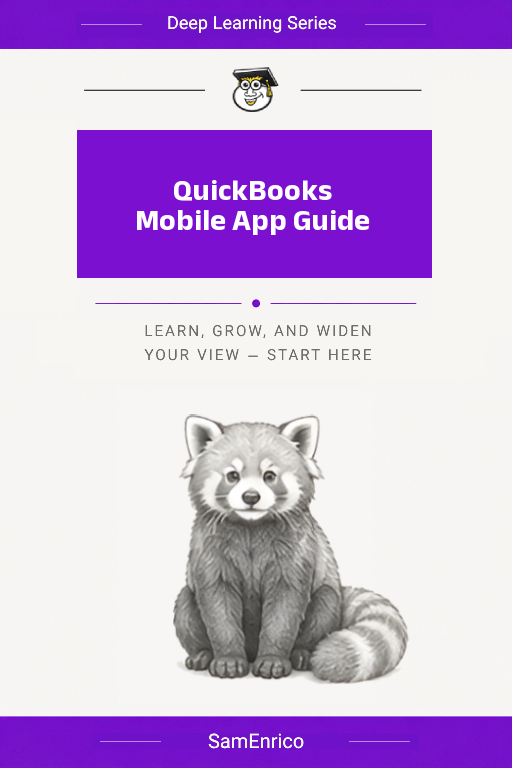
QuickBooks Mobile App Guide
Use QuickBooks mobile app for on-the-go bookkeepin
by Ebert Emery
Use QuickBooks mobile app for on-the-go bookkeeping. Capture receipts, send invoices, and check cash flow.
Formats
About this book
Free sample
Chapter 1: Dashboard First Aid...--–- The first time Selena opened Quick Books on her phone, she almost threw the device into a lake. She was standing in a parking lot outside a client’s office, having just finished a $4,200 consulting session. The client asked for an invoice “right now, before you leave.” Selena smiled, nodded, and pulled out her i Phone with the confidence of someone who had used Quick Books on a desktop for eleven years. Thirty seconds later, she was staring at a screen that looked nothing like the software she knew. The menu was gone.
The familiar icons had vanished. In their place was a bottom bar with four cryptic labels: Home, Invoicing, Receipts, Cash Flow. She tapped Home. Nothing happened. She tapped it again.
The screen refreshed. She felt her face flush. The client was still waiting. Her thumbs hovered over the glass like a teenager taking a driver’s test on a stick shift. That moment—the parking lot, the impatient client, the invisible menu—is why this chapter exists.Most business owners discover the Quick Books mobile app exactly the way Selena did: under pressure, in public, with someone watching.
The desktop version rewards exploration. You have a mouse, a large screen, tooltips that appear when you hover, and the luxury of time. The mobile app punishes hesitation. It assumes you already know where everything is. It hides advanced functions behind gestures you haven't learned yet.
And it offers no sympathy for the fact that you're probably holding a coffee in your other hand while balancing a phone against your steering wheel.This chapter is not a feature list. It is not a spec sheet. It is a rescue operation. By the time you finish reading, you will be able to open the Quick Books mobile app, orient yourself in under five seconds, complete your most common tasks without hunting through menus, and close the app feeling like you actually accomplished something. You will learn the three most important screens, the one button that solves ninety percent of your problems, and the navigation mistakes…
This is the end of the free sample. Get the eBook to keep going. Buy now
Contents
- Chapter 1
- Chapter 2
- Chapter 3
- Chapter 4
- Chapter 5
- Chapter 6
- Chapter 7
- Chapter 8
- Chapter 9
- Chapter 10
- Chapter 11
- Chapter 12
Details
- Author
- Ebert Emery
- Publisher
- SamEnrico
- Language
- English
- Genre
- Non-Fiction, First 30 Days, Bookkeeping
- Released
- 2026-06-01
- Pages (approx.)
- 139
- Available as
- eBook, Audiobook

Read better in the ZLOADR app
Your eBooks on your phone or tablet. Sign in with your SamEnrico account and start reading.
More by Ebert Emery
 Sudden Partner Loss GuideEbert Emery$11.99
 The Scarcity ToolkitEbert Emery$11.99
 Worry Stone PracticeEbert Emery$11.99
 GRE Issue Essay PromptsEbert Emery$11.99
 The Sleep Talking Memory ClueEbert Emery$11.99
 The Forgotten Storm: The Battle of the Coral Sea's Naval RevolutionEbert Emery$11.99
 How to Start a Check Trader Business (Beginners Guide)Ebert Emery$11.99
 Associate R&D ScientistEbert Emery$11.99
 Understanding Pityriasis Lichenoides Et Varioliformis AcutaEbert Emery$17.99
 Medtech Acquisition TargetsEbert Emery$12.99
You may also like
 QuickBooks Reconciliation GuideGriswold Christian$12.99
 Wave Tax Reports GuideLogsdon Maryanne$12.99
 Wave Reconciliation GuideCase Paulina$12.99
 QuickBooks vs Wave Comparison GuideBaugh Asuncion$12.99
 QuickBooks Tax Preparation GuideSessions Lavonia$12.99
 QuickBooks Payroll Setup GuideShaver Stephnie$12.99
 QuickBooks for Retail GuideKnapp Lanny$12.99
 QuickBooks for Contractors GuideFairbanks Ferne$12.99
 QuickBooks Error Fixing GuidePridgen Waldo$12.99
 QuickBooks Desktop vs Online GuideMccauley Lenora$12.99
 QuickBooks Data Backup GuideHoang Joeann$12.99
 QuickBooks Budgeting FeaturesGaston Keesha$12.99