
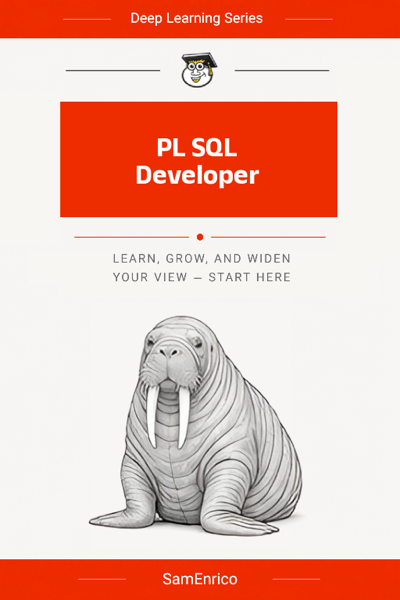
Non-FictionInformativeEducational
PL SQL Developer eBook
A Coursebook on PL SQL Developer
by Mccrary Gale
A Coursebook on PL SQL Developer
Formats
Free sample
Chapter 1: The Engine Beneath--–- The screen blinked with a familiar prompt: SQL>. For most database users, this was the end of the road. They wrote queries, fetched rows, and logged off. But for you—the PL/SQL developer—this is where the journey begins. Beneath that simple prompt lies a dual-engine architecture that most textbooks explain poorly and most developers ignore entirely. That ignorance costs companies millions in inefficient code, and it costs developers countless hours of frustration.This chapter is not about syntax. You can find syntax in any reference manual. Instead, this chapter is about territory. Before you write your first loop or declare your first variable, you need to understand the landscape you are about to command. You need to understand the PL/SQL engine: where it lives, how it thinks, and why it sometimes fights against you.Let me tell you a story. A junior developer once wrote a loop that processed 50,000 insurance claims. It ran correctly. It updated every single row. It took eleven hours. The next day, a senior developer rewrote the same logic using a different approach. It ran in fourteen seconds. The difference was not intelligence. The difference was understanding the engine. By the end of this chapter, you will understand what that senior developer knew.The Two Engines: A Marriage of Convenience Most people believe Oracle Database runs SQL. That is partially true. What actually happens is more nuanced. The Oracle database architecture contains two distinct execution engines that work together but operate independently.The SQL engine handles set-based operations. When you write SELECT * FROM employees WHERE salary > 50000, the SQL engine parses, optimizes, and executes that statement. It thinks in sets. It processes millions of rows at once. It is brutally efficient at what it does.The PL/SQL engine handles procedural logic. When you write IF salary > 50000 THEN raise_bonus; END IF;, the PL/SQL engine evaluates the condition and decides which path to take. It thinks in steps. It processes one instruction at a time. It is flexible but comparatively slow.Here is the critical insight that separates experts from novices: These two engines are not the same thing, and they do not speak the same language. When your PL/SQL block contains a SQL statement, the PL/SQL engine stops what it is doing, packages up the SQL statement, sends it across a communication channel to the SQL engine, waits for the SQL engine to finish, and then receives the results back. This handoff is called a context switch, and each context switch carries a performance penalty.Think of it like an international phone call. The PL/SQL engine speaks English. The SQL engine speaks Japanese. Every time they need to talk, they must connect through an interpreter. The conversation itself might be fast, but the connection overhead adds up. Now imagine making that phone call 50,000 times. That is what the junior developer did with those insurance claims. He called the SQL engine 50,000 separate times. Each call was fast. Fifty thousand calls were catastrophic.Your Workspace: Oracle SQL Developer Before you can command these engines, you need a workspace. Oracle SQL Developer is the primary integrated development environment (IDE) for PL/SQL, and it will be your home for the rest of this book. If you have not already installed it, do so now. The installation is straightforward: download the appropriate version from Oracle's website, unzip it into a directory, and launch the executable. No complex configuration is required for basic use.When you first launch SQL Developer, you will see a blank interface with several panes. The Connections pane on the left is where you manage database connections. The Worksheet pane in the center is where you write and execute code. The Output pane at the bottom displays results and messages.Create your first connection. Click the green plus icon or select "New Connection" from the File menu. You will need four pieces of information: a connection name (use something memorable like "Local DB"), your username, your password, and the connection type (typically "Basic" for most setups). The hostname, port, and service name depend on your database configuration. If you are using Oracle XE (the free edition), the default values are usually localhost, port 1521, and service name XE.Test your connection before saving. If it fails, check your credentials and ensure your database is running. Once connected, you will see your schema objects—tables, views, procedures, and more—appear in the Connections pane.A Note for Command-Line Enthusiasts SQL Developer is excellent for learning, but you should also be familiar with SQL*Plus, the command-line interface that has shipped with every Oracle database for decades. SQL*Plus is not as pretty as SQL Developer, but it is universal. It works on every server, requires no graphical interface, and behaves identically across operating systems.To launch SQL*Plus, open a terminal or command prompt and type sqlplus username/password@database. You will see the familiar SQL> prompt. The most important command to remember is SET SERVEROUTPUT ON, which enables the display of DBMS_OUTPUT.PUT_LINE messages. Without this setting, your output disappears into the void. We will cover DBMS_OUTPUT in detail later in this chapter.The Anatomy of an Anonymous Block Every PL/SQL block follows the same structural pattern. Whether you are writing a five-line script or a five-thousand-line package, the skeleton remains unchanged. Memorize this structure now. You will see it thousands of times in your career.text Copy Download[DECLARE]
-- variable declarations go here BEGIN -- executable statements go here [EXCEPTION] -- error handling goes here END;The square brackets indicate optional sections. Only the BEGIN and END keywords are mandatory. Let me walk you through each section.The DECLARE Section The DECLARE section is where you define variables, constants, cursors, and other program elements that will be used in the executable section. You can think of it as the preparation area. Before you start cooking, you gather your ingredients. Before you start executing logic, you declare your variables.Here is a simple declaration:text Copy Download DECLARE v_employee_name VARCHAR2(100); v_salary NUMBER(8,2); v_is_active BOOLEAN;Notice the naming convention: v_ prefix for variables. This is not required by the language, but it is a best practice that will save you hours of debugging confusion. Other common prefixes include c_ for constants, e_ for exceptions, and p_ for parameters. Adopt a convention and stick with it.The DECLARE section is optional because not every block needs variables. A simple "Hello World" block can skip it entirely. However, as soon as you need to store a value, you will need the DECLARE section.The BEGIN Section The BEGIN section is where the actual work happens. You write executable statements here—assignments, SQL operations, conditional logic, loops, and calls to other procedures or functions. Every statement ends with a semicolon.Here is the simplest possible BEGIN section:text Copy Download BEGIN NULL; END;The NULL statement does absolutely nothing. It exists because PL/SQL requires at least one executable statement between BEGIN and END. NULL satisfies that requirement without doing any work. You will rarely write this in production, but it is useful for stubbing out incomplete code.The EXCEPTION Section The EXCEPTION section catches runtime errors. Without…
This is the end of the free sample. Get the eBook to keep going. Buy now
About this book
Details
- Author
- Mccrary Gale
- Publisher
- SamEnrico
- Language
- English
- Genre
- Non-Fiction, Informative, Educational
- Released
- 2026-06-02
- Pages (approx.)
- 146
- Available as
- eBook, Audiobook

Read better in the ZLOADR app
Your eBooks on your phone or tablet. Sign in with your SamEnrico account and start reading.
More by Mccrary Gale
 Balloon Ride RelaxationMccrary Gale$11.99
 The Last Radio DramaMccrary Gale$11.99
 Project Buffer ManagementMccrary Gale$11.99
 Vegan for Weight Loss GuideMccrary Gale$11.99
 Laundry and Folding Time Hack GuideMccrary Gale$11.99
 The Silent Revolution: How a Single Tweet Toppled a DictatorMccrary Gale$11.99
 How to Start a Cakes Business (Beginners Guide)Mccrary Gale$11.99
 Supplemental Essays Mastery GuideMccrary Gale$12.99
 Small Business AI Financial Statement AnalysisMccrary Gale$12.99
 Understanding Nevoid Basal Cell Carcinoma SyndromeMccrary Gale$17.99
You may also like
 Hong Kong Handover 1997Dunn Johnnie$11.99
 Zumba For Postnatal Recovery CourseNeal Christian$11.99
 Zumba for BeginnersLadner Nikia$11.99
 YouTube Comment Mining GuideHumes Pandora$12.99
 Worry Box MeditationCarlin Rudy$11.99
 Workplace Stress MeditationNguyen Lynn$11.99
 Workplace Stress and Sleep RepairHawley Ivory$11.99
 Workplace Perfectionism CureDelaney Jeffry$11.99
 Workplace Injustice Anger GuideWallen Isabelle$11.99
 Work Addiction and Burnout LinkGreenwood Ester$11.99
 Women in Yoga and WellnessBeattie Galina$11.99
 Women in Stand Up ComedyChun Evangeline$11.99