
Non-FictionInformativeEducational
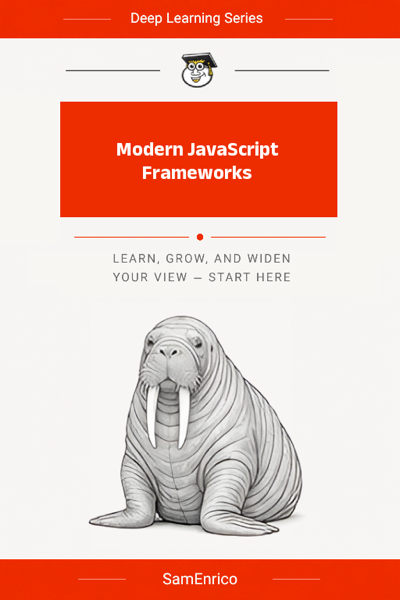
Modern JavaScript Frameworks eBook
A Coursebook on Modern JavaScript Frameworks
by Fogle Weston
A Coursebook on Modern JavaScript Frameworks
Formats
Free sample
Chapter 1: The Broken Promise-- The first time you tried to build a web application, you probably did what everyone does. You opened a text editor, wrote some HTML, added a sprinkle of CSS, and then—feeling bold—you wrote a few lines of Java Script to make a button do something. It worked. You clicked, something changed, and you felt a small surge of power. You were a web developer.Then came the second feature. And the third. And the request to save data between sessions. And the bug where updating one part of the screen inexplicably broke something else. And suddenly, your clean little project became a tangled mess of DOM selectors, event listeners, and global variables whose interactions you could no longer predict. You added a set Timeout to fix one issue, which created two more. You copied a Stack Overflow answer that used j Query, even though you didn't really understand j Query. Your code became what developers have a special word for: brittle.This chapter is not about frameworks. Not yet. This chapter is about understanding the problem that frameworks exist to solve. Because if you do not truly feel the pain of vanilla Java Script at scale, you will never appreciate what modern frameworks give you—and worse, you will use them incorrectly, treating them as magic instead of understanding them as engineering solutions.The Vanilla Experiment Let us build something together. Not a framework application. Not a toy example with a single interaction. Let us build a real, if modest, interactive widget using only pure, vanilla Java Script. No libraries. No frameworks. Just the DOM APIs that have existed in browsers for two decades.We will build a task manager. Not the full application that appears later in this book, but a simplified version: a list of tasks, a button to add a new task, a checkbox to mark a task complete, and a filter that shows All, Active, or Completed tasks. This is, by any reasonable standard, a simple feature. A junior developer should be able to build it in an hour.Open your editor. Create an index.html file. Inside, write the following structure:html Copy Download Run
Vanilla Task Manager .completed { text-decoration: line-through; opacity: 0.6; } .task { margin: 8px 0; display: flex; gap: 8px; align-items: center; } .filters { margin: 16px 0; display: flex; gap: 12px; } .filter-btn { cursor: pointer; padding: 4px 12px; } .filter-btn.active { background: #007bff; color: white; }
My Tasks Add Task All Active Completed
Now create app.js. We will write this together, step by step, and you will watch as the code grows from manageable to messy.Step One: The Data We need to store tasks somewhere. In a real application, tasks would come from a server. For now, we will use an array:javascript Copy Downloadlet tasks = [ { id: 1, text: 'Learn Java Script', completed: false }, { id: 2, text: 'Build a project', completed: false }, { id: 3, text: 'Master frameworks', completed: true } ];
let current Filter = 'all'; let next Id = 4;Three global variables already. This is our first hint of trouble. Every function in our program can read and modify these variables. As the code grows, tracking who changed what and when becomes increasingly difficult.Step Two: Rendering the Task List We need a function that takes the tasks array and the current Filter, then displays the matching tasks in the DOM:javascript Copy Downloadfunction render Tasks() { const task List Element = document.get Element By Id('task List'); const stats Element = document.get Element By Id('stats');
// Apply filter let filtered Tasks = tasks; if (current Filter === 'active') { filtered Tasks = tasks.filter(task => !task.completed); } else if (current Filter === 'completed') { filtered Tasks = tasks.filter(task => task.completed); }
// Clear the container task List Element.inner HTML = '';
// Build HTML for each task filtered Tasks.for Each(task => { const task Div = document.create Element('div'); task Div.class Name = 'task'; task Div.set Attribute('data-id', task.id);
const checkbox = document.create Element('input'); checkbox.type = 'checkbox'; checkbox.checked = task.completed; checkbox.add Event Listener('change', () => toggle Task(task.id));
const text Span = document.create Element('span'); text Span.text Content = task.text; if (task.completed) { text Span.class Name = 'completed'; }
const delete Btn = document.create Element('button'); delete Btn.text Content = 'Delete'; delete Btn.add Event Listener('click', () => delete Task(task.id));
task Div.append Child(checkbox); task Div.append Child(text Span); task Div.append Child(delete Btn); task List Element.append Child(task Div); });
// Update stats const total = tasks.length; const completed = tasks.filter(t => t.completed).length; stats Element.text Content = `${completed} of ${total} tasks completed`; }Look at what we have already done. We are manually creating DOM elements. We are attaching event listeners inside a render function (which means we will attach new listeners every time we re-render). We are mixing data logic (filtering) with presentation logic (building HTML). This code works, but notice the friction: every time we want to update the UI, we must manually call render Tasks() and rebuild everything from scratch.Step Three: Adding a Taskjavascript Copy Downloadfunction add Task() { const input = document.get Element By Id('task Input'); const text = input.value.trim();
if (text === '') return;
const new Task = { id: next Id++, text: text, completed: false };
tasks.push(new Task); input.value = ''; render Tasks(); // Manually re-render }Step Four: Toggling and Deletingjavascript Copy Downloadfunction toggle Task(id) { const task = tasks.find(t => t.id === id); if (task) { task.completed = !task.completed; render Tasks(); // Re-render again } }
function delete Task(id) { tasks = tasks.filter(t => t.id !== id); render Tasks(); // And again }Step Five: Filteringjavascript Copy Downloadfunction set Filter(filter) { current Filter = filter;
// Update active class on filter buttons document.query Selector All('.filter-btn').for Each(btn => { if (btn.get Attribute('data-filter') === filter) { btn.class List.add('active'); } else { btn.class List.remove('active'); } });
render Tasks(); // Re-render once more }Step Six: Initialization and Event Bindingjavascript Copy Downloaddocument.get Element By Id('add Btn').add Event Listener('click', add Task); document.query Selector All('.filter-btn').for Each(btn => { btn.add Event Listener('click', (e) => { set Filter(e.target.get Attribute('data-filter')); }); });
// Initial render render Tasks();This works. Test it. You can add tasks, mark them complete, delete them, and filter the list. Congratulations. You have built a functional application using only vanilla Java Script.But something should bother you. Something must bother you if you are paying attention.The Three Problems That Frameworks Solve Look back at your code. Count the lines where you manually manipulate the DOM. Every call to create Element, append Child, set Attribute, inner HTML, or text Content is a explicit instruction to the browser about how to update the screen. Your code is not declarative—it is imperative. You are telling the browser step by step what to do.Now consider this question: what happens when your application grows from 50 lines to 5,000 lines? What happens when you have twenty components instead of one? What happens when you add animations, form validation, real-time updates from a Web Socket, undo/redo functionality?You will discover three fundamental problems. Every framework in existence solves these three problems. If you understand the problems, you understand why frameworks exist.Problem One: Imperative DOM Manipulation Does Not Scale Your code currently says: When the user clicks "Add Task," take this…
This is the end of the free sample. Get the eBook to keep going. Buy now
About this book
Details
- Author
- Fogle Weston
- Publisher
- SamEnrico
- Language
- English
- Genre
- Non-Fiction, Informative, Educational
- Released
- 2026-05-09
- Pages (approx.)
- 157
- Available as
- eBook, Audiobook

Read better in the ZLOADR app
Your eBooks on your phone or tablet. Sign in with your SamEnrico account and start reading.
More by Fogle Weston
 Self Esteem Recovery Body Image WorkbookFogle Weston$11.99
 Nobel Prize Optogenetics RevolutionFogle Weston$11.99
 Veterans Benefits GuideFogle Weston$11.99
 The Nobel Laureate Science WritersFogle Weston$11.99
 Hot Springs National ParkFogle Weston$11.99
 Fig Leaf Pose as SubmissionFogle Weston$11.99
 Startup Client InsolvencyFogle Weston$11.99
 Beginner Meditation EnvironmentFogle Weston$11.99
 The Sun King's Grand Design: Louis XIV and the Birth of Modern ScienceFogle Weston$11.99
 The Healers of the Nile: The Secret Medical Corps of Ancient NubiaFogle Weston$11.99
 The Mineral Guide to AjoiteFogle Weston$11.99
 JEE Advanced Circle Geometry GuideFogle Weston$12.99
You may also like
 Hong Kong Handover 1997Dunn Johnnie$11.99
 Zumba For Postnatal Recovery CourseNeal Christian$11.99
 Zumba for BeginnersLadner Nikia$11.99
 YouTube Comment Mining GuideHumes Pandora$12.99
 Worry Box MeditationCarlin Rudy$11.99
 Workplace Stress MeditationNguyen Lynn$11.99
 Workplace Stress and Sleep RepairHawley Ivory$11.99
 Workplace Perfectionism CureDelaney Jeffry$11.99
 Workplace Injustice Anger GuideWallen Isabelle$11.99
 Work Addiction and Burnout LinkGreenwood Ester$11.99
 Women in Yoga and WellnessBeattie Galina$11.99
 Women in Stand Up ComedyChun Evangeline$11.99