
Non-FictionSelf-HelpGoogle Productivity
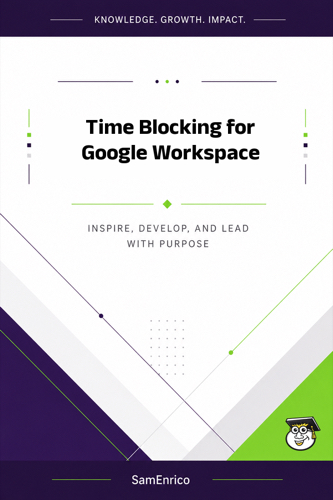
Time Blocking for Google Workspace
Integrate Gmail, Tasks, and Keep with Google Calen
by Cho Emmanuel
Integrate Gmail, Tasks, and Keep with Google Calendar blocks.
Formats
About this book
Free sample
Chapter 1: The List That Lies...--–- Your morning ritual is familiar. You pour coffee, open your laptop, and glance at Google Tasks. Twenty-three items stare back. Some have been there for weeks. The checkboxes remain unfilled.
A few have red due-date warnings screaming for attention. You feel a knot in your stomach before you have typed a single word. This is not a productivity system. This is a guilt generator.The problem is not you. The problem is that most people confuse a to-do list with a plan.
They are not the same thing. A to-do list is a catalog of desires. A plan is a schedule of actions. The difference between the two is the difference between hoping and doing. This chapter dismantles the myth that lists create results and introduces the foundational distinction that makes time blocking work: the separation of Due Dates from Do Dates.The Anatomy of a Broken List Open your Google Tasks right now.
Look at the first five items. Ask yourself three questions about each one. How long will it actually take? When will you start working on it? What else is competing for that same time?
Chances are, you cannot answer any of those questions with confidence. That is because Google Tasks, by itself, tracks what needs to be done but completely ignores when and how long. A task that requires five minutes appears identical to a task that requires five hours. A task due next Tuesday looks exactly like a task due this afternoon.This design flaw creates a specific kind of cognitive burden called the Zeigarnik Effect. Psychologists discovered nearly a century ago that unfinished tasks occupy persistent mental bandwidth.
Your brain keeps them active in the background, like a browser tab you cannot close. The more tasks you have without scheduled completion times, the more mental energy leaks away. You are not forgetting the tasks. You are carrying them everywhere you go.Google Tasks excels at capture. It is fast, simple, and deeply integrated.
You can hit Shift + T from any email and instantly create a task. This ease of capture is both…
This is the end of the free sample. Get the eBook to keep going. Buy now
Contents
- Chapter 1
- Chapter 2
- Chapter 3
- Chapter 4
- Chapter 5
- Chapter 6
- Chapter 7
- Chapter 8
- Chapter 9
- Chapter 10
- Chapter 11
- Chapter 12
Details
- Author
- Cho Emmanuel
- Publisher
- SamEnrico
- Language
- English
- Genre
- Non-Fiction, Self-Help, Google Productivity
- Released
- 2026-06-10
- Pages (approx.)
- 131
- Available as
- eBook, Audiobook

Read better in the ZLOADR app
Your eBooks on your phone or tablet. Sign in with your SamEnrico account and start reading.
More by Cho Emmanuel
 Body Scan Meditation Track PackCho Emmanuel$11.99
 Parental Anger RethinkingCho Emmanuel$11.99
 Antarctica Traverse GuideCho Emmanuel$11.99
 Unidentified Remains Hair MicroscopyCho Emmanuel$11.99
 Bangladeshi Garment Worker To OwnerCho Emmanuel$11.99
 Atomic Habits For Habit ResetCho Emmanuel$11.99
 Small Habit ChangesCho Emmanuel$11.99
 The Silk Road Heist: How a 19th-Century Scam Fooled the WorldCho Emmanuel$11.99
 The Humber Bridge: Breaking the Limits of Steel and DreamsCho Emmanuel$11.99
 How to Start a Sixth Form Colleges Business (Beginners Guide)Cho Emmanuel$11.99
 How to Produce Aldehyde, Ketone and QuinoneCho Emmanuel$11.99
 Franchise Brand Localization GuideCho Emmanuel$12.99
You may also like
 Hong Kong Handover 1997Dunn Johnnie$11.99
 Zumba For Postnatal Recovery CourseNeal Christian$11.99
 Zumba for BeginnersLadner Nikia$11.99
 YouTube Comment Mining GuideHumes Pandora$12.99
 Worry Box MeditationCarlin Rudy$11.99
 Workplace Stress MeditationNguyen Lynn$11.99
 Workplace Stress and Sleep RepairHawley Ivory$11.99
 Workplace Perfectionism CureDelaney Jeffry$11.99
 Workplace Injustice Anger GuideWallen Isabelle$11.99
 Work Addiction and Burnout LinkGreenwood Ester$11.99
 Women in Yoga and WellnessBeattie Galina$11.99
 Women in Stand Up ComedyChun Evangeline$11.99