
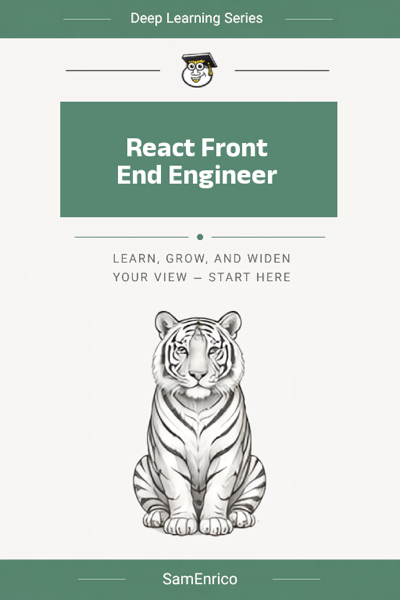
React Front End Engineer eBook
A Coursebook on React Front End Engineer
by Otoole Siu
A Coursebook on React Front End Engineer
Formats
Free sample
Chapter 1: The Abstraction Mirror...--You have written HTML by hand. You have toggled classes with Java Script. You have built a website that worked, shipped it, and felt that quiet pride of creation.Then someone asked you to add a button.Not just any button. A button that, when clicked, changes the text of a paragraph, updates a counter, fetches new data from a server, and hides a unrelated div. In j Query, you wrote seventeen lines of DOM traversal, event binding, and state synchronization. You debugged it for an hour because you forgot to re-bind the event after replacing the element. You got it working. You felt relief, not pride.This book exists because that feeling should be rare. React exists because that feeling should be eliminated.Welcome to the first chapter of "React Front End Engineer". This is not a tutorial that teaches you syntax by having you copy-paste code you do not understand. This is a coursebook that builds your mental model from the foundation upward. By the end of this chapter, you will understand not just what React does, but why React exists, what problems it solves that you have been solving painfully by hand, and what new problems it introduces that you must learn to navigate.Most importantly, you will set up your development environment and write your first real React component. Not a "Hello World" placeholder. A component that solves a real problem you have encountered before.Let us begin by admitting something uncomfortable: You have been lied to about complexity.The Lie of Imperative Control When you write vanilla Java Script DOM manipulation, you are telling the browser exactly how to do something, step by step, imperatively.javascript Copy Download// Imperative approach - you control every step
const button = document.get Element By Id('my Button'); const counter Display = document.get Element By Id('counter'); let count = 0;
button.add Event Listener('click', function() { count = count + 1; counter Display.text Content = count;
// Also update the color based on the new value if (count > 5) { counter Display.style.color = 'red'; } else { counter Display.style.color = 'black'; }
// Also disable the button after ten clicks if (count === 10) { button.disabled = true; button.text Content = 'Limit Reached'; } });This code works. You can read it. You can debug it. But look closely at what you are doing. You are not describing the relationship between the counter value and the button's disabled state. You are not declaring that the color should always be red when the count exceeds five. You are manually, imperatively, synchronizing these states every time something changes.Now imagine this component grows. A reset button clears the counter. A text input allows the user to set a starting value. The button should flash when the counter reaches a prime number. The paragraph should animate when the counter changes. The menu should hide when the counter exceeds a threshold.Your imperative code becomes a tangled web of event handlers, DOM queries, state variables scattered across closures, and timing bugs that appear only when users click faster than you anticipated. You have built a house of cards. Every new feature requires reconstructing the mental model of the entire system.This is not your fault. This is the inherent complexity of imperative UI programming. You have been solving problems that the framework should solve.The Declaration of Intent React inverts the problem. Instead of telling the browser how to update the DOM step by step, you tell React what the UI should look like for a given state. React figures out how to make the real DOM match that description.Look at the same counter implemented declaratively:javascript Copy Downloadfunction Counter() { const [count, set Count] = React.use State(0);
const handle Click = () => { set Count(count + 1); };
return ( 5 ? 'red' : 'black' }}> Count: {count} {count === 10 ? 'Limit Reached' : 'Increment'} ); }The difference is profound. You are not telling the browser to change the paragraph color when the count exceeds five. You are declaring that the paragraph should be red when count > 5 is true, and black otherwise. You are not telling the browser to disable the button at count ten. You are declaring that the button's disabled attribute equals count === 10.React looks at this declaration, compares it to the current DOM, and performs the minimal set of operations to make the real DOM match your description. You stop thinking about transitions and start thinking about states.This is the fundamental shift. You are no longer a puppeteer pulling DOM strings. You are an architect designing state machines. The UI becomes a pure function of your application state.The Virtual DOM: Not Magic, Just Strategy When developers first hear about the Virtual DOM, they imagine something exotic and performant by magic. It is neither. The Virtual DOM is a plain Java Script object that represents what the real DOM should look like.Consider this JSX:jsx Copy Download Hello, {name} Click Me Before React 19, this compiled to something like:javascript Copy Download React.create Element( 'div', { class Name: 'container' }, React.create Element('h1', null, 'Hello, ', name), React.create Element('button', null, 'Click Me') )That function call returns a Java Script object. A very simple one:javascript Copy Download{ type: 'div', props: { class Name: 'container', children: [ { type: 'h1', props: { children: ['Hello, ', 'Maya'] // name variable interpolated } }, { type: 'button', props: { children: 'Click Me' } } ] } }This object is the Virtual DOM. It is lightweight, serializable, and cheap to create. When your component's state changes, React creates a new Virtual DOM tree, compares it to the previous tree using a process called reconciliation, and computes the minimal set of DOM operations needed to update the real browser DOM.The algorithm works roughly like this:Compare the root elements. If they are different types (a div becoming a section), tear down the old tree and build a new one from scratch.If the root elements are the same type, compare their attributes. Update the changed attributes on the real DOM node.Recursively walk through the children. If children have key attributes, use them to match items across updates. Without keys, React cannot tell if a list item moved or was replaced.This is not magic. It is a predictable, debuggable strategy. The performance gain comes from batching updates and avoiding unnecessary DOM operations. Manipulating the real DOM is expensive. Manipulating a Java Script object is cheap. React does the expensive work only when necessary.JSX: The Bridge Between Worlds You may have noticed the HTML-looking syntax inside the Java Script function. That is JSX, and it is controversial among developers who believe that markup and logic should remain separate.The creators of React disagree. They argue that separation of concerns is not about separating technologies, but about separating responsibilities. A button component encapsulates its markup, its behavior, its event handlers, and its local state. These are not separate concerns. They are one concern: the button's functionality.JSX looks like HTML, but it has important differences:class Name instead of class. The class keyword is reserved in Java Script, so React uses class Name for CSS classes.jsx Copy Download// HTML
// JSX Camel Case for most attributes. tabindex becomes tab Index. onclick becomes on Click. The exceptions are aria-* and data-* attributes, which keep their…
This is the end of the free sample. Get the eBook to keep going. Buy now
About this book
Details
- Author
- Otoole Siu
- Publisher
- SamEnrico
- Language
- English
- Genre
- Non-Fiction, Informative, Educational
- Released
- 2026-05-18
- Pages (approx.)
- 154
- Available as
- eBook, Audiobook

Read better in the ZLOADR app
Your eBooks on your phone or tablet. Sign in with your SamEnrico account and start reading.
More by Otoole Siu
 Comedy Behind The CurtainOtoole Siu$11.99
 Depression Myth BustingOtoole Siu$11.99
 Teen Music Therapy GuideOtoole Siu$11.99
 Foster Care And The Cell PhoneOtoole Siu$11.99
 The Melatonin Sleep Rhythm GuideOtoole Siu$11.99
 The Poisoned Pearl: Canada's Deadly Diamond HeistOtoole Siu$11.99
 How to Become a General-ledger BookkeeperOtoole Siu$11.99
 The Breeder's Guide to Tamworth PigsOtoole Siu$11.99
 Domain Name Email ForwardingOtoole Siu$12.99
 Startup Burn Rate GuideOtoole Siu$12.99