
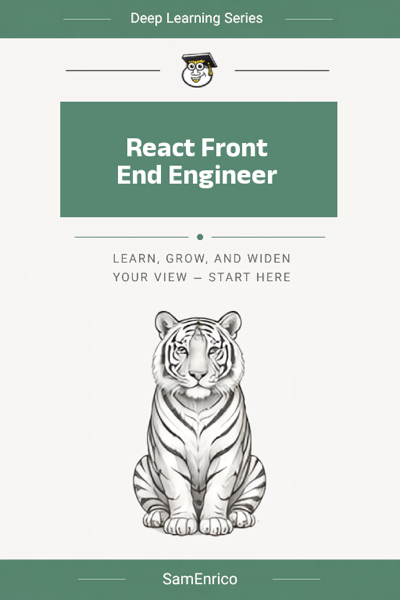
React Front End Engineer Audiobook
A Coursebook on React Front End Engineer
by Otoole Siu
A Coursebook on React Front End Engineer
Formats
Free sample
Chapter 1: The Abstraction Mirror...--You have written HTML by hand. You have toggled classes with Java Script. You have built a website that worked, shipped it, and felt that quiet pride of creation.Then someone asked you to add a button.Not just any button. A button that, when clicked, changes the text of a paragraph, updates a counter, fetches new data from a server, and hides a unrelated div. In j Query, you wrote seventeen lines of DOM traversal, event binding, and state synchronization. You debugged it for an hour because you forgot to re-bind the event after replacing the element. You got it working. You felt relief, not pride.This book exists because that feeling should be rare. React exists because that feeling should be eliminated.Welcome to the first chapter of "React Front End Engineer". This is not a tutorial that teaches you syntax by having you copy-paste code you do not understand. This is a coursebook that builds your mental model from the foundation upward. By the end of this chapter, you will understand not just what React does, but why React exists, what problems it solves that you have been solving painfully by hand, and what new problems it introduces that you must learn to navigate.Most importantly, you will set up your development environment and write your first real React component. Not a "Hello World" placeholder. A component that solves a real problem you have encountered before.Let us begin by admitting something uncomfortable: You have been lied to about complexity.The Lie of Imperative Control When you write vanilla Java Script DOM manipulation, you are telling the browser exactly how to do something, step by step, imperatively.javascript Copy Download// Imperative approach - you control every step
const button = document.get Element By Id('my Button'); const counter Display = document.get Element By Id('counter'); let count = 0;
button.add Event Listener('click', function() { count = count + 1; counter Display.text Content = count;
// Also update the color based on the new value if (count > 5) { counter Display.style.color = 'red'; } else { counter Display.style.color = 'black'; }
// Also disable the button after ten clicks if (count === 10) { button.disabled = true; button.text Content = 'Limit Reached'; } });This code works. You can read it. You can debug it. But look closely at what you are doing. You are not describing the relationship between the counter value…
This is the end of the free sample. Get the Audiobook to keep going. Buy now
About this book
Details
- Author
- Otoole Siu
- Publisher
- SamEnrico
- Language
- English
- Genre
- Non-Fiction, Informative, Educational
- Released
- 2026-05-18
- Pages (approx.)
- 154
- Available as
- eBook, Audiobook

Listen in the VoxFlicks app
Audiobooks and audio dramas wherever you go. Sign in with your SamEnrico account and press play.
More by Otoole Siu
 Comedy Behind The CurtainOtoole Siu$11.99
 Depression Myth BustingOtoole Siu$11.99
 Teen Music Therapy GuideOtoole Siu$11.99
 Foster Care And The Cell PhoneOtoole Siu$11.99
 The Melatonin Sleep Rhythm GuideOtoole Siu$11.99
 The Poisoned Pearl: Canada's Deadly Diamond HeistOtoole Siu$11.99
 How to Become a General-ledger BookkeeperOtoole Siu$11.99
 The Breeder's Guide to Tamworth PigsOtoole Siu$11.99
 Domain Name Email ForwardingOtoole Siu$12.99
 Startup Burn Rate GuideOtoole Siu$12.99