
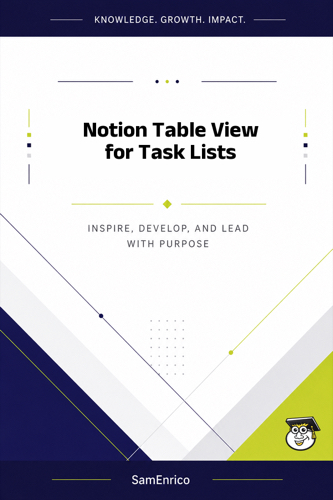
Notion Table View for Task Lists eBook
Uses spreadsheet-style view for bulk edits and mul
Uses spreadsheet-style view for bulk edits and multi-select filtering.
Formats
Free sample
Chapter 1: The Spreadsheet Mindset...--–- You have been lied to about productivity. Not deliberately, but deceptively nonetheless. The lie is this: that the pretty, colorful, card-based interfaces you see everywhere—the Kanban boards with their satisfying drag-and-drop, the galleries with their cover images, the calendars with their gentle blocks—are the best way to organize your work. They are not. They are, in fact, hiding your deadlines from you.This is not hyperbole.
It is a structural reality built into the very design of those interfaces. A Kanban board groups tasks by status: To Do, In Progress, Done. At a glance, you see how many cards are in each column. But what you cannot see, unless you click into each individual card, is which of those "In Progress" tasks is already three days overdue. You cannot see which "To Do" card has been sitting untouched for two weeks.
You cannot sort by priority, filter by client, or calculate how many hours of work remain. The board shows you a beautiful garden of sticky notes, but it hides the weeds growing underneath.The Table view in Notion is the antidote to this problem. It is not a spreadsheet for accountants. It is not a cold, sterile grid of numbers. It is the most honest, transparent, and powerful way to manage complex task lists precisely because it hides nothing.
Every deadline, every priority, every status, every assignment sits in its own column, visible at all times, sortable with one click, filterable with two, and calculable with three. This chapter will rewire how you think about task management. By the time you finish reading, you will understand why the top productivity experts all agree on one thing: start with a database, not a blank page.The Illusion of the Pretty Interface The software industry has spent the past decade convincing you that productivity should feel good. That if an app is delightful to look at, satisfying to touch, and pleasant to navigate, it must be making you more productive. This is a dangerous half-truth.
A pleasant interface reduces friction for entering tasks, but it does nothing for managing tasks at scale.Consider the humble Kanban board, popularized by Trello and adopted widely in Notion. You create three columns: To Do, In Progress, Done. You drag cards from left to right. It feels satisfying. The sound effects are pleasant.
But here is what that board cannot tell you without you opening every single card:Which of the twelve cards in "In Progress" is actually blocking the rest of the team?Which of the twenty cards in "To Do" has a deadline of tomorrow?How many "High Priority" cards are currently sitting in "Done" without being reviewed?What is the average time a card spends in "In Progress" before moving to "Done"?These are not edge cases. These are the fundamental questions of task management. And a Kanban board cannot answer any of them without you performing manual, time-consuming inspection. The interface is not helping you. It is hiding the truth behind a veil of visual comfort.The Table view makes no such promises of comfort.
It shows you everything. Every task is a row. Every property is a column. Your deadlines are right there, in plain text, sorted from soonest to latest. Your overdue tasks are not buried inside colored cards—they are at the top of the list, highlighted by the very fact of their date being smaller than today's.
This honesty is uncomfortable at first. You will see exactly how many tasks you have neglected. You will see exactly how many have no due date at all. But discomfort is the price of clarity. And clarity is the foundation of productivity.The Row vs.
The Sticky Note To understand why the Table view is superior, you must understand the fundamental difference between a record and a note. This distinction is the single most important concept in this entire book. Master it, and everything else becomes obvious. Ignore it, and you will remain forever confused about why your Notion setup feels sluggish and unhelpful.A sticky note—whether physical or digital—is a container of unstructured text. You can write anything on it.
"Call dentist. Buy milk. Finish Q3 report. Remember to water plants." The note holds the text, but it does not understand the text. It does not know that "Finish Q3 report" has a deadline of Friday.
It does not know that "Call dentist" is a different type of task than "Buy milk." The note is a bucket. You put words in the bucket, and the bucket holds them. That is all.A row in a Table view is fundamentally different. A row is a record with properties. Each property—each column—is a specific type of data: a date, a priority level, a status, a person, a number.
The database does not just hold the text. It understands the structure of the data. When you put a date in the Due Date column, the database knows that is a date. It can sort by it. It can filter by it.
It can calculate how many days remain until that date. It can group tasks by week. The database does not just store information—it computes with information.This difference is the difference between a filing cabinet and an analyst. A filing cabinet holds papers. You can open the drawer and look at them.
That is what a sticky note does. An analyst looks at the papers, extracts the structured data, and tells you what it means. That is what a Table view does.Here is a concrete example. Imagine you have ten tasks. On a Kanban board, you have ten cards.
To find out which tasks are due this week, you must open each card, look for a date field, and mentally note it. That takes time. With a Table view, you click the filter button, set "Due Date" to "is within the next 7 days," and in half a second, only the relevant tasks remain visible. The database did the work for you.This is not a small convenience. It is a paradigm shift.
You stop being a person who looks at lists and become a person who queries a database. The difference in speed and accuracy is not incremental—it is exponential.What the Top 10 Notion Books Agree On Over the past several years, a library of best-selling books has emerged around Notion productivity. Authors like Marie Poulin, William Nutt, and the teams at Keep Productive and Notion Mastery have sold hundreds of thousands of copies by teaching users how to escape chaos. And despite their different styles—some focused on personal knowledge management, others on project management, others on life organization—they all converge on a single, non-negotiable principle: start with a database, not a blank page.Why is this consensus so universal? Because every expert has made the same mistake and learned from it.
The mistake is to open Notion, create a new page, and start typing. "Groceries. Work tasks. Reading list. Ideas for my novel." This feels natural.
It feels like writing in a notebook. But it is a trap. Those unstructured pages cannot be filtered, sorted, or…
This is the end of the free sample. Get the eBook to keep going. Buy now
About this book
Details
- Author
- Sizemore Dinah
- Publisher
- SamEnrico
- Language
- English
- Genre
- Non-Fiction, Professional's Cheat Sheet, Spreadsheet
- Released
- 2026-06-06
- Pages (approx.)
- 118
- Available as
- eBook, Audiobook

Read better in the ZLOADR app
Your eBooks on your phone or tablet. Sign in with your SamEnrico account and start reading.
More by Sizemore Dinah
 Morgan Freeman VoiceSizemore Dinah$11.99
 Grief and Anger After Job LossSizemore Dinah$11.99
 Alcohol Recovery Affirmation GuideSizemore Dinah$11.99
 OCD Intrusive Thoughts HelpSizemore Dinah$11.99
 SAD Lamp Usage ProtocolSizemore Dinah$11.99
 Widow s Estate Settlement GuideSizemore Dinah$11.99
 Women Strike For Peace MemoirSizemore Dinah$11.99
 The Forgotten Tablets of Enki: Secrets of the AbzuSizemore Dinah$11.99
 The House of Words: Dar Al-Hikma and the Revolution of Arabic LiteratureSizemore Dinah$11.99The House of Words: Dar Al-Hikma and the Revolution of Arabic LiteratureSizemore Dinah$11.99
 How to Produce a Packaging Forming MachineSizemore Dinah$11.99
 How to Produce Mould Design and Processing ServicesSizemore Dinah$11.99