
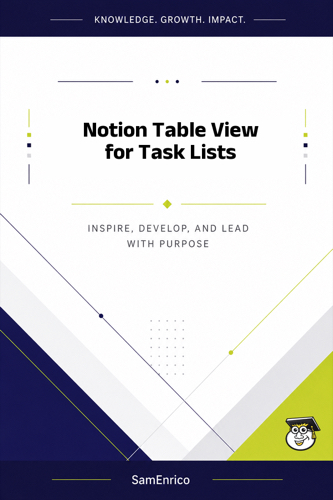
Notion Table View for Task Lists Audiobook
Uses spreadsheet-style view for bulk edits and mul
Uses spreadsheet-style view for bulk edits and multi-select filtering.
Formats
Free sample
Chapter 1: The Spreadsheet Mindset...--–- You have been lied to about productivity. Not deliberately, but deceptively nonetheless. The lie is this: that the pretty, colorful, card-based interfaces you see everywhere—the Kanban boards with their satisfying drag-and-drop, the galleries with their cover images, the calendars with their gentle blocks—are the best way to organize your work. They are not. They are, in fact, hiding your deadlines from you.This is not hyperbole.
It is a structural reality built into the very design of those interfaces. A Kanban board groups tasks by status: To Do, In Progress, Done. At a glance, you see how many cards are in each column. But what you cannot see, unless you click into each individual card, is which of those "In Progress" tasks is already three days overdue. You cannot see which "To Do" card has been sitting untouched for two weeks.
You cannot sort by priority, filter by client, or calculate how many hours of work remain. The board shows you a beautiful garden of sticky notes, but it hides the weeds growing underneath.The Table view in Notion is the antidote to this problem. It is not a spreadsheet for accountants. It is not a cold, sterile grid of numbers. It is the most honest, transparent, and powerful way to manage complex task lists precisely because it hides nothing.
Every deadline, every priority, every status, every assignment sits in its own column, visible at all times, sortable with one click, filterable with two, and calculable with three. This chapter will rewire how you think about task management. By the time you finish reading, you will understand why the top productivity experts all agree on one thing: start with a database, not a blank page.The Illusion of the Pretty Interface The software industry has spent the past decade convincing you that productivity should feel good. That if an app is delightful to look at, satisfying to touch, and pleasant to navigate, it must be making you more productive. This is a dangerous half-truth.
A pleasant interface reduces friction for entering tasks, but it does nothing for managing tasks at scale.Consider the humble Kanban board, popularized by Trello and adopted widely in Notion. You create three columns: To Do, In Progress, Done. You drag cards from left to right. It feels satisfying. The sound effects are pleasant.
But here is what that board cannot tell you without you opening every single card:Which of the twelve cards in…
This is the end of the free sample. Get the Audiobook to keep going. Buy now
About this book
Details
- Author
- Sizemore Dinah
- Publisher
- SamEnrico
- Language
- English
- Genre
- Non-Fiction, Professional's Cheat Sheet, Spreadsheet
- Released
- 2026-06-06
- Pages (approx.)
- 118
- Available as
- eBook, Audiobook

Listen in the VoxFlicks app
Audiobooks and audio dramas wherever you go. Sign in with your SamEnrico account and press play.
More by Sizemore Dinah
 Morgan Freeman VoiceSizemore Dinah$11.99
 Grief and Anger After Job LossSizemore Dinah$11.99
 Alcohol Recovery Affirmation GuideSizemore Dinah$11.99
 OCD Intrusive Thoughts HelpSizemore Dinah$11.99
 SAD Lamp Usage ProtocolSizemore Dinah$11.99
 Widow s Estate Settlement GuideSizemore Dinah$11.99
 Women Strike For Peace MemoirSizemore Dinah$11.99
 The Forgotten Tablets of Enki: Secrets of the AbzuSizemore Dinah$11.99
 The House of Words: Dar Al-Hikma and the Revolution of Arabic LiteratureSizemore Dinah$11.99The House of Words: Dar Al-Hikma and the Revolution of Arabic LiteratureSizemore Dinah$11.99
 How to Produce a Packaging Forming MachineSizemore Dinah$11.99
 How to Produce Mould Design and Processing ServicesSizemore Dinah$11.99