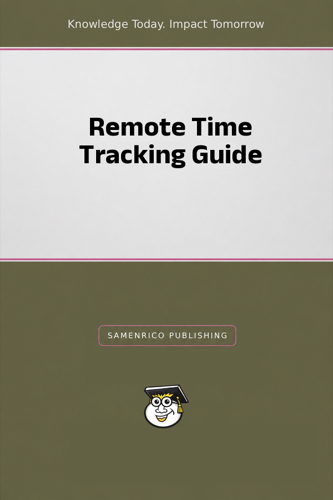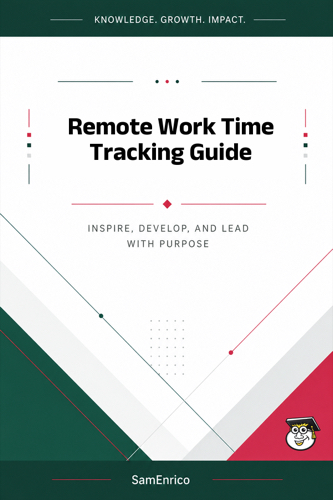
Remote Work Time Tracking Guide eBook
Monitor where your hours go to identify productivi
Monitor where your hours go to identify productivity leaks and patterns.
Formats
Free sample
Chapter 1: The Panopticon Fallacy--–- The first time I realized surveillance software was a lie, I was staring at my own productivity score: 73%. My crime? I had taken 14 minutes to walk my dog between meetings. Not 14 minutes of slacking. Fourteen minutes of thinking, stretching, and returning with a solution to a problem that had stumped me for three hours.
The algorithm didn't care about my solution. It cared about my mouse movements.Three thousand miles away, my employer saw a number in a dashboard: 73%. That number was translated, without context, as "underperforming." No one asked about the solution I had generated during those 14 minutes. No one asked about the client I saved that afternoon. The algorithm had spoken.This chapter is not about why surveillance software exists.
You already know why: fear. Managers fear that remote workers are watching Netflix instead of working. Shareholders fear that productivity will slip without butts in chairs. And workers fear that if they don't prove their value in 15-minute increments, they will be replaced. The surveillance economy runs on fear.This chapter is about something more uncomfortable: why surveillance doesn't work, what actually steals your time, and the critical distinction that will change how you think about tracking forever.The Rise of Tattleware In 2023, the market for employee monitoring software reached nearly $1 billion.
Tools like Teramind, Hubstaff, Time Doctor, and Activ Trak now sit on millions of work laptops, quietly recording keystrokes, taking random screenshots, tracking mouse movements, and even using webcams to confirm that the person in the chair is actually working. The industry calls this "productivity monitoring." Workers call it "tattleware."The logic seems sound on the surface. Remote work exploded during the pandemic. Managers could no longer walk past desks to see who was working. So they turned to technology to fill the gap.
If you can't see the work, the thinking goes, you must measure it. And what better way to measure than to capture every click, every pause, every bathroom break?But here is the dirty secret that the $1 billion monitoring industry does not want you to know: the data shows that surveillance tools do not increase productivity. They decrease it.A 2024 study published in the Journal of Organizational Behavior tracked 2,500 remote workers across 40 companies. The study compared two groups: those under active surveillance (keystroke logging, screenshots, mouse tracking) and those under "trust-based" management (goal completion, project milestones, self-reported progress). The results were unambiguous.
The surveillance group showed a 12% decline in productivity over six months. The trust-based group showed a 9% increase.Why? Because anxiety is not a productivity drug. When workers know they are being watched, they do not work harder. They work strangely.
They wiggle their mice to appear active. They delay bathroom breaks until their bladders scream. They avoid deep work because deep work looks like "inactivity" to an algorithm. The surveillance group spent 30% more time on "performative activity" (moving the mouse, opening and closing files, typing random characters) and 40% less time on actual problem-solving.The workers in the trust-based group, by contrast, disappeared for two hours, solved difficult problems, and returned with results. Their managers never saw their keystrokes.
They saw their outcomes.The Consent Spectrum: Why "Tracking" Is Not a Monolith Before we go any further, we must make a distinction that most books ignore. The word "tracking" is too broad. It lumps together radically different practices under a single, fear-inducing label. To understand what we are doing in this book, you need to see the full landscape of tracking. Let me introduce the Tracking Tools Distinction Table—a framework we will use throughout these twelve chapters.Type of Tracking What It Does The Problem When (If Ever) Is It OK?Employer-installed, mandatory, screenshots Records keystrokes, takes random screenshots, tracks mouse movements, monitors idle time.
Data goes to employer without your review.Creates anxiety, encourages performative work, destroys trust, decreases actual productivity by 12-15%.Never. This is surveillance, not tracking.Self-installed, voluntary, aggregated data You install software like Rescue Time or Toggl. You control the data. You can delete it, anonymize it, or share only summaries.Neutral. The tool itself is fine.
The problem is who holds the keys.Yes, with caveats. Only if you control the data and delete it regularly (weekly or monthly).Employer-requested, opt-in, project-only Employer asks (does not demand) that you log time against specific projects or clients. No screenshots. No keystrokes. No personal tracking.
You can decline.Negotiable. This exists in a gray zone. It can be reasonable for billable hours or regulatory compliance.Maybe. Requires transparency: you must know exactly what data is collected, who sees it, and how long it is kept. See Chapter 10 for negotiation scripts.Here is the golden rule that will guide everything in this book: The difference between oppression and empowerment is not the tool.
It is who holds the keys and whether consent exists.A hammer can build a house or smash a window. A tracking tool can surveil you or illuminate you. The hammer does not decide. The person swinging it decides.In Chapter 1, we condemned employer-installed, mandatory surveillance. We stand by that condemnation.
Those tools are fundamentally flawed because they assume workers are thieves until proven otherwise. That assumption poisons everything it touches.But in Chapter 8, we will recommend self-installed, voluntary tracking tools. This is not a contradiction. It is a distinction between surveillance (being watched by someone who does not trust you) and visibility (watching yourself to understand your own patterns). One is a cage.
The other is a mirror.If you are still confused, ask yourself one question: Who can see this data, and can I delete it? If the answer is "my employer, and no," you are in the red zone. Put down the tool. If the answer is "only me, and yes," you are in the green zone. Proceed.The Real Time Thief Is Not Netflix Now let us talk about what is actually stealing your time.
Most people assume the enemy is obvious: distraction. Social media. You Tube. Online shopping. The siren song of the internet pulling you away from your spreadsheet.But the data tells a different story.
When researchers analyzed thousands of hours of remote work logs, they found something surprising. The average remote worker spends only 45 minutes per day on what most people would call "distraction"—social media, news, personal browsing. That is not nothing, but it is not the thief.The real thief is invisible. It is the thing you do while feeling busy but producing nothing.Let me give you an example. Imagine you need an answer from a colleague to move forward on a project.
You send a Slack message. You wait. You check Slack again. You open your email. You close your email.
You check Slack again. You open a document to work on something else, but you cannot focus because you are waiting for that answer. Forty-five minutes pass. You have not been "distracted" by Netflix. You have been waiting.
The time feels productive because you are "working"—you are at your computer, after all. But you have produced nothing.That is Friction. And it is the single biggest productivity leak in remote work.The Unified Leak Taxonomy To fix a…
This is the end of the free sample. Get the eBook to keep going. Buy now
About this book
Details
- Author
- Barajas Tiffiny
- Publisher
- SamEnrico
- Language
- English
- Genre
- Non-Fiction, Self-Help, Time Tracking
- Released
- 2026-06-07
- Pages (approx.)
- 117
- Available as
- eBook, Audiobook

Read better in the ZLOADR app
Your eBooks on your phone or tablet. Sign in with your SamEnrico account and start reading.
More by Barajas Tiffiny
 Painted Walls VOC ReductionBarajas Tiffiny$11.99
 Major Depressive Disorder Treatment Options ManualBarajas Tiffiny$11.99
 Foster Care SummersBarajas Tiffiny$11.99
 School Teacher Impact StoryBarajas Tiffiny$11.99
 Success Without Burnout for SalesBarajas Tiffiny$11.99
 Assertive Text MessagingBarajas Tiffiny$11.99
 Atlantic Crossing Death TollBarajas Tiffiny$11.99
 The Infanticide Laws: How Child Murder Cases Shaped 19th-Century JusticeBarajas Tiffiny$11.99
 Charlemagne's Crown: The Renaissance That Rebuilt the WestBarajas Tiffiny$11.99
 Service Providers Guide to Nature HikesBarajas Tiffiny$11.99
 How to Produce a List of Blu-ray Player ManufacturersBarajas Tiffiny$11.99
 Entry Level Supply Chain BlueprintBarajas Tiffiny$12.99