
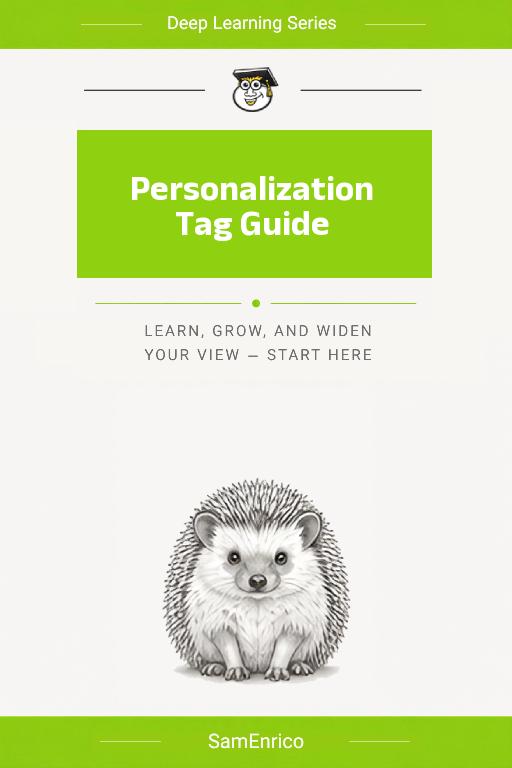
Non-FictionFirst 30 DaysPersonalization
Personalization Tag Guide eBook
Use Mailchimp merge tags to personalize emails wit
Use Mailchimp merge tags to personalize emails with subscriber names, locations, and custom fields.
Formats
Free sample
Chapter 1: The $100,000 Typo--–- Every morning, across the globe, approximately 15 billion marketing emails land in inboxes. The average office worker receives 121 of them per day. Of those, the average person opens just 23. The rest? Deleted.
Ignored. Sent to spam without a second thought. And here is the quiet horror that keeps email marketers awake at night: most of those deleted emails weren't read because they felt generic. They felt like they were written for nobody in particular. They felt, in a word, like spam.But here is what the most successful email marketers know that the rest don't: the difference between a deleted email and a clicked email is often no more than three characters.
Three characters. That is the length of a merge tag. That is the length of *|FNAME|*. And getting it wrong—or worse, not using it at all—is costing your business a staggering amount of money.Let us name this invisible drain. Let us call it the $100,000 Typo.Not because you misspelled a word.
But because you made a far more expensive error: you sent generic, impersonal emails to people who have already given you permission to know them. Every time you write "Dear Customer" or "Hi Friend" or—the worst offender—"Hello there," you are telling your subscriber one thing and one thing only: I don't actually know who you are, and I didn't bother to check.Your subscribers notice. Their brains notice. And their wallets notice, too.The Cocktail Party Effect in Your Inbox In 1953, a British cognitive scientist named Colin Cherry published a groundbreaking study on selective attention. He called it the "Cocktail Party Effect." Here is what he discovered: at a noisy cocktail party, your brain is capable of filtering out dozens of conversations simultaneously—until someone says your name.
The moment you hear your own name across a crowded room, your attention snaps to that conversation like a missile locking onto a target. You cannot help it. It is not a choice. It is a neurological reflex.Your email inbox is that crowded cocktail party. Every day, your subscribers are surrounded by noise: promotional offers, shipping notifications, newsletters, social media updates, and spam.
Their brains are filtering furiously, discarding 80% of what lands in front of them without conscious thought. But then—then—an email arrives that begins with their name. "Hi, Sarah." Or "Michael, your cart is waiting." Or "For David only."Something changes. The filter drops. Attention snaps into focus.This is not marketing magic.
This is neuroscience. And you have been leaving it on the table every time you wrote "Hey Friend."Why "Personalization" Is Not the Same as "Segmentation"Before we go any further, we need to clear up a confusion that derails more email programs than any technical error. Most marketers use the words "personalization" and "segmentation" interchangeably. They are not the same thing. Confusing them is like confusing a scalpel with a chainsaw.
Both are useful. Both cut. But they are used for completely different purposes.Segmentation is about who receives the email. It is the act of dividing your audience into groups based on shared characteristics: people who bought shoes, people who live in Texas, people who opened your last three emails. Segmentation answers the question: "Which group should receive this message?"Personalization is about what the email says after it arrives.
It is the act of dynamically inserting subscriber-specific data into the message itself. Personalization answers the question: "How do I make this message feel like it was written for one person?"Here is an example that makes the difference crystal clear.You own a pet store. You send an email to everyone who bought dog food in the last 30 days. That is segmentation. You are sending to a specific group.Inside that email, you write: "Hi |FNAME|, we noticed your |PET_NAME| loves our chicken-flavored kibble.
Here is a coupon for 20% off your next bag." That is personalization. You are using the subscriber's first name and their pet's name—both stored in custom fields—to make the email feel personal.Segmentation gets the email to the right person. Personalization makes that person feel seen. You need both. But this book is about the second one.
Because segmentation is relatively easy. Personalization is where most marketers stumble.The Six-Times Multiplier Let us talk about the numbers, because numbers do not lie.According to aggregated data from over 100,000 campaigns analyzed by marketing automation platforms, personalized emails generate six times higher transaction rates than non-personalized emails. Six times. That is not a 10% improvement or a 20% lift. That is a 500% increase in the likelihood that someone will buy from you.But wait.
There is a catch. And the catch is brutal.The same data shows that poorly executed personalization—using the wrong data, formatting names incorrectly, or displaying raw merge tags like *|FNAME|* because the field was empty—performs worse than no personalization at all. In fact, a broken personalization attempt can decrease trust by up to 30%.Why? Because when you send an email that says "Hi |FNAME|" (with the tag showing literally) or "Hello undefined," you are not just failing to impress. You are actively demonstrating incompetence.
You are telling your subscriber: "I tried to pretend I knew you, but I don't even know how to use my own software." That is worse than saying nothing at all.So the goal of this book is not simply to help you personalize. The goal is to help you personalize correctly—every time, without fail, on every device, in every campaign.The Anatomy of a Merge Tag Since this is a technical guide, we need to start with the building block of everything that follows. You cannot build a house without understanding a brick. You cannot personalize an email without understanding a merge tag.A merge tag is a piece of code that tells your email platform: "Stop looking at this as text. Instead, go find this specific piece of information about the person receiving the email, and insert it right here."In Mailchimp, merge tags follow a strict syntax.
Let us dissect the most common one: *|FNAME|*The asterisks (*) on both ends tell Mailchimp: "Parse this. Treat it as an instruction, not as regular text."The pipes (|) mark the boundaries of the tag. Everything inside the pipes is the command.The word FNAME is the specific field name. It stands for "First Name." This is a default field that every Mailchimp audience has.When you send an email, Mailchimp looks at each recipient individually. For Sarah, it replaces *|FNAME|* with "Sarah." For Michael, it becomes "Michael." For a contact who did not provide a first name, it becomes an empty string—literally nothing—unless you have set a fallback value (which we will cover in Chapter 3).That is it.
That is the magic. A merge tag is just a placeholder. But that tiny placeholder, used correctly, is the difference between an email that feels like a broadcast and an email that feels like a conversation.The Zero Generic Greetings Policy Here is where we draw a line in the sand. From this moment forward, you are going to adopt a policy that will separate you from 90%…
This is the end of the free sample. Get the eBook to keep going. Buy now
About this book
Details
- Author
- Severson Lettie
- Publisher
- SamEnrico
- Language
- English
- Genre
- Non-Fiction, First 30 Days, Personalization
- Released
- 2026-05-28
- Pages (approx.)
- 138
- Available as
- eBook, Audiobook

Read better in the ZLOADR app
Your eBooks on your phone or tablet. Sign in with your SamEnrico account and start reading.
More by Severson Lettie
 Pituitary Tumor HGH ExcessSeverson Lettie$11.99
 Clear Goals Flow MethodSeverson Lettie$11.99
 Silent Brainstorming TechniqueSeverson Lettie$11.99
 Rejection Anger RestructuringSeverson Lettie$11.99
 The Mortgage Stress SolutionSeverson Lettie$11.99
 Benzodiazepine Master GuideSeverson Lettie$11.99
 Immigrant Financial Stress GuideSeverson Lettie$11.99
 Delegation Skills for New ManagersSeverson Lettie$11.99
 The Thunderbird's Song: How a Great Spirit Shaped the LandSeverson Lettie$11.99
 The Labyrinth's Last Guardian: Theseus and the Minotaur's SecretSeverson Lettie$11.99
 Quinoa: Seed HarvestingSeverson Lettie$11.99
 Information Fast for BurnoutSeverson Lettie$12.99
You may also like
 Hong Kong Handover 1997Dunn Johnnie$11.99
 Zumba For Postnatal Recovery CourseNeal Christian$11.99
 Zumba for BeginnersLadner Nikia$11.99
 YouTube Comment Mining GuideHumes Pandora$12.99
 Worry Box MeditationCarlin Rudy$11.99
 Workplace Stress MeditationNguyen Lynn$11.99
 Workplace Stress and Sleep RepairHawley Ivory$11.99
 Workplace Perfectionism CureDelaney Jeffry$11.99
 Workplace Injustice Anger GuideWallen Isabelle$11.99
 Work Addiction and Burnout LinkGreenwood Ester$11.99
 Women in Yoga and WellnessBeattie Galina$11.99
 Women in Stand Up ComedyChun Evangeline$11.99