
Non-FictionStudent's ShortcutDesign Tool InternshipFigma Careers
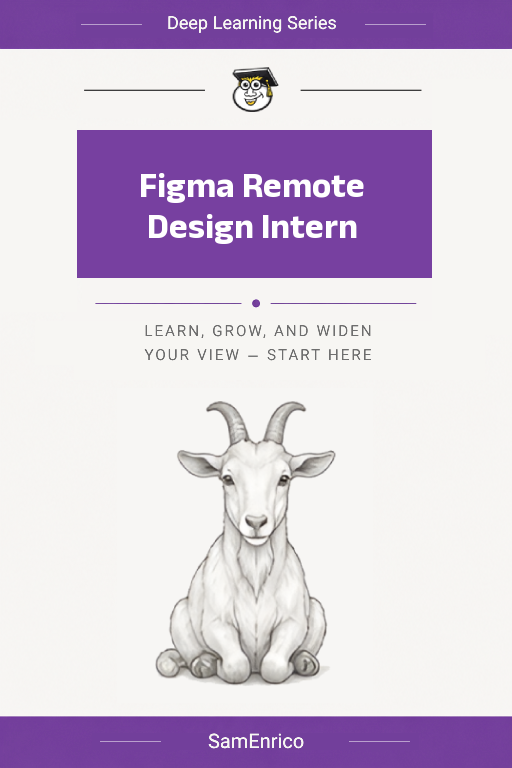
Figma Remote Design Intern eBook
Work remotely for Figma on collaborative design to
Work remotely for Figma on collaborative design tools vector editing and plugin ecosystem with global designers.
Formats
Free sample
Chapter 1: The Router-View Paradox--–- The cursor blinked on an empty Slack channel. It was 9:14 AM. You’d been logged in since 8:45, coffee in hand, hair brushed (mostly), camera-ready. But you hadn’t typed a word. Because what do you say?
“Good morning” feels too formal. “I’m here” feels defensive. “Ready to design” feels like a lie when you’re still trying to figure out if your microphone is muted by default.Your manager’s cursor appeared in the team Figma file. You watched it hover over the frame you’d been assigned yesterday. Then a comment appeared: “@you — are you in yet?”Your stomach dropped.
You were in. You were right there. But you hadn’t said anything. You hadn’t moved your cursor. In the physical world, your manager would have seen you walk in, hang your bag, sit down.
In the cloud, you were invisible until you performed visibility.This is the first lesson of remote design: Presence is not automatic. You must architect it.Welcome to the Router-View paradox. Your router—the physical box blinking in the corner of your apartment—determines whether you can even open Figma. Your view—the camera angle, the lighting, the window behind your head—determines whether anyone wants to collaborate with you. Together, they form the invisible threshold between “remote intern” and “remote intern who gets hired.”This chapter dismantles the 20th-century assumption that design happens in a physical room with i Macs and whiteboards.
It replaces that myth with a practical, testable framework for the digital studio. By the end of this chapter, you will have transformed your chaotic home setup into a professional remote workspace. You will understand why Figma lives in a browser. And you will never, ever paste an edit link into a public Discord server.The Myth of the 9-to-5 Factory Let’s be honest about something most remote books dance around: design was never a factory job, but we pretended it was. The open office plan, the fixed desks, the 10 AM standup—these were rituals borrowed from manufacturing.
Arrive on time. Sit in your assigned seat. Work until the bell rings.Remote work didn’t break that model. It exposed that the model was already broken.When you design software, you are not assembling a physical object. You are making decisions.
Decisions about spacing, color contrast, user flow, error states, animation curves. Those decisions happen in your brain, not at a desk. And your brain does not care what time zone it is.But here’s the trap that catches every remote intern: without the structure of an office, you will either work too little (and get fired) or work too much (and burn out). The successful remote designer does neither. They replace time-based presence with outcome-based presence.The 9-to-5 mindset says: “I sat in my chair for eight hours.
I deserve credit.”The remote mindset says: “I delivered a responsive component library, unblocked the front-end engineer, and documented my decisions. The chair is irrelevant.”This shift is harder than it sounds. Your brain has been trained since kindergarten to equate “showing up” with “doing work.” Remote work demands that you unlearn that equation. Nobody sees you sit down. Nobody sees you stand up.
All they see is what you leave behind: comments, commits, components, Figma links.So the first question of this book is not “How do I use Figma?” It is “How do I make my work visible without burning out?” The answer begins with your physical environment—because your environment shapes your energy, and your energy shapes your output.The Router-View Framework Let me introduce a term you will see throughout this book: Router-View. It’s a deliberately ugly portmanteau because ugly terms stick in your memory.Router = your internet connection, hardware, and network stability.View = your camera angle, lighting, background, and overall visual professionalism.Together, they determine whether a senior designer wants to collaborate with you or dreads seeing your name on a Slack @mention.Router: The Invisible Gatekeeper Here is a truth that Figma’s marketing team will never put on a billboard: Figma is unusable on bad internet. Not “a little slow.” Unusable.Figma is a browser-based application that uses Web Assembly and real-time Web Sockets. Every time you move a vector point, that movement is compressed, sent to Figma’s servers, and broadcast to every other person in the file. If your internet drops for two seconds, your cursor freezes.
If your latency spikes above 100ms, dragging a rectangle feels like dragging it through honey.Minimum requirements for a professional remote internship:Download speed: 50 Mbps minimum. Test it on speedtest.net. If you’re below 50, call your ISP or move closer to the router.Upload speed: 10 Mbps minimum. This matters for sharing your screen, uploading assets, and pushing plugin code.Latency: Below 50ms to Figma’s servers. You can’t directly test this, but if your ping in online games is above 50, Figma will struggle.Wired Ethernet over Wi-Fi.
Every time. Wi-Fi is for phones and guests. Ethernet is for professionals. A 15Ethernetcablewillimproveyourremotereputationmorethana15 Ethernet cable will improve your remote reputation more than a 15Ethernetcablewillimproveyourremotereputationmorethana200 mechanical keyboard.The backup plan: Your home internet will fail. Not maybe.
Not possibly. Will. The question is whether you have a backup. A mobile hotspot (using your phone’s data plan) is non-negotiable. Test it before you need it.
Know how to enable it in under 60 seconds. When your manager asks “why did you disappear for 20 minutes?” you want to say “my internet dropped, but I’m back on my hotspot” not “um, I don’t know what happened.”The router audit: Walk around your apartment with your laptop open. Run a speed test in every room. Mark the spots where speeds drop below 50 Mbps. That’s where you do not work.
Work only where the connection is solid. This sounds obvious. Almost no one does it.View: The Window Into Your Professionalism Now for the part that makes remote interns uncomfortable: your camera.You do not need a $2,000 Sony mirrorless camera. You do not need a ring light the size of a car tire. But you do need to be visible and presentable in a way that communicates “I am taking this seriously.”The camera angle: Your camera should be at eye level.
Not below your chin (looking up your nose). Not above your forehead (looking down at the top of your head). Eye level. Stack books under your laptop if you have to. Buy a $20 laptop stand if you can.
When your camera is at eye level, you appear confident. When it’s not, you appear like a child being scolded.The lighting: Light should come from in front of you (or slightly above), not behind you. A window behind your head turns you into a silhouette. A desk lamp pointed at your face turns you into a detective interrogating a suspect. The cheap solution: a white piece of paper or foam board placed behind your laptop screen to bounce light onto your face.
The professional solution: a $40 ring light from Amazon. Either works.The background: Your background should be boring. Not messy. Not “interesting.” Not a collection of…
This is the end of the free sample. Get the eBook to keep going. Buy now
About this book
Details
- Author
- Guzman Jonathon
- Publisher
- SamEnrico
- Language
- English
- Genre
- Non-Fiction, Student's Shortcut, Design Tool Internship, Figma Careers
- Released
- 2026-06-01
- Pages (approx.)
- 144
- Available as
- eBook, Audiobook

Read better in the ZLOADR app
Your eBooks on your phone or tablet. Sign in with your SamEnrico account and start reading.
More by Guzman Jonathon
 Taxi Driver HostageGuzman Jonathon$11.99
 The Ketzos HaChoshenGuzman Jonathon$11.99
 Aging Muscle Loss Hormone LinkGuzman Jonathon$11.99
 The Dad Stress Resilience GuideGuzman Jonathon$11.99
 Adult Children of Alcoholics GuideGuzman Jonathon$11.99
 The Midnight Courier: A Spy in the Shadows of the Silk RoadGuzman Jonathon$11.99
 The Last Dance of the Ice King: How Wayne Gretzky's 1999 Retirement Shook the NHLGuzman Jonathon$11.99
 Understanding BrachydactylyGuzman Jonathon$17.99
 Executive Summary Executive PersonasGuzman Jonathon$12.99
 Customer Experience AdvisorGuzman Jonathon$11.99
 How to Start a Hobby in Jewellery makingGuzman Jonathon$11.99
You may also like
 Hong Kong Handover 1997Dunn Johnnie$11.99
 Zumba For Postnatal Recovery CourseNeal Christian$11.99
 Zumba for BeginnersLadner Nikia$11.99
 YouTube Comment Mining GuideHumes Pandora$12.99
 Worry Box MeditationCarlin Rudy$11.99
 Workplace Stress MeditationNguyen Lynn$11.99
 Workplace Stress and Sleep RepairHawley Ivory$11.99
 Workplace Perfectionism CureDelaney Jeffry$11.99
 Workplace Injustice Anger GuideWallen Isabelle$11.99
 Work Addiction and Burnout LinkGreenwood Ester$11.99
 Women in Yoga and WellnessBeattie Galina$11.99
 Women in Stand Up ComedyChun Evangeline$11.99