
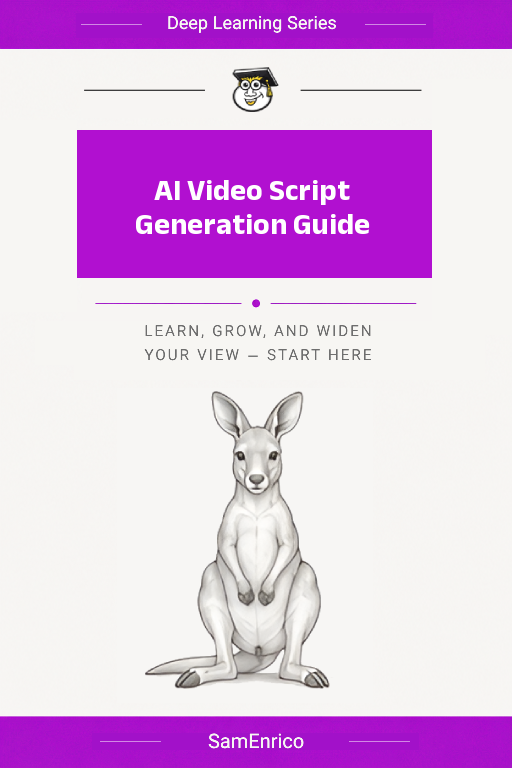
Non-FictionAI OperatorScriptwriting
AI Video Script Generation Guide eBook
Craft prompts that generate engaging video scripts
Craft prompts that generate engaging video scripts from blog posts or keywords for production teams.
Formats
Free sample
Chapter 1: The CRAFTS Blueprint--–- The first time I watched a producer feed a brilliant 2,000-word blog post into Chat GPT and receive a script that sounded like a dishwasher repair manual written by a disinterested alien, I realized we had a problem. The producer, let’s call her Sarah, had done everything “right.” She had copied the URL. She had typed “make this into a video script.” She had even added “please” at the end, as if politeness might unlock some hidden creativity layer. The output was technically correct. It contained all the facts.
It had a beginning, a middle, and an end. And it was utterly, painfully, catastrophically unwatchable. Sarah spent the next three hours manually rewriting every line, adding personality, cutting jargon, and restructuring the pacing. By the time she finished, she had effectively written the script herself. The AI had saved her zero time and had actually cost her emotional energy.
This is the “Garbage In, Garbage Out” reality that plagues modern content teams, and it is the single reason most AI video projects fail before they begin. But here is the secret that Sarah didn’t know: the problem was never the AI. The problem was the prompt. Vague inputs produce vague outputs. Generic requests produce generic scripts.
And without a precision architecture for how you talk to these models, you will remain stuck in the endless loop of generating, deleting, and regenerating. This chapter introduces that architecture. It is called CRAFTS, and it will transform the way your team writes prompts for video scripts, turning the AI from a random idea generator into a reliable production partner.The CRAFTS framework is not another trendy acronym to memorize and forget. It is a tactical prompt engineering system designed specifically for video script generation, and it sits beneath the strategic PRODUCE framework introduced in the front of this book. Think of PRODUCE as your map—it tells you where you want to go, what kind of video you need, and who you are making it for.
CRAFTS is your compass and your step-by-step navigation system. It tells you exactly what to type into the chat window to get the output you actually need. Every letter in CRAFTS stands for a non-negotiable component of a high-performing video script prompt: Context, Role, Audience, Format, Task, and Specifics. Miss one of these, and your script will have a hole in it. Include all six, and you will consistently generate scripts that are ready for production with minimal editing.
In this chapter, we will dissect each component with video-specific examples, walk through a complete case study that transforms a vague keyword into a production-ready script, and provide you with the Unified Prompt Blueprint template that your team can start using today.Why Most Video Prompts Fail: The Hidden Mistakes Before we build the CRAFTS architecture, we need to understand the structural failures it is designed to prevent. Most video prompts fail in three predictable ways, and recognizing these patterns is the first step toward breaking them.The first failure mode is the Empty Vessel prompt. This is when someone types something like “write a video script about cloud computing” or “create a Tik Tok script for our new product.” The AI has no context about the source material, no information about the audience, no constraints on length or tone, and no guidance on what success looks like. In the absence of constraints, the AI defaults to the most generic, average, forgettable output possible. It writes for a hypothetical “general audience” that does not exist, uses the most common transition words, and produces a script that sounds exactly like every other AI-generated script your competitors are also ignoring.
The Empty Vessel prompt is the number one cause of the “soulless AI voice” that audiences have learned to scroll past.The second failure mode is the Information Dump. This is when someone pastes an entire blog post, white paper, or transcript into the prompt and says “turn this into a script.” The AI, being a literal-minded statistical engine, tries to include everything. It preserves every subheading, every tangential example, every footnote. The resulting script is not a script at all; it is a condensed version of the source material, still too dense, still too long, and still completely missing the pacing and emotional arc that video requires. The Information Dump fails because it mistakes summarization for translation, a distinction we will explore in depth later in this book.
Video does not need all the information. Video needs the single most valuable insight, delivered with urgency and visual interest.The third failure mode is the Impersonation prompt without a model. This is when someone writes “write this in the style of a viral creator” or “make this engaging and energetic.” These are subjective, unmeasurable instructions. What does “viral” mean to the AI? What specific creators are you referencing?
What specific techniques make their content engaging? The AI has no way to know unless you provide concrete examples, constraints, and parameters. The Impersonation prompt fails because it asks the AI to read your mind. It assumes that the AI shares your intuitive understanding of what makes a script “good,” when in reality, the AI has no intuition at all—only statistical patterns from its training data.The CRAFTS framework solves all three failures simultaneously. It provides structure where there would otherwise be emptiness.
It forces prioritization where there would otherwise be information overload. And it replaces subjective adjectives with concrete parameters where there would otherwise be vague impersonation. Let us now build that structure, one letter at a time.C – Context: Feeding the AI What It Actually Needs Context is the foundation of every effective video prompt. Without context, the AI is guessing. With rich context, the AI is informed.
Context answers the question: what does the AI need to know about the source material, the platform, and the production constraints before it writes a single word?The most powerful form of context is the source URL or pasted text. Always provide the exact material you want the AI to work from. Do not assume the AI has read the blog post you are referencing, even if it is from a well-known publication. Do not assume the AI remembers a previous conversation. Paste the text, share the URL, or upload the document.
This seems obvious, yet it is the most commonly skipped step. Producers in a hurry will type “turn that blog we wrote last week into a script” and expect miracles. The AI does not have memory of last week unless you provide it.Beyond the source material, context includes platform specifications. A script for Tik Tok has a different rhythm, hook structure, and retention strategy than a script for You Tube, Linked In, or Instagram Reels. Tell the AI exactly where this video will live.
Write “This script is for Tik Tok, vertical format, maximum 60 seconds” or “This script is for You Tube, horizontal format, target length 8–10 minutes.” The platform dictates the pacing, the visual language, and the audience expectations. The AI needs to know which rulebook to follow.Context also includes brand constraints that might not fit neatly into the…
This is the end of the free sample. Get the eBook to keep going. Buy now
About this book
Details
- Author
- Ramsey Bessie
- Publisher
- SamEnrico
- Language
- English
- Genre
- Non-Fiction, AI Operator, Scriptwriting
- Released
- 2026-05-30
- Pages (approx.)
- 152
- Available as
- eBook, Audiobook

Read better in the ZLOADR app
Your eBooks on your phone or tablet. Sign in with your SamEnrico account and start reading.
More by Ramsey Bessie
 Suburban Fitness LifestyleRamsey Bessie$11.99
 Sierra Leone Milton MargaiRamsey Bessie$11.99
 Waterfall CleansingRamsey Bessie$11.99
 Loving Kindness for EmpathsRamsey Bessie$11.99
 Self Doubt for Military VeteransRamsey Bessie$11.99
 The Marble Dreamers: Building the Ideal CityRamsey Bessie$11.99
 Understanding Mounier-kuhn SyndromeRamsey Bessie$17.99
 Asynchronous Conflict Resolution GuideRamsey Bessie$12.99
 Makeup FormulatorRamsey Bessie$11.99
 Ultimate Handbook Guide to Yinchuan : (China) Travel GuideRamsey Bessie$11.99
You may also like
 Hong Kong Handover 1997Dunn Johnnie$11.99
 Zumba For Postnatal Recovery CourseNeal Christian$11.99
 Zumba for BeginnersLadner Nikia$11.99
 YouTube Comment Mining GuideHumes Pandora$12.99
 Worry Box MeditationCarlin Rudy$11.99
 Workplace Stress MeditationNguyen Lynn$11.99
 Workplace Stress and Sleep RepairHawley Ivory$11.99
 Workplace Perfectionism CureDelaney Jeffry$11.99
 Workplace Injustice Anger GuideWallen Isabelle$11.99
 Work Addiction and Burnout LinkGreenwood Ester$11.99
 Women in Yoga and WellnessBeattie Galina$11.99
 Women in Stand Up ComedyChun Evangeline$11.99