
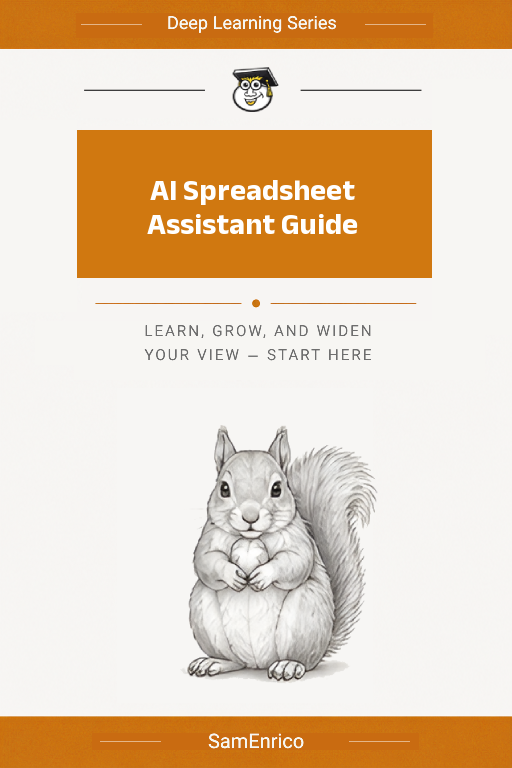
Non-FictionAnnual CheckupSpreadsheet AI
AI Spreadsheet Assistant Guide eBook
Use Excel Ideas, Google Sheets Explore, or Coeffic
Use Excel Ideas, Google Sheets Explore, or Coefficient AI to analyze data faster.
Formats
Free sample
Chapter 1: The Spreadsheet Grind--–- The email arrives at 4:47 PM on a Friday. The subject line reads: "Quick request – can you run these numbers?" The attachment is a 50MB CSV file. Your weekend plans flicker and die. You open the file and immediately see the problems: merged cells, inconsistent date formats, dollar values stored as text, and a note from the sender saying "I cleaned it as best I could."You know what comes next. Two hours of VLOOKUP troubleshooting.
Twenty minutes of pivot table dragging. Another thirty minutes of manual cell formatting. Then, finally, the analysis – the part that actually matters. By the time you have an answer, it's 8:00 PM. The person who asked the question has already left for the weekend.
You email your findings anyway, knowing they will be read on Monday, when the data is already three days older and the question has changed.This scene plays out millions of times every day, in every industry, in every country where spreadsheets are used. It is so common that we have normalized it. We tell ourselves: "That's just how spreadsheets work." "I need to learn more formulas." "I'm just not technical enough."All of these beliefs are wrong.The problem is not you. The problem is not your work ethic or your technical ability. The problem is that you have been trying to solve 21st-century data questions with 20th-century tools and a 19th-century mindset.
You have been acting as a manual laborer in an information economy, spending your cognitive energy on repetitive tasks that machines could do for you – if only you knew how to ask.This book exists because that era is over.Welcome to the age of the AI Spreadsheet Assistant. Your job is about to change from "formula writer" to "data director." And it starts with understanding exactly what you are escaping.The Hidden Tax You Pay Every Day Let us quantify the problem. Not because numbers are cold, but because the truth is in the math.Think about your average workweek. How many hours do you spend inside spreadsheets? For most knowledge workers, the answer is between 10 and 20 hours per week.
Now, break that time down. How much of it is actual analysis – interpreting numbers, finding patterns, making decisions, recommending actions? How much of it is preparation: cleaning data, writing formulas, formatting cells, fixing errors, and waiting for spreadsheets to recalculate?If you are like most people, the ratio is roughly 80% preparation and 20% analysis. For every hour you spend thinking about what the data means, you spend four hours wrestling with the data itself.Now do the multiplication. If you spend 15 hours per week in spreadsheets, that means 12 hours of preparation and 3 hours of analysis.
Over a 50-week working year, that is 600 hours of preparation and 150 hours of analysis. Six hundred hours. That is fifteen full workweeks. Nearly four months of your working life, spent every year on tasks that a properly configured AI assistant could handle in minutes.The average knowledge worker will spend over 3,000 hours on spreadsheet preparation tasks before they retire. That is nearly two full years of their career.
Two years of VLOOKUPs. Two years of pivot tables. Two years of wondering why the dollar signs won't align.This is the Spreadsheet Grind. It is invisible because it is everywhere. It is accepted because it has always been this way.
But it is not inevitable.The Three Enemies You Will Defeat Before we introduce the solution, we must name the enemies. Every transformation story needs a villain, and your spreadsheet life has three of them. They have been stealing your time, your energy, and your confidence. Here is who they are.The Blank Page Panic You open a new spreadsheet, or you receive a messy export, and you freeze. Where do you start?
What should you clean first? Which formula do you need? The blank grid stretches before you like an empty desert, and the pressure to produce something useful creates paralysis. You end up clicking around randomly, trying things, deleting them, trying again. Thirty minutes later, you have made no progress but you feel exhausted.The Blank Page Panic is not a personality flaw.
It is a symptom of working without a system. When you have a repeatable process for approaching any data problem, the blank page becomes a starting line instead of an obstacle. The AI Spreadsheet Assistant gives you that process.The Formula Fog Excel has over 500 functions. Google Sheets has over 400. Most users know maybe 20 of them well.
The rest exist in a fog – you know there is probably a function that does what you need, but you cannot remember its name, or its syntax, or which arguments go where. So you search. You Google. You browse forums. You find an answer that almost works, but it returns an error you do not understand.
You tweak it. It errors differently. You give up and do it manually.The Formula Fog is not a memory problem. It is a language problem. You are trying to think in a syntax that was designed for computers, not humans.
The AI Spreadsheet Assistant lets you describe what you want in plain English. The fog lifts.The Refreshing Ritual You build a beautiful report. Charts. Pivot tables. Color-coded conditional formatting.
It takes you four hours. You send it to your boss. She asks one question: "Can you update this with this month's data?" Your heart sinks. You know what that means. Export the new data.
Clean it. Update the ranges. Refresh the pivot tables. Fix the broken formulas. Reformat the columns.
Another hour, minimum. By the time you finish, the report is already stale again.The Refreshing Ritual is the most insidious enemy because it convinces you that manual repetition is just the cost of doing business. It is not. Live data connections, auto-refreshing queries, and AI-powered templates can break this cycle entirely. You build the report once.
It updates itself forever.These three enemies have held you back long enough. This book gives you the weapons to defeat them.The A.I.M. System: Your Three-Word Framework for Life Most books about AI tools give you scattered advice. Try this prompt. Click that button.
Install this add-on. You end up with a collection of tricks, not a system. When a new problem arises, you have no framework for solving it. You default back to the Grind.This book is different. From the very first chapter, you will learn a repeatable system that applies to every spreadsheet, every question, every tool.
It is called the A.I.M. System, and it has three parts.A = Ask: What question are you really trying to answer?Before you touch a single cell, before you open any AI tool, before you write a single line of a prompt, you must clarify your question. Most data work fails because people start with the tool instead of the question. They open Excel and think "I need a pivot table." No. You need an answer.
The pivot table is just a potential path to that answer.The Ask phase uses a technique called the "Five Whys." Start with the surface request and ask "why" five times until…
This is the end of the free sample. Get the eBook to keep going. Buy now
About this book
Details
- Author
- Salinas Donnie
- Publisher
- SamEnrico
- Language
- English
- Genre
- Non-Fiction, Annual Checkup, Spreadsheet AI
- Released
- 2026-05-27
- Pages (approx.)
- 159
- Available as
- eBook, Audiobook

Read better in the ZLOADR app
Your eBooks on your phone or tablet. Sign in with your SamEnrico account and start reading.
More by Salinas Donnie
 The One Minute Breath CheckSalinas Donnie$11.99
 Rest for the Caregiver ManualSalinas Donnie$11.99
 Ericksonian Self Hypnosis GuideSalinas Donnie$11.99
 Acupuncture for Back PainSalinas Donnie$11.99
 Instagram Story Highlight ReelSalinas Donnie$11.99
 The Last Stand of the Berlin Airlift: A Skybound MiracleSalinas Donnie$11.99
 The Phantom of the Underground: The Unseen Hand Behind the 1975 London Tube BombingsSalinas Donnie$11.99
 Canva Stock Photo SalesSalinas Donnie$12.99
 Understanding Dwarfism Short Limb Absent Fibulas Very Short DigitsSalinas Donnie$17.99
 How to Become a Car-retarder OperatorSalinas Donnie$11.99
You may also like
 Hong Kong Handover 1997Dunn Johnnie$11.99
 Zumba For Postnatal Recovery CourseNeal Christian$11.99
 Zumba for BeginnersLadner Nikia$11.99
 YouTube Comment Mining GuideHumes Pandora$12.99
 Worry Box MeditationCarlin Rudy$11.99
 Workplace Stress MeditationNguyen Lynn$11.99
 Workplace Stress and Sleep RepairHawley Ivory$11.99
 Workplace Perfectionism CureDelaney Jeffry$11.99
 Workplace Injustice Anger GuideWallen Isabelle$11.99
 Work Addiction and Burnout LinkGreenwood Ester$11.99
 Women in Yoga and WellnessBeattie Galina$11.99
 Women in Stand Up ComedyChun Evangeline$11.99