
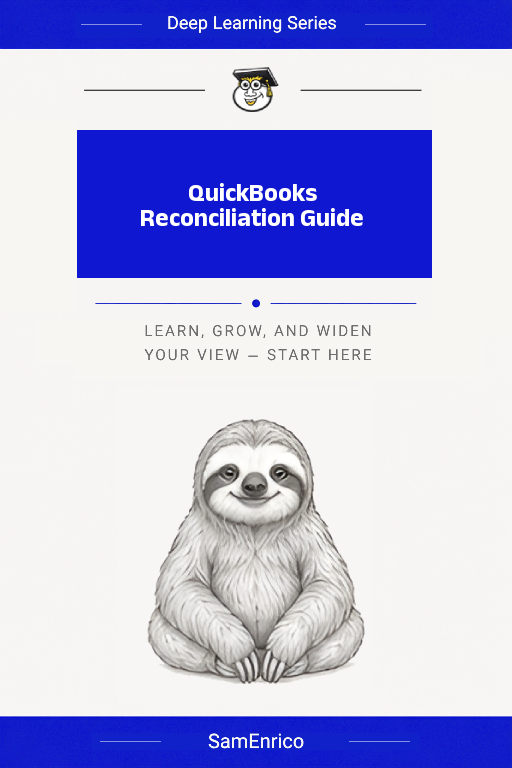
QuickBooks Reconciliation Guide
Reconcile bank and credit card accounts in QuickBo
Reconcile bank and credit card accounts in QuickBooks. Match transactions and clear differences monthly.
Formats
About this book
Free sample
Chapter 1: The Broken Foundation--–- Every business owner who has ever stared at a bank statement and a Quick Books register side by side knows the feeling. The numbers should match. You entered every receipt, recorded every deposit, and categorized every expense. The bank feed shows a green checkmark next to every transaction. And yet, when you look at the bottom line, something is off.
Not by thousands of dollars—that would be easy to find. Off by 47.83.Or47.83. Or 47.83.Or19.06. Or $2.71. These tiny discrepancies haunt business owners, bookkeepers, and accountants alike.
They erode trust in the books, create anxiety before tax season, and silently drain hours of productive time. The problem is not that you are bad with numbers. The problem is not that Quick Books is broken. The problem is that most people who use Quick Books—including many experienced bookkeepers—fundamentally misunderstand what the software is doing behind the scenes. They treat bank feeds as gospel.
They assume that if a transaction appears in the Banking tab, it must be correct. They click "Match" or "Add" and move on, never realizing that they have just performed data entry, not reconciliation. This chapter is about the foundational misunderstandings that cause nearly every reconciliation problem. It is about the broken foundation that makes everything else unstable. By the time you finish this chapter, you will understand exactly why your books might be off, how to measure the damage, and most importantly, how to rebuild from the ground up.The Three Things That Must Be Fixed Before Anything Else Before you can reconcile a single transaction, your Quick Books file must be clean.
Reconciling a messy file is like trying to build a house on a cracked foundation—no matter how beautiful the walls, the structure will eventually collapse. This chapter identifies the three specific problems that must be solved before the first reconciliation. Skip any of these, and you will be chasing ghosts forever.Opening Balances: The Root of All Evil The opening balance is the single most important number in your entire Quick Books file. It is the starting point…
This is the end of the free sample. Get the eBook to keep going. Buy now
Contents
- Chapter 1
- Chapter 2
- Chapter 3
- Chapter 4
- Chapter 5
- Chapter 6
- Chapter 7
- Chapter 8
- Chapter 9
- Chapter 10
- Chapter 11
- Chapter 12
Details
- Author
- Griswold Christian
- Publisher
- SamEnrico
- Language
- English
- Genre
- Non-Fiction, First 30 Days, Bookkeeping
- Released
- 2026-06-01
- Pages (approx.)
- 154
- Available as
- eBook, Audiobook

Read better in the ZLOADR app
Your eBooks on your phone or tablet. Sign in with your SamEnrico account and start reading.
More by Griswold Christian
 Task Switching Recovery Protocol HandbookGriswold Christian$11.99
 Jamaican Agent Recruitment GuideGriswold Christian$11.99
 Biology Essay AI PromptsGriswold Christian$11.99
 Workplace Anger Trigger Identification GuideGriswold Christian$11.99
 The Rashi Commentary BiographyGriswold Christian$11.99
 The Medici Mirage: A Renaissance of Lost GeniusGriswold Christian$11.99
 How to Start a Telemarketing Bureaus BusinessGriswold Christian$11.99
 Autocad TechnicianGriswold Christian$11.99
 Laboratory Equipment M&AGriswold Christian$12.99
 Understanding Plasminogen Deficiency, CongenitalGriswold Christian$17.99
You may also like
 Wave Tax Reports GuideLogsdon Maryanne$12.99
 Wave Reconciliation GuideCase Paulina$12.99
 QuickBooks vs Wave Comparison GuideBaugh Asuncion$12.99
 QuickBooks Tax Preparation GuideSessions Lavonia$12.99
 QuickBooks Payroll Setup GuideShaver Stephnie$12.99
 QuickBooks Mobile App GuideEbert Emery$12.99
 QuickBooks for Retail GuideKnapp Lanny$12.99
 QuickBooks for Contractors GuideFairbanks Ferne$12.99
 QuickBooks Error Fixing GuidePridgen Waldo$12.99
 QuickBooks Desktop vs Online GuideMccauley Lenora$12.99
 QuickBooks Data Backup GuideHoang Joeann$12.99
 QuickBooks Budgeting FeaturesGaston Keesha$12.99