
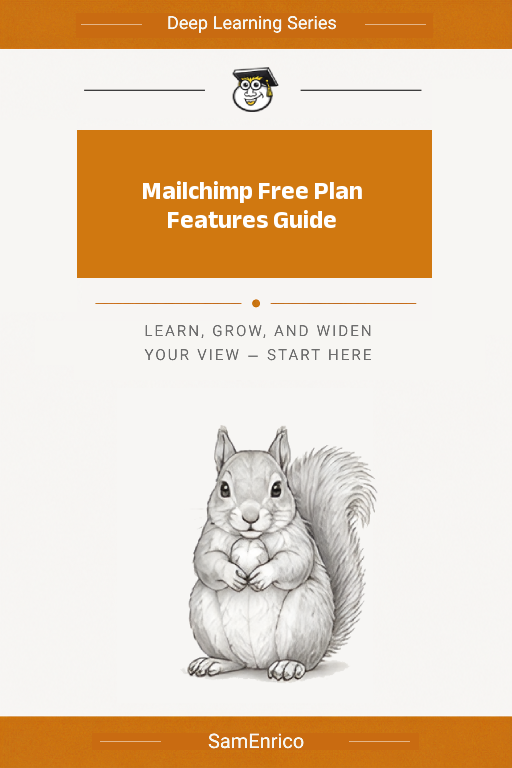
Non-FictionFirst 30 DaysBudget
Mailchimp Free Plan Features Guide eBook
Use Mailchimp's free tier for up to 500 contacts w
Use Mailchimp's free tier for up to 500 contacts with basic templates and reporting.
Formats
Free sample
Chapter 1: The Generosity Mirage--– The email arrived on a Tuesday afternoon, buried between a shipping notification and a Linked In endorsement request. Most marketers deleted it without reading. Those who did felt their stomachs drop."Starting February 17, 2026, the Free plan limits will move to: Contact limit: Up to 250 contacts. Monthly send limit: Up to 500 email sends." -10For years, Mailchimp’s free plan had been the golden ticket of email marketing—a surprisingly generous offering that let small businesses nurture up to 2,000 contacts and send 12,000 emails monthly without paying a dime. It was the safety net that launched countless side hustles, the patient friend who never asked for money while you figured things out.That friend just changed the locks and kept your couch.The truth is uncomfortable but necessary: the Mailchimp free plan you thought you knew no longer exists.
What remains is something far more restricted—and understanding exactly what you're working with is the difference between building a sustainable email program and watching your marketing grind to a halt mid-month with no warning.This chapter strips away the nostalgia and marketing spin to reveal the actual terrain of the 2026 free plan. You'll learn precisely what changed, why it matters, and—most importantly—how to make the new limits work for you rather than against you. Because while the generosity has faded, the opportunity hasn't disappeared entirely. You just need to be smarter about how you use it.The Before-and-After That Changes Everything To understand where you stand today, you need to see how far the ground has shifted beneath your feet.For the better part of a decade, Mailchimp’s free plan was the industry’s most famous loss leader. The math was simple: give small businesses enough free value to become dependent on the platform, then upgrade them when they grew.
And it worked brilliantly. Millions of entrepreneurs cut their teeth on Mailchimp, learning email marketing without financial risk while Mailchimp built a customer base worth billions.Here’s what that classic free plan offered:2,000 contacts in your audience10,000 emails per month Basic templates and reporting Single-step automations Then came January 2026. Without the kind of fanfare that accompanies product launches, Mailchimp quietly reduced the free plan to:500 contacts1,000 emails per month And then, just weeks later in February 2026, they cut it again:250 contacts500 emails per month250 emails per day That’s not a typo. Two reductions in under sixty days. -5-10For context, the original free plan gave you eight times the contact capacity and twenty times the sending power of the current version.
If you’ve been on Mailchimp for a while, you might have missed these announcements—they weren’t exactly blasted across the homepage. Many users discovered the changes only when their sending suddenly stopped.One entrepreneur on Reddit put it bluntly: "I’ve been with Mailchimp for seven years. Built my list to 1,800 people. Logged in to send my monthly newsletter and got a banner saying my sending is paused until I pay or delete 1,550 contacts. No warning.
Just… stop."That’s the new reality.The Three Numbers That Define Your Survival Let’s get surgical about what the 2026 free plan actually gives you. Forget the marketing language about "perfect for getting started." Here are the hard constraints that will shape every decision you make.Number One: 250 Total Contacts This is the ceiling. The absolute maximum number of people who can exist in your Mailchimp audience while you remain on the free plan.But here’s where it gets tricky—and where most people get burned.Mailchimp counts everyone in your audience toward that 250 limit. Not just your active, engaged subscribers. Everyone.
-5Let me be specific about who counts:Subscribed contacts – People who have opted in and confirmed. Yes, these count.Non-subscribed contacts – People you imported who haven’t confirmed yet. Also count.Unsubscribed contacts – People who asked to be removed from your list. Still count.Cleaned contacts – Emails that bounced repeatedly. You guessed it.
They count.The only contacts that don’t count are those you’ve archived—a specific action that removes them from your active audience without deleting their data entirely. -10This detail destroys a common misconception. Many users assume that when someone unsubscribes, that contact "frees up" a slot. It does not. Your unsubscribes are still taking up space, like ghosts haunting a house that’s already at capacity.What happens when you hit 251?Your sending stops.
Not slows down. Not asks nicely. Stops. -5Mailchimp’s system checks your contact count before allowing any email to go out—including test emails and welcome automations. If you’re over 250, the send button either greys out or your campaign fails validation with an error message.There’s no grace period.
No "you have thirty days to clean up." The system simply refuses to send until you archive enough contacts to drop below the limit. -10I’ve watched business owners discover this mid-campaign, with a product launch email ready to go and zero ability to deliver it. Don’t let that be you.Number Two: 500 Sends Per Month The math here is deceptively simple and brutally unforgiving.A "send" equals one email delivered to one recipient. So:One newsletter to your full list of 250 contacts = 250 sends A second newsletter to the same 250 contacts = another 250 sends Total used: 500. Month over.
-5That’s right. Two full-list campaigns per month completely exhaust your send limit. No welcome emails. No abandoned cart reminders. No test sends.
Nothing else.The reset mystery Your send counter resets on the same date each month—specifically, the date you created your Mailchimp account. If you signed up on the 15th, your new month starts on the 15th. Not the 1st. Not a rolling 30-day window. The monthly anniversary of your account creation.This catches people constantly.
They plan their campaigns around calendar months and wonder why their sends run out mid-week.The daily cap trap There’s a third limit that’s easy to overlook: 250 sends per day. -10Even if you have 500 sends available for the month, you cannot send more than 250 in any single day. This means:A campaign to your full 250-contact list is fine—that’s exactly one daily limit’s worth.A campaign to 200 people plus 100 follow-ups? Not possible in one day. You’d need to split it across two days.For most users, the daily cap isn’t the primary constraint—the monthly limit of 500 is far tighter.
But if you’re running multiple campaigns or automations, the daily cap can become a bottleneck.Number Three: The Free Plan Works Like a Trial This isn’t stated anywhere on Mailchimp’s pricing page, but it’s the operational reality of the 2026 free plan.Consider what you cannot do on Free:Schedule emails – The "Schedule" button is greyed out. You must send every campaign manually, in real-time. -5Remove Mailchimp branding – Every email you send includes "Powered by Mailchimp" in the footer. -5Access A/B testing – You cannot test subject lines, content, or send times.Build multi-step automations – Welcome emails are available; customer journeys are not. -5Get support after 30 days – New accounts receive limited email support for the first month only.…
This is the end of the free sample. Get the eBook to keep going. Buy now
About this book
Details
- Author
- Pennington Willa
- Publisher
- SamEnrico
- Language
- English
- Genre
- Non-Fiction, First 30 Days, Budget
- Released
- 2026-06-01
- Pages (approx.)
- 135
- Available as
- eBook, Audiobook

Read better in the ZLOADR app
Your eBooks on your phone or tablet. Sign in with your SamEnrico account and start reading.
More by Pennington Willa
 Talking To A NarcissistPennington Willa$11.99
 Twelve Step Marathon Meetings GuidePennington Willa$11.99
 Teller BiographyPennington Willa$11.99
 Anger Management Self TalkPennington Willa$11.99
 Silence As Negotiation ToolPennington Willa$11.99
 Goal Failure Analysis GuidePennington Willa$11.99
 Goal Setting for FreelancersPennington Willa$11.99
 The Great Maple Leaf Heist: Canada's Most Audacious Jewel TheftPennington Willa$11.99
 The Goryeo Ironclads: Korea's Naval Revolution at the Battle of Ganghwa (1232)Pennington Willa$11.99
 A Collector's Handbook to the Paramount TenPennington Willa$11.99
 Pilot AI Bookkeeping for EcommercePennington Willa$12.99
 How to Produce Metallic FinishPennington Willa$11.99
You may also like
 Hong Kong Handover 1997Dunn Johnnie$11.99
 Zumba For Postnatal Recovery CourseNeal Christian$11.99
 Zumba for BeginnersLadner Nikia$11.99
 YouTube Comment Mining GuideHumes Pandora$12.99
 Worry Box MeditationCarlin Rudy$11.99
 Workplace Stress MeditationNguyen Lynn$11.99
 Workplace Stress and Sleep RepairHawley Ivory$11.99
 Workplace Perfectionism CureDelaney Jeffry$11.99
 Workplace Injustice Anger GuideWallen Isabelle$11.99
 Work Addiction and Burnout LinkGreenwood Ester$11.99
 Women in Yoga and WellnessBeattie Galina$11.99
 Women in Stand Up ComedyChun Evangeline$11.99