
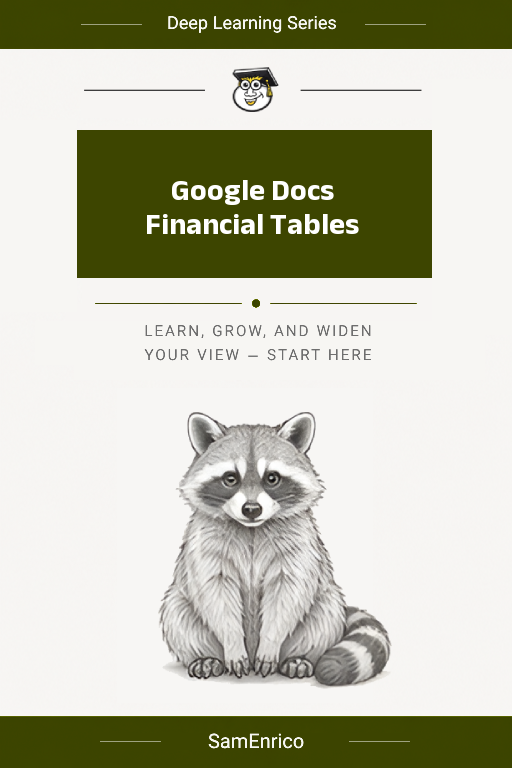
Non-FictionStartup GuideFinancial PlanningSpreadsheet Models
Google Docs Financial Tables eBook
Build profit and loss, cash flow, and balance shee
Build profit and loss, cash flow, and balance sheets using Google Sheets templates.
Formats
Free sample
Chapter 1: The Spreadsheet Lie--–- Every day, millions of business owners, freelancers, and finance professionals open Microsoft Excel with a sense of dread. They stare at a grid of lifeless cells, knowing that somewhere in this file—or the seventeen versions before it—a single broken formula is about to cost them hours of troubleshooting. They email files back and forth, append "_FINAL_v2" to filenames, and pray that no one edits the same cell at the same time. This is the dirty secret of financial modeling: most spreadsheets are broken, most models are never finished, and most people hate the tool they rely on to make decisions about money.The problem is not you. The problem is not your math skills or your accounting knowledge.
The problem is that the financial modeling industry has been built on a forty-year-old assumption: that the only serious tool for the job is Microsoft Excel. That assumption is wrong. It has been wrong for years, but the financial world moves slowly, and old habits die hard. This chapter is going to show you why Google Sheets is not just a competent alternative to Excel for building profit and loss statements, cash flow forecasts, and balance sheets—it is a superior platform for the vast majority of financial modeling tasks, especially if you are a small business owner, a startup founder, a freelancer, or an analyst working in a collaborative environment.The Excel Cage Before we can appreciate what Google Sheets offers, we have to understand what we are escaping. Excel was revolutionary in 1985.
It replaced paper spreadsheets and calculators with something that could recalculate automatically when you changed a number. That was magic. Forty years later, Excel is still fundamentally the same tool, burdened with decades of backwards compatibility and designed for a single user working alone on a single computer.Think about the last time you tried to collaborate on an Excel file. You probably saved it to a shared drive, emailed it as an attachment, or uploaded it to Share Point. Someone else downloaded it, made changes, saved it with a new filename, and emailed it back.
Within a week, you had Budget_Q3_FINAL.xlsx, Budget_Q3_FINAL_v2.xlsx, Budget_Q3_FINAL_v3_REVISED.xlsx, and Budget_Q3_FINAL_FINAL.xlsx. You could not tell which version was current without opening each one and comparing numbers manually. This is not collaboration. This is chaos disguised as process.Then there is the data problem. Excel is a desktop application.
It lives on your computer. If you want to pull live data—say, today's exchange rate, a stock price, or the latest cryptocurrency value—you need expensive add-ins, manual downloads, or complex VBA scripts that break the moment your IT department pushes an update. Excel was built for a world where data was static, entered by hand, and recalculated only when you pressed F9. That world no longer exists.And yet, the financial modeling industry continues to treat Excel as the gold standard. Investment banks use it.
Private equity firms use it. Accounting firms use it. The top ten financial modeling templates on the market—the ones that sell for hundreds or even thousands of dollars—are almost exclusively built for Excel. They are beautiful, complex, and completely unsuited for anyone who needs to collaborate, automate, or access live data without a computer science degree.The Cloud-Native Alternative Google Sheets emerged in 2006 as a simple, web-based spreadsheet tool. For years, professionals dismissed it as a toy—fine for tracking a grocery list, but not serious enough for real financial modeling.
That dismissal was based on early limitations that no longer exist. Today, Google Sheets is a cloud-native platform with features that Excel cannot match because it was designed from the ground up for a different reality: one where data is live, teams are distributed, and spreadsheets are living documents, not static files.The first and most obvious advantage is real-time collaboration. When you share a Google Sheet, multiple people can edit the same cell at the same time. You see their cursors moving in real time. You can chat in the sidebar.
Every change is saved instantly, and you can scroll back through version history to see exactly who changed what and when. There is no file versioning hell because there are no files. There is one spreadsheet, living in the cloud, accessible from anywhere, and always up to date.Version history deserves special attention because it transforms how you audit a financial model. In Excel, if someone changes a number and saves the file, the previous version is gone unless you have elaborate backup systems. In Google Sheets, you can open the Version History panel, see every saved version, restore any previous version with two clicks, and see exactly which cells changed between versions.
When your accountant asks why the Q2 revenue forecast dropped by twenty percent, you can point to the exact moment someone changed the growth assumption from five percent to three percent—and you can see who did it.The second advantage is live data. Google Sheets includes the GOOGLEFINANCE function, which pulls live and historical financial data directly into your spreadsheet. No add-ins. No downloads. No VBA scripts.
You want the current USD to EUR exchange rate? =GOOGLEFINANCE("CURRENCY:USDEUR"). You want Apple's stock price? =GOOGLEFINANCE("AAPL", "price"). You want the 10-year Treasury yield?
=GOOGLEFINANCE("IRX", "price"). This single function changes everything for financial modeling. Your profit and loss statement can now convert international expenses automatically. Your discounted cash flow valuation can pull the risk-free rate directly from the market. Your portfolio tracker can update every time you open the sheet.The third advantage is the formula ecosystem.
Excel has thousands of functions, many of which are obsolete or redundant. Google Sheets has fewer functions, but they are better designed and more powerful for modern data work. ARRAYFORMULA lets you write one formula that applies to an entire column, eliminating the need to drag formulas down thousands of rows. QUERY lets you write SQL-like statements to filter, group, and aggregate data without pivot tables. IMPORTRANGE pulls data from other sheets without breaking links when the source file moves.
These are not minor improvements; they fundamentally change how you build models.Why This Book Exists You might be wondering: if Google Sheets is so great for financial modeling, why is there no definitive book on the topic? That is a fair question. The answer is that the financial modeling industry is conservative. Investment banks still use Excel because they have always used Excel. Accounting firms still teach Excel because that is what the partners know.
The top ten financial modeling resources on the market—the templates, courses, and books—assume Excel is the only legitimate tool. They spend hundreds of pages teaching you how to avoid VBA errors, how to manage file versioning, and how to work around Excel's limitations. They never stop to ask whether those limitations are necessary in the first place.This book exists to fill that gap. It synthesizes the wisdom of the best financial modeling practices—the universal principles that apply regardless of software—and applies them specifically to Google Sheets. You will learn how to build…
This is the end of the free sample. Get the eBook to keep going. Buy now
About this book
Details
- Author
- Hennessey Tona
- Publisher
- SamEnrico
- Language
- English
- Genre
- Non-Fiction, Startup Guide, Financial Planning, Spreadsheet Models
- Released
- 2026-06-01
- Pages (approx.)
- 146
- Available as
- eBook, Audiobook

Read better in the ZLOADR app
Your eBooks on your phone or tablet. Sign in with your SamEnrico account and start reading.
More by Hennessey Tona
 Pet Tech Growth Capital GuideHennessey Tona$11.99
 Loneliness Digital Nomad GuideHennessey Tona$11.99
 Senior Friendship BuildingHennessey Tona$11.99
 Burnout Recovery for Military SpousesHennessey Tona$11.99
 Cultural Variations in Recurring DreamsHennessey Tona$11.99
 Whistleblower ConversationsHennessey Tona$11.99
 Job Anxiety HypnosisHennessey Tona$11.99
 Antwerp Heist Mastermind ProfileHennessey Tona$11.99
 Lymphoma Remission StoryHennessey Tona$11.99
 The Skateboard Heist: How a Forgotten 18th-Century Hoax Launched a RebellionHennessey Tona$11.99
 The Last Whisper of the Sphinx: Decoding the Riddle That Shaped CivilizationHennessey Tona$11.99
 Ragnarok's Shadow: The Untold War of the JötnarHennessey Tona$11.99
You may also like
 Hong Kong Handover 1997Dunn Johnnie$11.99
 Zumba For Postnatal Recovery CourseNeal Christian$11.99
 Zumba for BeginnersLadner Nikia$11.99
 YouTube Comment Mining GuideHumes Pandora$12.99
 Worry Box MeditationCarlin Rudy$11.99
 Workplace Stress MeditationNguyen Lynn$11.99
 Workplace Stress and Sleep RepairHawley Ivory$11.99
 Workplace Perfectionism CureDelaney Jeffry$11.99
 Workplace Injustice Anger GuideWallen Isabelle$11.99
 Work Addiction and Burnout LinkGreenwood Ester$11.99
 Women in Yoga and WellnessBeattie Galina$11.99
 Women in Stand Up ComedyChun Evangeline$11.99