
Non-FictionSelf-HelpDigital Tools
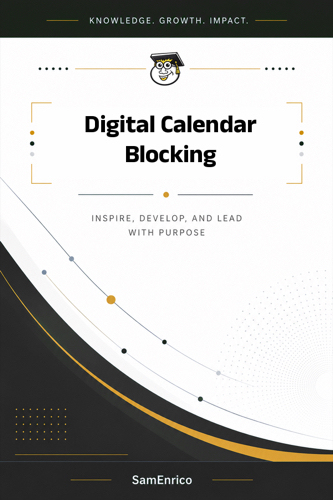
Digital Calendar Blocking eBook
Use Google Calendar and Outlook for time blocking
Use Google Calendar and Outlook for time blocking with this practical tech guide.
Formats
Free sample
Chapter 1: The Calendar Audit--You are about to discover something uncomfortable about your relationship with time.Not the philosophical, “where did the years go” kind of uncomfortable. The practical, “I just spent four hours in meetings and accomplished nothing” kind. The kind that shows up as a gnawing feeling every Sunday evening, a sense that another week has slipped through your fingers while you were busy, productive, and completely out of control.Let me show you what I mean.Open your calendar right now. Not your to-do list. Not your mental checklist of “things I should probably do someday.” Your actual, real, digital calendar.
Scroll back seven days. Look at every block of time you scheduled last week. Now ask yourself one question: How much of that time was spent on work that only you could do—work that moved the needle, advanced your goals, and couldn't be delegated or delayed?Be honest.If you are like the vast majority of knowledge workers I have coached over the past decade, the answer is somewhere between ten and twenty percent. The rest is meetings. Email.
Admin. Context switching. Firefighting. And a strange category I have come to call “calendar fog”—blocks of time that you cannot explain or account for because they had no clear purpose to begin with.This book is going to fix that. But before we can fix anything, we need to diagnose the problem.
And the diagnosis starts with a simple, brutal, life-changing exercise: The Calendar Audit.The Ten-Minute Exercise That Will Change How You Work The Calendar Audit is not complicated. You do not need special software, a productivity certification, or a month-long trial period. You need ten minutes, a calendar with at least four weeks of history, and the courage to look at the truth.Here is how it works.First, export or screenshot the last four weeks of your calendar. For Google Calendar users, go to Settings > Import & Export > Export. For Outlook users, go to File > Open & Export > Import/Export > Export to Excel.
If you are using a different calendar platform, find its export function. What matters is that you end up with a flat, unforgiving list of every block you created.Second, categorize every block. Use these six categories: Deep Work (focused, cognitively demanding tasks that only you can do), Shallow Work (email, Slack, admin, expenses), Meetings (scheduled time with other people), Personal (family, health, errands), Buffer (transitions between meetings), and Unknown (blocks with no clear purpose or title).Third, calculate the percentages. Add up the hours in each category. Divide by total working hours.
Look at the numbers.I have run this exercise with over two thousand professionals. The results are so consistent that I can predict them before seeing the data. Deep Work averages twelve to eighteen percent. Meetings average thirty-five to forty-five percent. Shallow Work averages twenty to twenty-five percent.
The remaining ten to fifteen percent is a scattered mix of Personal, Buffer, and Unknown.Here is what those numbers mean in human terms.In a forty-hour work week, you are spending roughly six hours on work that truly matters. Six hours. The remaining thirty-four hours are spent on meetings that could have been emails, emails that could have been deleted, admin tasks that could have been batched, and transitions that could have been eliminated.You are not lazy. You are not disorganized. You are trapped in a system that rewards busyness over effectiveness, reaction over intention, and presence over results.
And you have been told, explicitly or implicitly, that this is normal.It is not normal. It is just common.The Great Lie of Modern Productivity Here is a statement that will sound controversial but is actually just true: Your to-do list is making you less productive.Think about it. A to-do list is a collection of tasks without context. It tells you what needs to be done but not when, in what order, or with what level of priority. When you look at a to-do list, your brain has to make a series of unconscious decisions for every single item: Is this urgent?
Is this important? Can I do it now? Should I do it later? Am I avoiding this because it is hard or because it is low priority?Those decisions take cognitive energy. And cognitive energy is a finite resource.This is the fundamental insight behind time blocking, and it is worth stating clearly: A task is not a unit of work.
A block of time is a unit of work. When you assign a task to a specific block of time, you stop deciding and start doing. You move from reactive mode—responding to whatever is loudest—to proactive mode, where you control your attention rather than your attention controlling you.The research on this is overwhelming. A study from the University of California, Irvine found that it takes an average of twenty-three minutes to refocus after an interruption. Another study from Microsoft found that the average person checks email or Slack every eleven minutes.
Do the math. If you are interrupted every eleven minutes and it takes twenty-three minutes to refocus, you are never actually focused. You are just cycling through shallow states of semi-attention.Time blocking breaks this cycle by creating boundaries. When you block four hours for a project, those four hours are sacred. Notifications are off.
Email is closed. Slack is silenced. You are not available. And here is the surprising thing: The world does not end. The emails can wait.
The Slack messages can wait. The only thing that cannot wait is the deep, focused work that only you can do.Why Paper Failed You (And Why Digital Succeeds)Some of you reading this have tried time blocking before. Perhaps you bought a beautiful paper planner—a Bullet Journal, a Hobonichi, a Panda Planner. You spent an hour setting it up, color-coding your tasks, drawing your weekly spreads. And then Monday happened.
A meeting ran late. An emergency appeared. Your carefully planned blocks became irrelevant before lunch.This is not your fault. It is the fault of paper.Paper planners are static. They assume a world where nothing changes, where meetings start and end on time, where emergencies do not exist, and where your energy levels are perfectly predictable.
That world does not exist. In the real world, things change constantly. A three-hour project becomes a six-hour project. A client calls with an emergency. Your child gets sick.
Your internet goes down.Paper cannot adapt to these changes without destroying the original plan. You have to erase, cross out, rewrite, or—most commonly—abandon the planner entirely and revert to the chaos of your to-do list.Digital calendars solve this problem. When a meeting runs late, you drag the remaining blocks to new times. When an emergency appears, you slide your Deep Work block to the afternoon. When you realize a project will take twice as long as expected, you stretch the block to cover more time.
The original plan is not destroyed; it is adapted.But digital calendars have a second, even more important advantage: They are social. When you block time in a paper planner, no one else can see…
This is the end of the free sample. Get the eBook to keep going. Buy now
About this book
Details
- Author
- Blackburn Bernardina
- Publisher
- SamEnrico
- Language
- English
- Genre
- Non-Fiction, Self-Help, Digital Tools
- Released
- 2026-06-06
- Pages (approx.)
- 129
- Available as
- eBook, Audiobook

Read better in the ZLOADR app
Your eBooks on your phone or tablet. Sign in with your SamEnrico account and start reading.
More by Blackburn Bernardina
 The Startup Unit EconomicsBlackburn Bernardina$11.99
 Staging Crime Scene DetectionBlackburn Bernardina$11.99
 Nonprofit Talent MigrationBlackburn Bernardina$11.99
 Mind Palace Blueprint Construction GuideBlackburn Bernardina$11.99
 Social Media Imposter FixBlackburn Bernardina$11.99
 Repeat Listening EffectivenessBlackburn Bernardina$11.99
 Focus For Real Estate AgentsBlackburn Bernardina$11.99
 The Calculus of the Cosmos: The Timbuktu Mathematicians and the Birth of Modern ScienceBlackburn Bernardina$11.99
 The Battle of the Coral Sea: Carrier Duel in the PacificBlackburn Bernardina$11.99
 How to Produce Drafting CompassesBlackburn Bernardina$11.99
 Exploring Sculpture: Carving, Modeling & CastingBlackburn Bernardina$11.99
 Cashew Nuts: Apple & Nut HarvestingBlackburn Bernardina$11.99
You may also like
 Hong Kong Handover 1997Dunn Johnnie$11.99
 Zumba For Postnatal Recovery CourseNeal Christian$11.99
 Zumba for BeginnersLadner Nikia$11.99
 YouTube Comment Mining GuideHumes Pandora$12.99
 Worry Box MeditationCarlin Rudy$11.99
 Workplace Stress MeditationNguyen Lynn$11.99
 Workplace Stress and Sleep RepairHawley Ivory$11.99
 Workplace Perfectionism CureDelaney Jeffry$11.99
 Workplace Injustice Anger GuideWallen Isabelle$11.99
 Work Addiction and Burnout LinkGreenwood Ester$11.99
 Women in Yoga and WellnessBeattie Galina$11.99
 Women in Stand Up ComedyChun Evangeline$11.99