
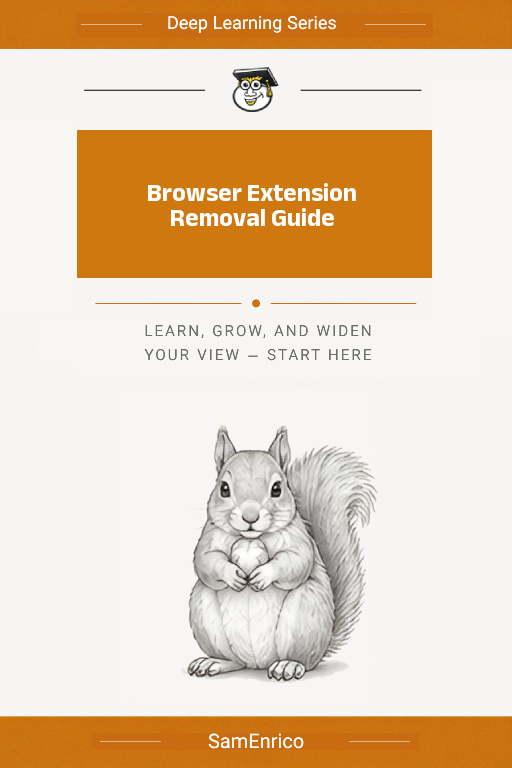
Non-FictionStudent's ShortcutBrowser GuideExtension Removal
Browser Extension Removal Guide eBook
Remove unauthorized browser extensions that may tr
Remove unauthorized browser extensions that may trigger proctoring software including grammar checkers and ad blockers.
Formats
Free sample
Chapter 1: The Surveillance Desk...--–- The first time Maya’s exam froze, she thought it was a Wi-Fi issue. The second time, a notification appeared in the corner of her screen: “Disallowed extension detected. Your exam has been flagged for review.” She stared at the message, her heart pounding. She wasn’t cheating. She didn’t even know what extension meant.
Her browser looked normal—Chrome, like always. But somewhere in the invisible layers of code running on her laptop, a conflict had ignited. A grammar checker she installed three years ago, long forgotten, had just triggered an automated accusation. Maya would spend the next three weeks fighting a cheating allegation she didn’t deserve. Her story is not unique.
It is the new normal.This book exists because Maya’s story repeats itself thousands of times every semester, on college campuses across the world. Students who have never cheated, who would never cheat, are being flagged, failed, and sometimes expelled because of browser extensions they installed for convenience, accessibility, or simple curiosity. The conflict between proctoring software and browser extensions is not a niche technical problem. It is a systemic failure that has turned student laptops into battlefields. On one side, universities demand the use of proctoring tools to protect academic integrity.
On the other, students rely on extensions to read, write, focus, and protect their privacy. Neither side is evil. But together, they create a perfect storm of false flags, anxiety, and Kafkaesque appeals processes.This chapter establishes the fundamental tension at the heart of modern remote education. You will learn why proctoring software and browser extensions clash, how that clash can ruin an exam (or a semester), and what this book will do to help you navigate the chaos. By the end of this chapter, you will understand the stakes.
More importantly, you will understand that you are not alone, and that there is a way through.The New Academic Reality: How We Got Here Before 2020, the phrase “remote proctoring” was unfamiliar to most college students. Exams happened in classrooms. Proctors were human beings who walked up and down aisles, glancing at ID cards and occasionally whispering, “Eyes on your own paper.” The system was imperfect but predictable. Students knew what to expect. Then the pandemic changed everything.
Universities closed their campuses virtually overnight, and millions of students were sent home to finish their semesters online. Faculty members, many of whom had never taught a hybrid course, scrambled to figure out how to administer exams fairly from a distance.Proctoring software vendors saw an opportunity. Companies like Proctorio, Honorlock, and Respondus offered a solution: automated surveillance that could watch students through their webcams, monitor their browser activity, and flag suspicious behavior. No need for human proctors. No need for physical classrooms.
Just a browser extension and a laptop camera. Universities signed contracts by the thousands. Some vendors reported a 500% increase in usage during the spring of 2020 alone. Students downloaded the software because they had no choice. Refusing meant failing the class.But here is the critical detail that students were not told: proctoring software does not sit idly by, watching passively.
It actively scans everything running on your computer, with a particular focus on your browser. It looks for other extensions. It reads their permissions. It monitors their behavior. And if it finds something it does not like, it halts the exam and flags the student.
The logic is simple: any extension that can modify a webpage could theoretically be used to cheat. Therefore, all extensions are treated as potential threats.Three years after the mass shift to remote proctoring, the data is in. According to a Georgetown University study cited later in this book, student reviews of proctoring software average a shocking 1.02 out of 5 stars. Eighty-three percent of reviews are negative. The most common complaints are not about the software failing to detect real cheaters.
They are about false flags. Students are being punished for having Grammarly installed. For using Dark Reader to reduce eye strain. For running a password manager that auto-fills fields. For having ad blockers that, ironically, block the proctor’s own tracking scripts.
None of these are cheating tools. But none of them survive a proctoring scan.The Explosion of Browser Extensions: Why You Probably Have Too Many To understand why proctoring software flags so many students, you must first understand how common browser extensions have become. A browser extension is a small software module that customizes your web browsing experience. Extensions can block ads, check your grammar, save your passwords, change the color scheme of websites, translate foreign languages, clip articles to reading lists, and perform hundreds of other useful tasks. They are the modern equivalent of browser toolbars from the early internet, but far more powerful and generally far more useful.The numbers are staggering.
The Chrome Web Store, the largest marketplace for browser extensions, hosts over 180,000 extensions. More than 120 million users have installed at least one extension. The average college student has seven extensions active at any given time, according to a 2022 survey of 2,000 undergraduates. Some have twenty or more. Many are installed and forgotten.
Students install Grammarly during freshman year to help with essays, then never think about it again. They install u Block Origin after a particularly annoying ad experience, then forget it exists. They install Honey or Capital One Shopping to find coupon codes, then leave it running for years.These extensions are not malware. They are not designed to help students cheat. But they are designed to interact with webpages.
Grammarly reads everything you type into any text field. u Block Origin blocks scripts from loading. Password managers can auto-fill login forms. All of these actions are legitimate and useful in everyday browsing. But in the context of a proctored exam, they become liabilities.
The proctoring software cannot distinguish between a student using Grammarly to check a typo and a student using Grammarly to receive suggested answers. It simply sees an extension with the ability to modify text. That is enough to trigger a flag.This book is not against browser extensions. On the contrary, many of them are essential tools for learning, productivity, and digital privacy. The problem is not the extensions themselves.
The problem is the collision between two legitimate but incompatible systems: the open, customizable web that extensions enable, and the locked-down, surveilled environment that proctoring software demands. This book will teach you how to manage that collision so that you can keep both your extensions and your academic standing.The Two Sides of the Coin: Why Both Sides Are Right (And Wrong)Let us step back and consider the perspective of each stakeholder in this conflict, starting with the universities. Academic integrity is not a trivial concern. Cheating undermines the value of degrees, disadvantages honest students, and erodes trust in educational institutions. Online exams present unique challenges.
Without a human proctor watching, students could theoretically open other tabs, search for answers, or communicate with friends. Proctoring software is intended to close those loopholes. When a university administrator says, “We use Proctorio to ensure fair exams,” they are not being malicious. They are trying to protect the integrity of their institution.The…
This is the end of the free sample. Get the eBook to keep going. Buy now
About this book
Details
- Author
- Tripp Luvenia
- Publisher
- SamEnrico
- Language
- English
- Genre
- Non-Fiction, Student's Shortcut, Browser Guide, Extension Removal
- Released
- 2026-05-27
- Pages (approx.)
- 146
- Available as
- eBook, Audiobook

Read better in the ZLOADR app
Your eBooks on your phone or tablet. Sign in with your SamEnrico account and start reading.
More by Tripp Luvenia
 Smoking Cessation for HIV PatientsTripp Luvenia$11.99
 Insider Trading Heist TheoryTripp Luvenia$11.99
 HIIT for Dancers GuideTripp Luvenia$11.99
 Parental Addiction and SchoolTripp Luvenia$11.99
 Hearing Loss Support GroupsTripp Luvenia$11.99
 The Lost Tapes of Apollo 15: The Moon Conspiracy That Wasn’tTripp Luvenia$11.99
 How to Start a Pottery (retail) Business (Beginners Guide)Tripp Luvenia$11.99
 Jordan B2B Sales HandbookTripp Luvenia$12.99
 Understanding Carnitine Transporter DeficiencyTripp Luvenia$17.99
 Marketing and Events CoordinatorTripp Luvenia$11.99
You may also like
 Hong Kong Handover 1997Dunn Johnnie$11.99
 Zumba For Postnatal Recovery CourseNeal Christian$11.99
 Zumba for BeginnersLadner Nikia$11.99
 YouTube Comment Mining GuideHumes Pandora$12.99
 Worry Box MeditationCarlin Rudy$11.99
 Workplace Stress MeditationNguyen Lynn$11.99
 Workplace Stress and Sleep RepairHawley Ivory$11.99
 Workplace Perfectionism CureDelaney Jeffry$11.99
 Workplace Injustice Anger GuideWallen Isabelle$11.99
 Work Addiction and Burnout LinkGreenwood Ester$11.99
 Women in Yoga and WellnessBeattie Galina$11.99
 Women in Stand Up ComedyChun Evangeline$11.99