
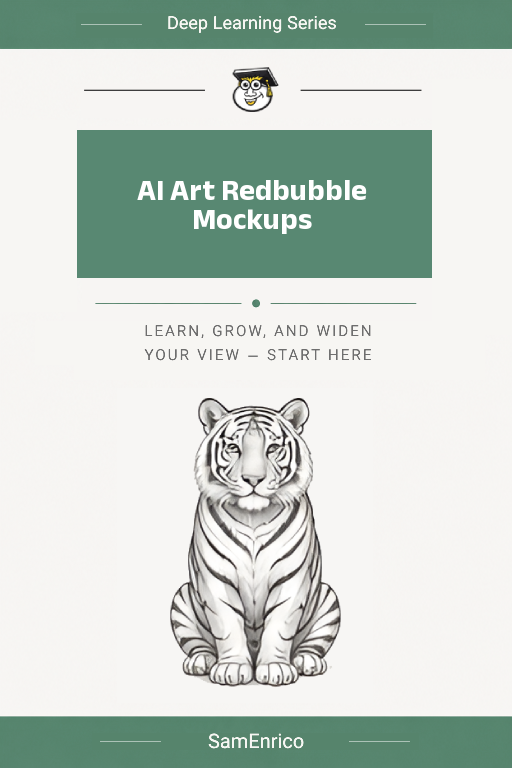
Non-FictionSide Hustle ArchitectMockupsLifestyle
AI Art Redbubble Mockups
Create lifestyle mockups for Redbubble AI art to s
by Chow Bula
Create lifestyle mockups for Redbubble AI art to share on social media and Pinterest.
Formats
About this book
Free sample
Chapter 1: The 72 DPI Lie--–- Most beginners sabotage their AI art businesses before they ever create a single pin. They do it unknowingly, right at the moment of export, by clicking “Save for Web” or dragging a gorgeous Midjourney image straight from Discord into Redbubble. That image looks perfect on their phone screen—crisp, vibrant, infinitely zoomable. So they upload it, enable it on 47 different products, and wait for sales that never come. Weeks later, they check their Redbubble dashboard to find zero sales, zero favorites, and a quiet sense of failure.
They blame the algorithm. They blame AI art. They blame Redbubble for being “oversaturated.” But the real culprit is sitting right there in the file properties: 72 dots per inch.The 72 DPI lie is the single most expensive mistake in the AI art print-on-demand space. It costs beginners thousands of hours of wasted effort, hundreds of canceled orders, and in the worst cases, permanent account restrictions from frustrated customers leaving one-star reviews about “blurry prints” and “pixelated garbage.” And yet, almost no tutorial on You Tube, no Reddit thread, and no quick-start guide addresses it with the seriousness it deserves. This chapter exists to fix that.
By the time you finish reading, you will understand exactly why 72 DPI destroys your print quality, exactly how to fix it, and exactly which tools to use without spending a fortune on software you don’t need.The Technical Lie That Keeps You Poor To understand why 72 DPI is a problem, you need to understand what DPI actually means. DPI stands for dots per inch, and in the world of print-on-demand, it refers to the number of ink dots a printer places within one linear inch of your design. The more dots, the finer the detail. The fewer dots, the more pixelated and blurry the final product appears.Here is the number that should terrify you: a standard computer monitor displays images at 72 DPI. That is why your AI-generated art looks flawless on your laptop screen—the screen is literally designed to show you 72 dots per inch.
But a commercial printer, like the ones Redbubble uses for their large art prints, posters, and canvas wraps, prints at…
This is the end of the free sample. Get the eBook to keep going. Buy now
Contents
- Chapter 1
- Chapter 2
- Chapter 3
- Chapter 4
- Chapter 5
- Chapter 6
- Chapter 7
- Chapter 8
- Chapter 9
- Chapter 10
- Chapter 11
- Chapter 12
Details
- Author
- Chow Bula
- Publisher
- SamEnrico
- Language
- English
- Genre
- Non-Fiction, Side Hustle Architect, Mockups, Lifestyle
- Released
- 2026-06-01
- Pages (approx.)
- 148
- Available as
- eBook, Audiobook

Read better in the ZLOADR app
Your eBooks on your phone or tablet. Sign in with your SamEnrico account and start reading.
More by Chow Bula
 Customer Service NVC SkillsChow Bula$11.99
 Teresa's Ladder of Perfection WorkbookChow Bula$11.99
 Money Impulse Control WorkbookChow Bula$11.99
 Financial Boundary Setting GuideChow Bula$11.99Financial Boundary Setting GuideChow Bula$11.99
 Lost Dream Navigation HandbookChow Bula$11.99
 Starlight Serenade: The Lost Love Letters of a Victorian AstronomerChow Bula$11.99
 Frozen Echoes: The Prehistoric Pioneers of Europe's Hidden CanyonsChow Bula$11.99
 Scrum for Discord StartupsChow Bula$12.99
 Home Health RN Case ManagerChow Bula$11.99
 Understanding Epidermo Epidermod–epidermoiChow Bula$17.99
 How to Become a Catalog LibrarianChow Bula$11.99
You may also like
 Hong Kong Handover 1997Dunn Johnnie$11.99
 Zumba For Postnatal Recovery CourseNeal Christian$11.99
 Zumba for BeginnersLadner Nikia$11.99
 YouTube Comment Mining GuideHumes Pandora$12.99
 Worry Box MeditationCarlin Rudy$11.99
 Workplace Stress MeditationNguyen Lynn$11.99
 Workplace Stress and Sleep RepairHawley Ivory$11.99
 Workplace Perfectionism CureDelaney Jeffry$11.99
 Workplace Injustice Anger GuideWallen Isabelle$11.99
 Work Addiction and Burnout LinkGreenwood Ester$11.99
 Women in Yoga and WellnessBeattie Galina$11.99
 Women in Stand Up ComedyChun Evangeline$11.99