
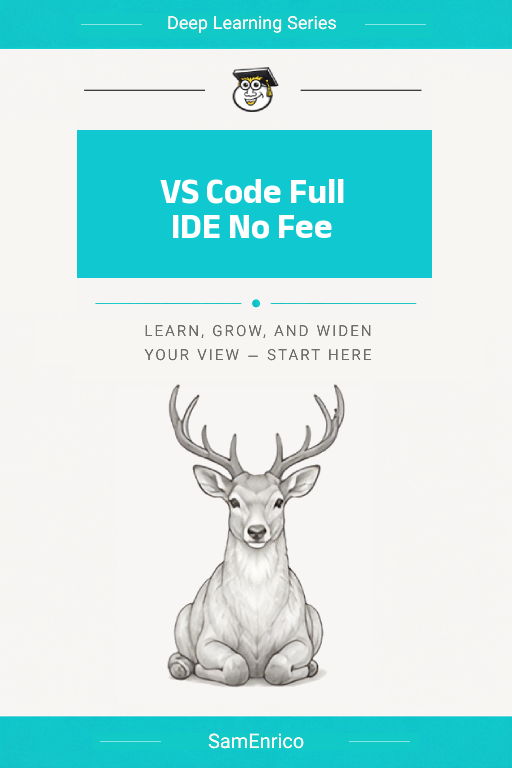
VS Code Full IDE No Fee eBook
Build production applications using free Visual St
Build production applications using free Visual Studio Code. This guide replaces paid integrated development environments for startup developers.
Formats
Free sample
Chapter 1: Zero-Dollar Launchpad--The first time a startup founder asks me whether they need to buy a commercial IDE license, I always give the same answer: “Show me your revenue.” If they’re pre-revenue, pre-seed, or still coding in a coffee shop on a laptop purchased during a Black Friday sale three years ago, the conversation ends right there. You don’t need to spend a single dollar on a developer license. And if anyone tells you otherwise, they are either selling you something or defending a purchase they regret making themselves.This chapter dismantles the single most expensive myth in software development: the belief that professional engineering requires a paid integrated development environment. For decades, the industry accepted this as gospel. If you wanted first-class refactoring, you bought a Jet Brains license.
If you needed advanced debugging for C++ or .NET, you bought Visual Studio Enterprise. If you worked on a team, you paid for collaboration features. The assumption was so deeply embedded that even today, experienced developers who have never actually evaluated the alternatives will confidently assert that “free tools are fine for learning, but not for production.”That assumption is now dangerously outdated. It is not merely wrong. It is financially reckless for any startup operating with lean resources.The truth is that Visual Studio Code, combined with a carefully selected set of free extensions and complementary tools, delivers a production-ready development environment that matches or exceeds the capabilities of paid IDEs for the vast majority of modern web, cloud, and backend development workflows.
The only features you truly lose by avoiding paid IDEs are those designed for legacy enterprise monoliths, specialized niche languages, or regulatory compliance regimes that require vendor support contracts. If you are building a startup on Node.js, Python, Go, Rust, Type Script, or any of the dozens of languages supported by the Language Server Protocol, you are not sacrificing quality by staying at zero cost. You are reallocating capital that would otherwise vanish into recurring subscriptions.The Cost of Doing Nothing Different Let me be precise about the numbers because vague claims about “saving money” do not drive behavioral change. Concrete dollar figures do.Consider a five-person startup building a full-stack application over a three-year period before their first significant exit or Series A funding. This is a realistic timeline for many founders.
Now price out the most common paid IDE scenarios.Scenario one: the Jet Brains route. If every developer uses the All Products Pack, which includes Intelli J IDEA, Py Charm, Web Storm, Php Storm, Ruby Mine, Go Land, and Data Grip, the annual cost is approximately 649peruserforthefirstyearand649 per user for the first year and 649peruserforthefirstyearand519 for renewals. Over three years for five developers, the total approaches $8,000. That is not a typo. Eight thousand dollars that could have purchased cloud hosting, API credits, design assets, or a month of a junior developer’s salary.Scenario two: the traditional Visual Studio path.
Visual Studio Enterprise with MSDN subscriptions runs approximately 2,500peruserperyearfororganizationsbelowcertainrevenuethresholds.Forfivedevelopersoverthreeyears,thatexceeds2,500 per user per year for organizations below certain revenue thresholds. For five developers over three years, that exceeds 2,500peruserperyearfororganizationsbelowcertainrevenuethresholds.Forfivedevelopersoverthreeyears,thatexceeds37,000. This is why enterprise licensing is a line item that gets flagged in board meetings. No startup at the pre-revenue stage should even consider this.Scenario three: the mixed approach. Some developers use Intelli J for backend work while others use Py Charm Pro for data science tasks and Web Storm for frontend.
Even at discounted team rates, you are looking at 3,000to3,000 to 3,000to5,000 annually for a small team.Now compare these figures to the cost of VS Code with free extensions. The number is zero. Not a reduced price. Not a freemium model with watermarks or feature limits. Zero dollars.
And before you raise the objection that time is money and paid tools save time, let me be clear: the claim that paid IDEs are faster or more productive is not universally true for modern web development. In many cases, VS Code is faster because it starts in under two seconds, consumes less memory, and does not force you into a project-wide indexing phase every time you open a folder.The Unbundling That Changed Everything To understand why VS Code is different from every free IDE that came before it, you need a short history lesson. The first generation of free IDEs, exemplified by Eclipse and Net Beans, followed a flawed architecture that doomed them from the start. Eclipse was not designed as a lightweight editor that could be extended piecemeal. It was designed as a monolithic Java application that happened to have a plugin system bolted onto the side.
Every plugin shared the same memory space, the same class loader, and the same UI thread. When one plugin misbehaved, the entire IDE crashed. When indexing ran, the UI froze. When you installed a plugin for a new language, startup time increased permanently.This architectural choice earned Eclipse the nickname “the IDE that teaches you to close everything else before opening it.” Developers tolerated it because the alternative was using a text editor with no code intelligence at all. But nobody loved Eclipse.
It was a compromise, not a solution.The second generation of free IDEs, represented by Atom from Git Hub, attempted to fix this by building on web technologies. Atom ran on Electron, which meant it used HTML, CSS, and Java Script for its interface. This allowed for beautiful theming and easier plugin development. But it inherited Electron’s performance problems: high memory usage, slow startup, and a tendency to feel sluggish on large files. Atom was beloved by tinkerers but never achieved the responsiveness required for professional daily use.Then came Visual Studio Code.
Microsoft took a different approach. Instead of building a monolithic IDE or an Electron-based editor, they built a fast native shell that communicates with language servers and extensions as separate processes. This is the critical architectural insight. In VS Code, when you install a Python extension, the extension runs as a separate process. If it crashes, the editor does not crash.
If it consumes excessive CPU, only that extension’s process is affected. The editor remains responsive.This architecture also enables the Language Server Protocol, or LSP, which is the quiet revolution that made paid IDEs optional. Before LSP, each IDE had to implement its own code intelligence for every language. Jet Brains built their own parsers. Eclipse built their own.
Visual Studio built their own. This was expensive and led to inconsistent behavior across tools. LSP standardized the communication between an editor and a language server. Now, a single language server written in Rust or Go or Type Script can serve any LSP-compatible editor. VS Code speaks LSP natively.
So does Neovim. So does Sublime Text. So do dozens of other editors.What this means in practice is that you get the same go-to-definition, find-all-references, rename-symbol, and type-checking features that once required paid licenses. The language server does the heavy lifting. VS Code simply displays the results.
You are not getting a watered-down free version. You are getting the exact same language intelligence that powers paid editors because the underlying servers are identical.Why the Eclipse Fallacy No Longer…
This is the end of the free sample. Get the eBook to keep going. Buy now
About this book
Details
- Author
- Delaney Layne
- Publisher
- SamEnrico
- Language
- English
- Genre
- Non-Fiction, Startup Guide, Developer Tools
- Released
- 2026-05-30
- Pages (approx.)
- 139
- Available as
- eBook, Audiobook

Read better in the ZLOADR app
Your eBooks on your phone or tablet. Sign in with your SamEnrico account and start reading.
More by Delaney Layne
 Restless Leg Syndrome In Children GuideDelaney Layne$11.99
 Managing Anger With Your BossDelaney Layne$11.99
 NVC For Activism GuideDelaney Layne$11.99
 Hillary Everest Search BodyDelaney Layne$11.99
 Twelve Step Intergroup GuideDelaney Layne$11.99
 The 4D Interruption MethodDelaney Layne$11.99
 Yitzchak Hutner Pachad YitzchakDelaney Layne$11.99
 Shipwreck Raft OrdealDelaney Layne$11.99
 From the Margins to the Mainstream: The Literary Agent Who Redefined Indigenous StorytellingDelaney Layne$11.99
 Echoes of the Ancients: The Medieval Rediscovery of Europe's Lost Cave ArtDelaney Layne$11.99
 The Last Prophet: The Rise and Fall of Marshall Applewhite’s Heaven’s GateDelaney Layne$11.99
 AI Prompts for Compliance AnalysisDelaney Layne$11.99