
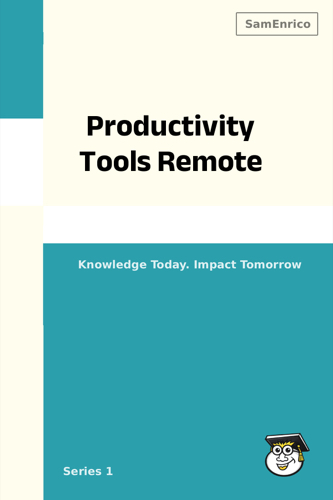
Non-FictionSelf-HelpToolsSoftware
Productivity Tools Remote eBook
Use apps and software to streamline remote work ti
Use apps and software to streamline remote work time management.
Formats
Free sample
Chapter 1: The Toolstack Trap--–- It begins with a single tab. Then another. Then a notification. Then a quick check of Slack, which leads to an email, which leads to a calendar invite for a meeting about a project whose latest file is somewhere in Google Drive, but you cannot remember the folder name, so you search, and while searching you see a message from a client, so you reply, and then you realize you have spent forty-five minutes doing absolutely nothing that moves your actual work forward. You are not lazy.
You are not undisciplined. You are, however, trapped.This is the hidden crisis of remote work in 2025. It is not that people refuse to work. It is that the very tools designed to make work easier have conspired to make focus nearly impossible. The average remote worker now toggles between more than ten different applications every hour.
Ten. In the time it takes to watch a single episode of a thirty-minute television show, the typical knowledge worker has switched contexts eleven times. Each switch costs not just the few seconds it takes to click a different icon, but the several minutes it takes for the brain to fully re-engage with the original task. Researchers call this the "resumption lag." I call it the silent tax.I have spent the last six years studying how remote workers actually spend their time, not how they think they spend it. I have analyzed time-tracking data from over three thousand freelancers, team leads, and enterprise employees across four continents.
I have sat next to people as they worked, watching their screens and their stopwatches. And what I have found is disturbing but simple: most remote workers have no idea how much of their day is eaten by the very tools they believe are helping them.This chapter is the foundation of everything that follows. Before we talk about specific apps, before we debate the merits of Click Up versus Notion, before we automate a single task, we must confront the brutal reality of the modern toolstack. You cannot optimize a system that is fundamentally broken. You cannot add another app to solve the problem of too many apps.
And you certainly cannot reclaim your time until you understand the hidden arithmetic of attention.The Law of Diminishing Tools Every tool you add to your workflow comes with a cost. That cost is not just the subscription price, though that adds up quickly. The real cost is cognitive. Each new application demands a small piece of your mental real estate: you must remember its keyboard shortcuts, its folder structure, its notification settings, its password. You must check it, switch to it, and then switch away from it.
These costs are tiny in isolation. A single login takes maybe eight seconds. A single notification glance takes perhaps three. But multiply those seconds by dozens of switches per hour, by hundreds per day, by thousands per week, and you begin to understand the mathematics of distraction.I have developed a simple formula that captures this relationship, based on data from the time-tracking analysis mentioned above. It is not a rigorous mathematical proof but a useful heuristic.
Here it is:Productivity ≈ (Focus × Number of Tools) – (Switching Cost)²The first part of the equation says that having more tools can increase your potential productivity, because different tools excel at different jobs. A spreadsheet is better for numbers than a chat app. A design tool is better for visuals than an email. But the second part of the equation is the killer. Switching cost grows not linearly but exponentially.
The more tools you have, the more often you switch between them, and the cost of each switch compounds.After four or five core tools, the cost of switching begins to exceed the benefit of having specialized applications. After eight tools, you are almost certainly losing time. After twelve, you would be faster with a paper notebook and a single telephone.This is not speculation. I have seen the data. Let me give you a concrete example from the study.
We tracked a remote marketing manager named Priya for three weeks. Priya used fourteen different applications in her typical workday: Gmail, Slack, Zoom, Asana, Google Docs, Google Sheets, Canva, Hub Spot, Loom, Calendly, Dropbox, Last Pass, Whats App, and a proprietary internal tool for analytics. She considered herself highly organized and tech-savvy. She was proud of her ability to "juggle multiple platforms."The data told a different story. Priya switched between applications an average of 102 times per day.
That is once every four and a half minutes. Each switch cost her an average of ninety-four seconds of resumption time—the period after switching before she was fully back up to speed on the original task. Do the math: 102 switches times 94 seconds equals 9,588 seconds per day, or roughly 160 minutes. Two hours and forty minutes. Every single day.
Not working. Just recovering from switching.When we asked Priya to cut her toolset from fourteen to seven, she resisted. She was certain she needed every single app. We compromised on a two-week trial. She deleted seven applications and consolidated their functions into the remaining seven.
The result? Her daily switching dropped to forty-one times. Her resumption time fell to fifty-two seconds per switch. Total daily switching cost: 2,132 seconds, or about thirty-five minutes. She got back more than two hours every day.
Within a month, she had been promoted.The lesson is not that Priya was foolish. She was doing exactly what every productivity guru had told her to do: use specialized tools for specialized tasks. But specialization has a dark side. It fragments attention. It multiplies contexts.
It turns work into a game of application whack-a-mole.This is what I call the Law of Diminishing Tools: for every remote worker, there is a maximum number of tools beyond which adding one more reduces total productivity. That number is not the same for everyone. It depends on the complexity of your work, the size of your team, and your personal ability to context-switch. But based on my research, here are the rough maximums:For a solo freelancer or solopreneur: three to five tools total. That is it.
You can survive, and thrive, with a calendar, a task manager, a document repository, a communication tool, and perhaps one specialized application for your craft (design, coding, accounting). Anything beyond five is almost certainly redundant.For a small team of two to fifteen people: five to eight tools. At this scale, you need some separation between internal chat, client communication, project tracking, and file storage. But every tool beyond eight is likely overlapping with another tool's function.For an enterprise of more than fifty people: eight to twelve tools. There is no escaping some level of complexity at scale.
But even here, the data is clear: teams that use more than twelve core applications have measurably lower throughput than teams that use eight to ten, even after controlling for team size and industry.Now, a critical note before we proceed. These numbers assume you are building a toolstack from scratch or have the freedom to radically restructure. Many readers will not have that freedom. You may work…
This is the end of the free sample. Get the eBook to keep going. Buy now
About this book
Details
- Author
- Mckeown Cristine
- Publisher
- SamEnrico
- Language
- English
- Genre
- Non-Fiction, Self-Help, Tools, Software
- Released
- 2026-06-08
- Pages (approx.)
- 126
- Available as
- eBook, Audiobook

Read better in the ZLOADR app
Your eBooks on your phone or tablet. Sign in with your SamEnrico account and start reading.
More by Mckeown Cristine
 Sitting Still for StartersMckeown Cristine$11.99
 Lonely Senior Connection GuideMckeown Cristine$11.99
 Francis Christmas at GreccioMckeown Cristine$11.99
 The Hypnosis Recording Studio GuideMckeown Cristine$11.99
 Harmony Beyond the Horizon: The Forgotten Maestros of Black Classical MusicMckeown Cristine$11.99
 Learn to Play the TupanMckeown Cristine$11.99
 How to Become a Steam CleanerMckeown Cristine$11.99
 Animal Cruelty InvestigatorMckeown Cristine$11.99
 LinkedIn Pre Launch CommunityMckeown Cristine$12.99
 Healthcare MOOC CertificatesMckeown Cristine$12.99
You may also like
 Hong Kong Handover 1997Dunn Johnnie$11.99
 Zumba For Postnatal Recovery CourseNeal Christian$11.99
 Zumba for BeginnersLadner Nikia$11.99
 YouTube Comment Mining GuideHumes Pandora$12.99
 Worry Box MeditationCarlin Rudy$11.99
 Workplace Stress MeditationNguyen Lynn$11.99
 Workplace Stress and Sleep RepairHawley Ivory$11.99
 Workplace Perfectionism CureDelaney Jeffry$11.99
 Workplace Injustice Anger GuideWallen Isabelle$11.99
 Work Addiction and Burnout LinkGreenwood Ester$11.99
 Women in Yoga and WellnessBeattie Galina$11.99
 Women in Stand Up ComedyChun Evangeline$11.99