
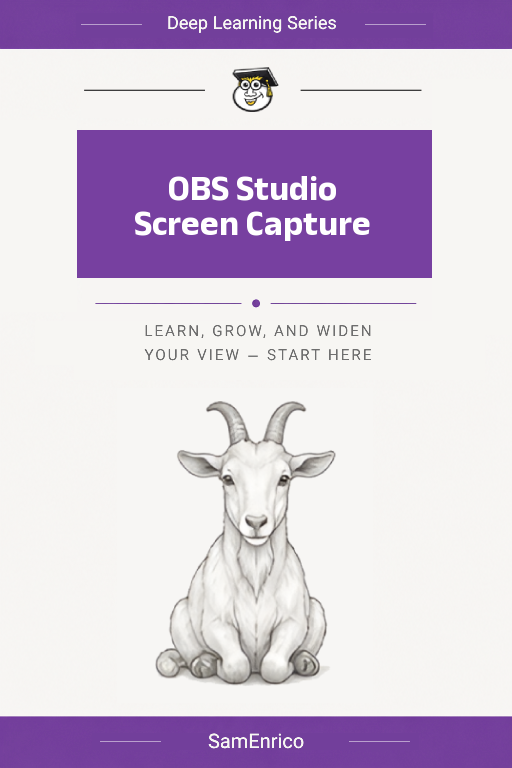
Non-FictionStartup GuideScreen RecordingStreaming
OBS Studio Screen Capture eBook
Record tutorials and live stream with OBS Studio i
Record tutorials and live stream with OBS Studio instead of Camtasia or ScreenFlow.
Formats
Free sample
Chapter 1: The $300 Habit--–- Let me ask you a question that might sting a little. When was the last time you paid for Camtasia or Screen Flow? Was it last month? Last week? Perhaps you are on an auto-renewing subscription that just charged your credit card for 179or179 or 179or299 while you were sleeping.
Now ask yourself a harder question: When was the last time you actually opened that software and edited a video?I have asked this question to over three thousand creators, trainers, and educators in the past four years. The answer is always the same uncomfortable silence followed by a confession. "I use it maybe twice a month." Or worse: "I bought it for a project two years ago and never really learned it."Here is the truth that software companies do not want you to realize. You are not paying for video editing. You are paying for the illusion of simplicity.
Camtasia and Screen Flow are beautifully marketed products that promise an all-in-one solution. Record your screen. Add your webcam. Edit the timeline. Export.
Done. And for a very specific type of user, someone who edits three videos a year and values convenience above all else, they might actually be worth the money.But you are not that user. You are reading a book about OBS Studio. That means you either want to record tutorials professionally, stream live content, or produce videos regularly enough that a $300 annual subscription feels like a tax on your creativity. And for you, the math does not just fail.
It is insulting.This chapter is not a technical tutorial. You will not install anything yet. You will not configure a single setting. Instead, this chapter will rewire how you think about screen capture software. By the time you finish reading, you will understand exactly why OBS Studio, a completely free and open-source application, outperforms paid tools in almost every category that matters for tutorial creators and live streamers.
You will also understand what OBS does not do, because honesty is the foundation of any useful guide. And finally, you will learn the hybrid workflow that replaces the all-in-one fantasy with a best-in-class reality.The Feature Breakdown That Paid Software Hopes You Never See Let us start with cold, hard facts. No marketing language. No "limited time offers." Just a side-by-side comparison of what you actually get for your money.Camtasia (2025 pricing): 299.88peryearforthesubscription,oraone−time299.88 per year for the subscription, or a one-time 299.88peryearforthesubscription,oraone−time399.99 for a perpetual license that only includes one year of updates. After that year, you keep the software but receive no new features, no bug fixes, and no support for newer operating systems.
Screen Flow is similar at $169 for a perpetual license on mac OS only, with major upgrades requiring a paid renewal every 12-18 months.OBS Studio: $0. Forever. No subscriptions. No watermarks. No feature paywalls.
No "Pro" tier that unlocks basic functionality. OBS is developed by a community of volunteers and sponsored by companies like NVIDIA, Twitch, and You Tube because they benefit from a healthy, free ecosystem of content creation.But price alone is not enough reason to switch. After all, free software that does not work is just free frustration. So let us compare actual recording capabilities.Recording Length: Camtasia and Screen Flow both have artificial or practical limits. While they technically allow long recordings, their memory management becomes unstable past 60-90 minutes.
OBS has recorded continuously for over 400 hours in stress tests. The only limit is your hard drive space.Watermarks: Every paid tool in the budget category adds watermarks to free trials. OBS has never added a watermark to anything, ever. This is not a feature. It is a philosophical commitment to open-source software.Hardware Encoding: Camtasia supports hardware encoding but prioritizes its own rendering engine, which uses CPU for timeline operations even when exporting with GPU.
Screen Flow has better GPU utilization but only works on Apple Silicon. OBS lets you choose between x264 (CPU), NVENC (NVIDIA GPU), AMF (AMD GPU), and Quick Sync (Intel GPU) with full control over every parameter.Multi-Track Recording: Camtasia records your microphone and system audio on separate tracks in the timeline, but only if you remember to enable the setting. Screen Flow does this well. OBS can record up to six independent audio tracks simultaneously. Your microphone on track one, desktop audio on track two, background music on track three, a Discord call on track four, a soundboard on track five, and a backup mic on track six.
All separate. All adjustable after recording. Not one paid tool at any price point offers this level of audio separation natively.Virtual Camera Output: Camtasia does not have a virtual camera. You cannot use its output in Zoom or Teams. Screen Flow has a basic virtual camera.
OBS can output any scene as a virtual camera, including green screen effects, lower thirds, and live counters, directly into any video conferencing application.Plugin Ecosystem: Camtasia has a small store of paid plugins. Screen Flow has minimal third-party support. OBS has over one hundred free and open-source plugins that add functionality like motion tracking, real-time captions, advanced scene switching, and source recording.The only category where paid tools genuinely lead is timeline editing. And this is crucial to understand. Camtasia and Screen Flow have built-in video editors.
OBS does not. OBS captures. It does not cut. It does not add transitions. It does not let you drag clips around a timeline.
This is not a weakness. It is a design philosophy. OBS does one thing, capture high-quality video with maximum control, and it does that one thing better than any paid alternative. Editing belongs in an editor.Debunking The Myth: OBS Is Not Just For Gamers If you search You Tube for OBS tutorials, the first hundred results will feature gaming content. Overlays with animated alerts.
Face cams in the corner. Donation tickers. This has created a persistent myth that OBS is "for streamers" or "for gamers" and that professionals should use Camtasia or Screen Flow.This myth is exactly backwards.The gaming community adopted OBS early because they needed high-performance capture that did not slow down their gameplay. They needed low latency, hardware encoding, and complete control over every source. They pushed OBS to its limits and the developers responded with continuous improvements.
But the underlying technology is identical whether you are capturing Fortnite or Figma, Call of Duty or a code editor, Minecraft or Microsoft Power Point.I have personally trained video production teams at three Fortune 500 companies. Every single one of them switched from paid software to OBS for screen capture in the past two years. Their reasons were consistent:First, stability. OBS does not crash when recording multi-hour training sessions. Camtasia crashed on three separate occasions during a four-hour compliance training recording, losing the last 45 minutes each time because auto-recovery failed.
That trainer now uses OBS.Second, performance. On the same laptop, OBS can record 1080p 60fps while leaving enough CPU headroom to run the software being demonstrated. Camtasia and Screen Flow consume 20-40 percent more CPU resources because they are simultaneously preparing timeline editing features that the user does not need during capture.Third, file…
This is the end of the free sample. Get the eBook to keep going. Buy now
About this book
Details
- Author
- Layman Charolette
- Publisher
- SamEnrico
- Language
- English
- Genre
- Non-Fiction, Startup Guide, Screen Recording, Streaming
- Released
- 2026-05-30
- Pages (approx.)
- 157
- Available as
- eBook, Audiobook

Read better in the ZLOADR app
Your eBooks on your phone or tablet. Sign in with your SamEnrico account and start reading.
More by Layman Charolette
 Loneliness Retreat ExperienceLayman Charolette$11.99
 Talking About RacismLayman Charolette$11.99
 Recurring Dreams and Sleep DisordersLayman Charolette$11.99
 Body Image HypnosisLayman Charolette$11.99
 The Recovery Sleep GuideLayman Charolette$11.99
 The Climate Tech Capital OutlookLayman Charolette$11.99
 Senior Home ModificationLayman Charolette$11.99
 Childhood Leukemia FighterLayman Charolette$11.99
 Antwerp Heist ConspiracyLayman Charolette$11.99
 The Cataphracts of Carhae: Rome's Greatest Defeat in the EastLayman Charolette$11.99
 Boardroom Bloodlines: The Cutthroat Rise of the Parker Brothers EmpireLayman Charolette$11.99
 The Poisoner's Garden: The Unseen Hand of Mary Ann CottonLayman Charolette$11.99
You may also like
 Hong Kong Handover 1997Dunn Johnnie$11.99
 Zumba For Postnatal Recovery CourseNeal Christian$11.99
 Zumba for BeginnersLadner Nikia$11.99
 YouTube Comment Mining GuideHumes Pandora$12.99
 Worry Box MeditationCarlin Rudy$11.99
 Workplace Stress MeditationNguyen Lynn$11.99
 Workplace Stress and Sleep RepairHawley Ivory$11.99
 Workplace Perfectionism CureDelaney Jeffry$11.99
 Workplace Injustice Anger GuideWallen Isabelle$11.99
 Work Addiction and Burnout LinkGreenwood Ester$11.99
 Women in Yoga and WellnessBeattie Galina$11.99
 Women in Stand Up ComedyChun Evangeline$11.99