
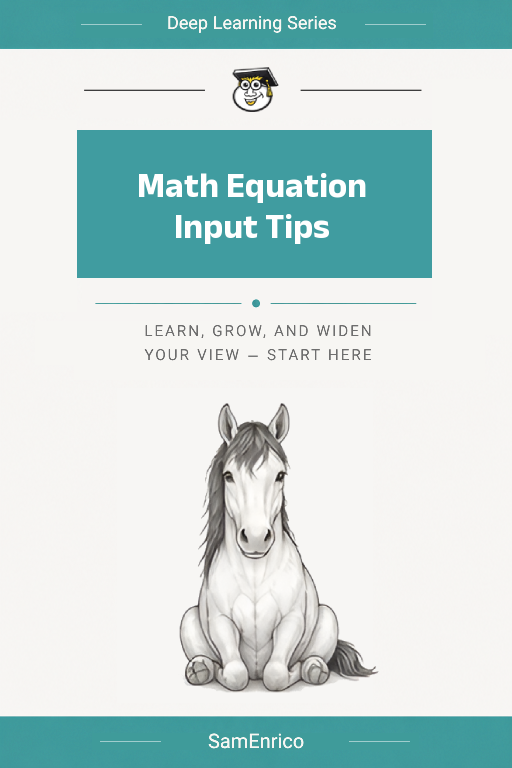
Non-FictionStudent's ShortcutMath InputEquation Guide
Math Equation Input Tips eBook
Type math equations quickly during online proctore
by Ferry Will
Type math equations quickly during online proctored exams using keyboard shortcuts and built in equation editors.
Formats
Free sample
Chapter 1: The Click Tax--–- The first time Sarah lost a scholarship, it wasn’t because she didn’t know calculus. It was because of a fraction bar.She had forty-seven seconds left on the clock. Problem eight of twelve. A definite integral that she had solved correctly on her scratch paper in under thirty seconds. But when she reached for the mouse to click the fraction template in the online equation editor—something she had done hundreds of times before—her hand slipped.
The cursor landed on the wrong button. She clicked again. The wrong fraction format appeared. She backspaced. Clicked again.
Finally, the correct template loaded. She typed the numerator. Tab. Typed the denominator. Tab.
Moved to the next part of the equation.Twenty-two seconds remained. Her heart pounded. She knew the answer. She had already solved it. But the clock ran out before she could type the final term.The proctor’s message appeared: “Time expired.
Exam submitted.”Four points. That was the difference between an A- and a B+. Between keeping her merit scholarship and losing 3,000 dollars per semester. Between graduating debt-free and taking out loans.All because of a fraction bar.Sarah’s story is not unusual. It is not even rare.
Across thousands of online proctored exams every semester, students lose millions of cumulative minutes—and real academic opportunities—not because they lack mathematical knowledge, but because they lack equation typing speed. The math is in their heads. The solution is on their scratch paper. But the clock wins anyway.This book exists to make sure that never happens to you.The Hidden Time Tax You Never Noticed Let’s start with a simple experiment you can do right now. Take out your phone or a stopwatch.
Time yourself typing this equation using only the mouse to click every symbol from an on-screen equation palette:x = \frac{-b \pm \sqrt{b^2 - 4ac}}{2a}Go ahead. I’ll wait.If you are like most students, that single equation took you between twenty-five and forty-five seconds to type. Now time yourself writing the same equation by hand on paper. Go ahead.Four to six seconds.That gap—the difference between typing an equation digitally versus writing it by hand—is the hidden time tax. And it is enormous.In a typical sixty-minute online math exam, you will encounter between fifteen and thirty equations that need to be typed.
If each equation takes you thirty seconds to input using mouse clicks, you are spending 7.5 to 15 minutes of your exam time on pure transcription. That is time you are not spending thinking about the math. Time you are not spending checking your work. Time you are not spending solving additional problems.But here is the truth that most test-prep books will not tell you: you do not have to accept that tax. In fact, you can reduce it by more than seventy percent.The students who finish online math exams with time to spare are not smarter than you.
They are not better at calculus or linear algebra or differential equations. They have simply learned something you have not yet been taught: how to type equations without looking away from the keyboard, without reaching for the mouse, without pausing to remember where the square root symbol is hidden.This book will teach you exactly how to do that.The Landscape of Online Proctored Exams Before we dive into specific techniques, you need to understand the battlefield. Online proctored exams come in many flavors, and each one presents unique challenges and opportunities for equation typing.The Major Proctoring Platforms Proctor U is one of the most common services. A live proctor watches your screen and webcam feed. You are typically required to use a specific browser extension.
Equation input happens inside your institution’s learning management system—usually Canvas, Blackboard, or Moodle. The proctor cannot see your specific keystrokes, only your screen and your face. This means that as long as you are using only the tools provided within the exam interface, you are safe.Honorlock works similarly but adds automated proctoring with AI that flags suspicious behavior like eye movements, background noise, or repeated keyboard shortcuts that look unnatural. We will talk extensively in Chapter 2 about what “unnatural” means and how to avoid triggering flags.Examplify (from Exam Soft) is a locked-down exam application that you install on your computer before the test. It disables most background processes and restricts copy-paste functionality.
The equation editor is built into the software. You cannot use external tools like Auto Hotkey or text expanders. But you can—and should—master its built-in keyboard shortcuts.Proctorio integrates with Chrome and uses AI to monitor your behavior. Like Honorlock, it pays attention to patterns. Unlike live proctors, AI cannot distinguish between “fast typer” and “cheater” based on speed alone.
But it can detect perfectly uniform keystroke intervals that suggest automated input. We will cover this in detail.Respondus Lock Down Browser is another locked-down environment. You cannot alt-tab out, open new windows, or run external software. The equation editor varies by institution but is usually either a simple text box with La Te X support or a point-and-click palette.Canvas Quiz, Moodle Quiz, and Blackboard Tests are learning management system native quizzes. These are the most variable environments.
Some allow raw La Te X. Some do not. Some have decent equation editors. Some are terrible. The good news is that the techniques in this book work across all of them—you just need to know which method to apply.The Built-In Equation Editors You Will Encounter Across all these platforms, you will typically encounter one of five equation input methods:Microsoft Equation Editor (also called OMML, Office Math Markup Language) appears when your exam allows you to upload a Word document or when the LMS uses Word as its backend.
It is the most powerful editor covered in this book, supporting both keyboard shortcuts and La Te X-like syntax. You will master it in Chapter 6.Google Docs Equation Tool appears in exams that use Google Forms or Google Docs as the submission method. It is surprisingly capable but has significant limitations—most notably, no native La Te X support. Chapter 7 will turn this limitation into an advantage.La Te X Direct Entry is available in Canvas, Moodle, and some custom exam platforms. You type raw La Te X code (like \frac{a}{b}) inside delimiters (often $$ or \[ \]), and the system renders it as math.
This is the fastest method if you know the commands. You will learn the essential twenty commands in Chapter 5.Unicode Math is the secret weapon most students never discover. Many equation editors accept Unicode mathematical symbols as direct characters. Instead of typing \infty (five keystrokes), you type Alt+236 (three keystrokes on the number pad) and get ∞. Chapter 4 will turn you into a Unicode power user.Point-and-Click Palettes are the slowest method—the one Sarah used.
But even palettes have hidden keyboard shortcuts. You will learn the five most useful palette navigation tricks in Chapter 8, which covers LMS-specific editors.Why Knowing La Te X Is Not Enough Here is a dangerous myth: “If I just learn La Te X…
This is the end of the free sample. Get the eBook to keep going. Buy now
About this book
Details
- Author
- Ferry Will
- Publisher
- SamEnrico
- Language
- English
- Genre
- Non-Fiction, Student's Shortcut, Math Input, Equation Guide
- Released
- 2026-06-01
- Pages (approx.)
- 116
- Available as
- eBook, Audiobook

Read better in the ZLOADR app
Your eBooks on your phone or tablet. Sign in with your SamEnrico account and start reading.
More by Ferry Will
 Video Tape Blind SpotFerry Will$11.99
 Teleaudiology for SeniorsFerry Will$11.99
 HIIT Goal Setting WorkbookFerry Will$11.99
 Mother's Relapse CycleFerry Will$11.99
 Smoking Cessation for Teens GuideFerry Will$11.99
 The Cosmic Detective: Stephen Hawking and the Hunt for Black Holes in the Middle EastFerry Will$11.99
 The Last Emperor's Lesson: How Puyi's Exile Shaped a NationFerry Will$11.99
 Medical Lab TechnologistFerry Will$11.99
 Understanding Carey–fineman–ziter SyndromeFerry Will$17.99
 Reference Selling Gulf RegionFerry Will$12.99
 10 Ways to Use Champagne (Recipe Book)Ferry Will$11.99
You may also like
 Hong Kong Handover 1997Dunn Johnnie$11.99
 Zumba For Postnatal Recovery CourseNeal Christian$11.99
 Zumba for BeginnersLadner Nikia$11.99
 YouTube Comment Mining GuideHumes Pandora$12.99
 Worry Box MeditationCarlin Rudy$11.99
 Workplace Stress MeditationNguyen Lynn$11.99
 Workplace Stress and Sleep RepairHawley Ivory$11.99
 Workplace Perfectionism CureDelaney Jeffry$11.99
 Workplace Injustice Anger GuideWallen Isabelle$11.99
 Work Addiction and Burnout LinkGreenwood Ester$11.99
 Women in Yoga and WellnessBeattie Galina$11.99
 Women in Stand Up ComedyChun Evangeline$11.99