
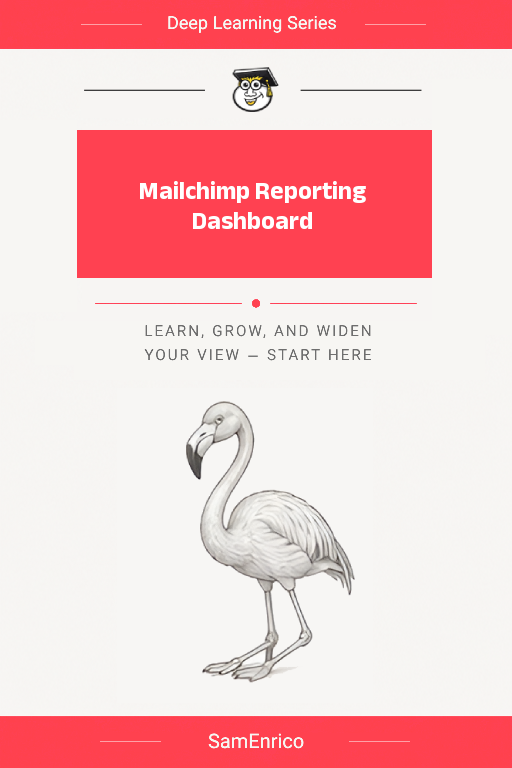
Mailchimp Reporting Dashboard
Read your first campaign reports including opens,
Read your first campaign reports including opens, clicks, bounces, and unsubscribes to measure success.
Formats
About this book
Free sample
Chapter 1: The Vanity Trap--Most users open Mailchimp, click "Reports," and feel a quiet sense of pride mixed with confusion. The default dashboard shows thousands of opens, hundreds of clicks, and a handful of unsubscribes. The numbers look... fine. Not great, not terrible.
Just fine. And because they look fine, most marketers close the tab and move on to the next task, never realizing that the dashboard is lying to them.Not maliciously, of course. Mailchimp isn't trying to deceive you. But the default report view is designed to make you feel good about sending email, not to help you make more money from email. There is a profound difference between these two goals, and understanding that difference is the first step toward transforming your email performance.This chapter is about tearing down the default dashboard and building a better one.
You will learn exactly which columns to remove, which columns to add, and how to set up a "North Star Metric" that tells you within thirty seconds whether a campaign succeeded or failed. By the end of this chapter, you will never again be fooled by vanity metrics. You will see through the illusion of "good enough" and start spotting failing campaigns before your coffee gets cold.The Default Dashboard Is a Happiness Machine Let us look at what Mailchimp shows you by default when you open a campaign report. At the top, in large friendly numbers, you see:Recipients (how many people got the email)Opens (how many times the email was opened, counting the same person multiple times)Clicks (how many times links were clicked, counting the same person multiple times)Unsubscribes (how many people opted out)Notice what is missing from this list. There is no revenue.
There is no profit. There is no conversion rate. There is no measure of whether the email actually did anything useful for your business.This is not an accident. Mailchimp is a tool for sending email, not a tool for growing your business. The default dashboard is optimized to keep you sending more email, because that is how Mailchimp makes money.…
This is the end of the free sample. Get the eBook to keep going. Buy now
Contents
- Chapter 1
- Chapter 2
- Chapter 3
- Chapter 4
- Chapter 5
- Chapter 6
- Chapter 7
- Chapter 8
- Chapter 9
- Chapter 10
- Chapter 11
- Chapter 12
Details
- Author
- Easterling Kathlyn
- Publisher
- SamEnrico
- Language
- English
- Genre
- Non-Fiction, First 30 Days, Analytics
- Released
- 2026-06-01
- Pages (approx.)
- 141
- Available as
- eBook, Audiobook

Read better in the ZLOADR app
Your eBooks on your phone or tablet. Sign in with your SamEnrico account and start reading.
More by Easterling Kathlyn
 The Rent Stress GuideEasterling Kathlyn$11.99
 Transcendental Meditation PrimerEasterling Kathlyn$11.99
 Outsourcing for Busy ParentsEasterling Kathlyn$11.99
 Fear of Failure in ActivismEasterling Kathlyn$11.99
 HGH Secretagogue IngredientsEasterling Kathlyn$11.99
 Micro Flow States GuideEasterling Kathlyn$11.99
 Prenup Stress ManagementEasterling Kathlyn$11.99
 Nicotine Master GuideEasterling Kathlyn$11.99
 The Maestros of the African Diaspora: Composers Who Shaped Classical MusicEasterling Kathlyn$11.99
 From Vines to Victory: The Pioneers of Australian WineEasterling Kathlyn$11.99
 The Essential Guide to SwingEasterling Kathlyn$11.99
 How to Start a Management Consultancy Business (Beginners Guide)Easterling Kathlyn$11.99
You may also like
 Mailchimp Google AnalyticsRoller Lyman$12.99
 Shopify Analytics Free GuideHouston Samuel$12.99
 Launching A Youtube Channel For Your Brand SuccessMclean Zenaida$12.99
 Facebook Ads Reporting First GuideDuff Yuriko$12.99
 Digital Product Analytics SetupMontero Warner$12.99
 Mailchimp Analytics for BeginnersDarby Nancie$12.99
 Launching A Youtube Channel For Your Brand AnalyticsRicker Helaine$12.99
 Digital Product Analytics DashboardWoodall Alana$12.99