
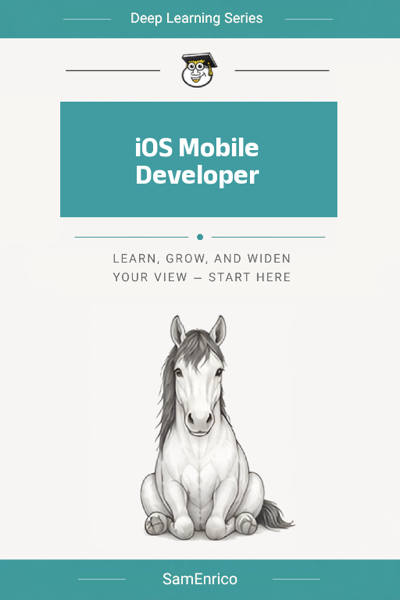
Non-FictionInformativeEducational
iOS Mobile Developer eBook
A Coursebook on iOS Mobile Developer
A Coursebook on iOS Mobile Developer
Formats
Free sample
Chapter 1: The App Graveyard--–- Every year, over 500,000 mobile apps are submitted to Apple’s App Store. More than 40% of them never receive a single user review. Thousands more are abandoned by their creators after three months. The graveyard of unfinished, bug-ridden, or never-launched i OS projects is vast. And the most common cause of death is not a lack of talent, or funding, or even a bad idea. It is something far more mundane: overwhelm.You open Xcode for the first time. You see a labyrinth of icons, inspectors, file navigators, and a giant blank canvas. You watch a tutorial that says “just drag this button here,” but ten minutes later your app crashes because of something called a “thread 1 signal SIGABRT.” You start a second tutorial, then a third. You learn about optionals, then closures, then memory management. You feel like you’re drinking from a fire hose. And eventually, quietly, you close your laptop and never open that project again.This book exists to prevent that fate.The i OS development industry is not looking for geniuses. It is looking for survivors. Developers who can endure the confusion, who can navigate Xcode without panic, who understand why Apple’s rules exist before they break them. This first chapter is not about writing a single line of Swift code. It is about something more important: the mental model, the toolchain, and the hidden rules that turn a confused beginner into a professional who ships.Welcome to the i OS ecosystem. Your apprenticeship starts now.The Golden Rule: Why i OS is Different If you have ever built a website or a Python script, you are used to freedom. You can read any file, connect to any network, and run code however you like. i OS is the opposite. It is a prison with very nice furniture.Apple’s operating system is built on a philosophy called sandboxing. Every app lives in its own secure container. It cannot see other apps’ files. It cannot modify system settings without explicit permission. It cannot even use the camera or microphone until the user taps “Allow.” This is maddening for beginners who just want to “make it work.” But for users, it is the reason i OS is trusted.Two consequences follow for you as a developer:First, you must learn to do things the “Apple way.” You will not find a global file picker that works like Windows. You will not directly delete files from another app. Every operation — saving a photo, accessing contacts, sending a notification — requires a specific API and often a permission request.Second, your app’s lifespan is not fully under your control. The system can terminate your app at any time to save memory. You must save user data frequently. You must respond to “backgrounding” events (when the user switches away). If you ignore these rules, the system does not give you a warning. It just kills your app, and users leave one-star reviews.The mindset shift: Stop asking “how can I make the computer do this?” Start asking “how does Apple expect me to do this?” That single question will save you hundreds of hours.Xcode: Your New Home (and Worst Enemy)Xcode is the integrated development environment (IDE) for i OS. It is also a 16-gigabyte download, a memory hog, and a piece of software that will crash at least once during your learning process. Accept this. Professional i OS developers do not love Xcode. They tolerate it.When you first launch Xcode and create a new project (File > New > Project), you are asked to choose a template. For this book, you will always start with “App” under the i OS tab. Later you will learn about frameworks, libraries, and watch OS extensions. For now, ignore them.After naming your project (let’s call it “Read Later” – the portfolio app you will build across this book), Xcode opens a window with five main areas:Navigator Area (left sidebar): Shows your project files. The most important tab is the file icon (Project Navigator). This is where you see Content View.swift, Assets.xcassets (images and app icons), and Info.plist (configuration file).Editor Area (center): Where you write code. You can open multiple files in tabs (like a browser).Inspector Area (right sidebar): Contextual settings for whatever you have selected. If you click on a button in a user interface file, the inspector shows its color, font, and layout rules.Debug Area (bottom): Where error messages appear when your app crashes. If you see red text here, do not panic. That is the app telling you exactly what broke.Toolbar (top): The big triangle “Run” button builds and launches your app. The square button stops it. Next to the run button, you choose a “scheme” – which device or simulator to run on.Most important Xcode shortcut you will ever learn: Command + Shift + K (clean build folder). When Xcode acts strangely – showing old errors or refusing to see new code – use this. It erases compiled leftovers and forces a fresh start.The Simulator vs. The Real Device Apple provides a simulator that acts like an i Phone or i Pad on your Mac. It is fast, convenient, and free. It is also a liar.The simulator uses your Mac’s processor and memory. It does not simulate CPU speed, battery drain, or thermal throttling. It has no accelerometer (unless you simulate a shake) and no camera (it shows a test pattern). Animations that run perfectly at 120 frames per second in the simulator may stutter on a real i Phone 8.The rule: Use the simulator for 90% of your development. It is excellent for testing layouts, debugging network code (since it shares your Mac’s internet), and iterating quickly. But before you submit to the App Store, you must test on a physical device.To test on a real device, you need:An Apple ID (free)A physical i Phone or i Pad plugged into your Mac via USB (wireless debugging exists but is slower)A “Provisioning Profile” (Xcode usually creates this automatically with personal teams)When you first plug in a device, Xcode will ask you to “Enable Developer Mode” on the phone. Go to Settings > Privacy & Security > Developer Mode. This allows you to install your own unsigned apps without going through the App Store. It is safe for learning.Warning: Free Apple IDs can only install three apps per week, and the app stops working after seven days unless you reinstall. A paid Apple Developer account ($99/year) removes these limits and allows App Store distribution.The Human Interface Guidelines: Not Suggestions Apple publishes a document called the Human Interface Guidelines (HIG). It is 150,000 words long. You have not read it. Neither have most beginners. But you must internalize its most important rules because App Store reviewers reject apps that violate them.Here are the non-negotiable rules for beginners:Navigation: The back button should always return to the previous screen. Never overload it with custom behavior. Users have muscle memory; breaking it earns one-star reviews.Gestures: Swipe from the left edge of the screen goes back. Swipe down dismisses a modal sheet. Pinch zooms. Do not invent new gestures for common actions. You are not Apple. Users will not learn your custom pinch-with-three-fingers.Modals: A modal sheet (a screen that slides up…
This is the end of the free sample. Get the eBook to keep going. Buy now
About this book
Details
- Author
- Mcconnell Arnetta
- Publisher
- SamEnrico
- Language
- English
- Genre
- Non-Fiction, Informative, Educational
- Released
- 2026-05-04
- Pages (approx.)
- 123
- Available as
- eBook, Audiobook

Read better in the ZLOADR app
Your eBooks on your phone or tablet. Sign in with your SamEnrico account and start reading.
More by Mcconnell Arnetta
 Emotional Intelligence for LibrariansMcconnell Arnetta$11.99
 Green Card Entrepreneur PathMcconnell Arnetta$11.99
 Stress Kidney Health ImpactMcconnell Arnetta$11.99
 The Nelson Mandela PresidencyMcconnell Arnetta$11.99
 Learn to Play the EsrajMcconnell Arnetta$11.99
 Strategy Meeting Pre Work ChecklistMcconnell Arnetta$12.99
 How to Start a Body Shell for Motor Vehicle Made of Fibre Glass Business (Beginners Guide)Mcconnell Arnetta$11.99
You may also like
 Hong Kong Handover 1997Dunn Johnnie$11.99
 Zumba For Postnatal Recovery CourseNeal Christian$11.99
 Zumba for BeginnersLadner Nikia$11.99
 YouTube Comment Mining GuideHumes Pandora$12.99
 Worry Box MeditationCarlin Rudy$11.99
 Workplace Stress MeditationNguyen Lynn$11.99
 Workplace Stress and Sleep RepairHawley Ivory$11.99
 Workplace Perfectionism CureDelaney Jeffry$11.99
 Workplace Injustice Anger GuideWallen Isabelle$11.99
 Work Addiction and Burnout LinkGreenwood Ester$11.99
 Women in Yoga and WellnessBeattie Galina$11.99
 Women in Stand Up ComedyChun Evangeline$11.99