
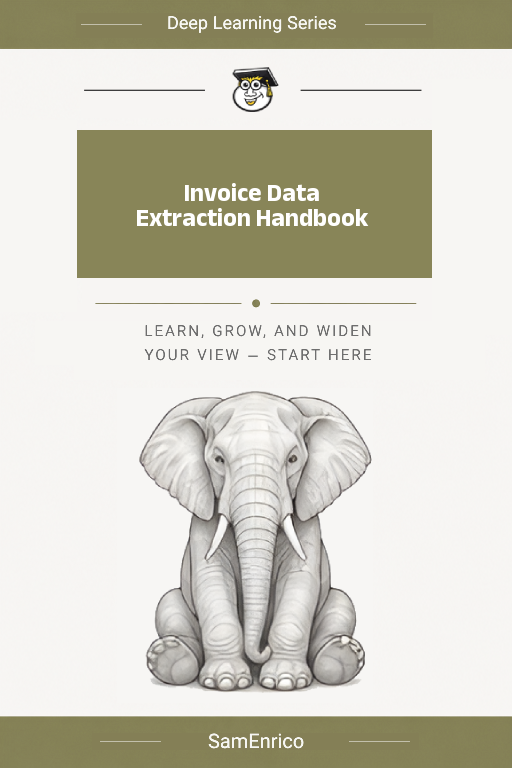
Non-FictionBusiness BriefDocument Processing
Invoice Data Extraction Handbook eBook
Use OCR and NLP to pull line items, due dates, and
Use OCR and NLP to pull line items, due dates, and totals from supplier invoices. Automate accounts payable entry for small business bookkeeping.
Formats
Free sample
Chapter 1: The Invoice Grave...--–- The email arrived at 4:47 PM on a Friday. Teresa, who owned a small bakery with twelve employees, opened it to find a past-due notice from her flour supplier. The original invoice had been sitting in her inbox for thirty-eight days, buried under vendor newsletters, customer inquiries, and a chain about a colleague’s lost cat. The late fee was $47. The real cost was much higher.That $47 late fee was annoying but not catastrophic.
What Teresa did not realize—because no one had ever shown her the math—was that this single missed deadline was a symptom of a much larger disease. Over the previous twelve months, her bookkeeper had manually entered 1,247 invoices. At an average of five minutes per invoice, that was 104 hours of pure data entry. One hundred four hours. Two and a half full workweeks.
Time spent typing vendor names, due dates, and line items into a spreadsheet that was already outdated the moment the last keystroke landed.Worse, Teresa had missed eleven early-payment discounts in the past year because her manual system could not flag them in time. Those discounts totaled 1,840.Herbookkeeper’shourlywagewas1,840. Her bookkeeper’s hourly wage was 1,840.Herbookkeeper’shourlywagewas28. The manual data entry cost her 2,912inlabor.Thelatefeesaddedanother2,912 in labor. The late fees added another 2,912inlabor.Thelatefeesaddedanother410.
The total waste: 5,162.Forabakeryclearing5,162. For a bakery clearing 5,162.Forabakeryclearing80,000 in annual profit, that was 6.5 percent of her bottom line, evaporated into the thin air of inefficient processes.Teresa is fictional. But her problem is not.Every day, millions of small business owners and freelance bookkeepers perform the same ritual: open an email, download a PDF, stare at a scanned image of an invoice, and begin typing. Vendor name. Invoice number.
Date. Line item description. Quantity. Unit price. Subtotal.
Tax. Total due. Due date. Sometimes the same numbers are typed twice—once into an accounts payable spreadsheet, once into Quick Books. Sometimes the vendor sends a second copy, and the invoice is entered again, creating a duplicate that will only be caught when the check is cut twice.This is the invoice grave: the dark, dusty corner of small business operations where time goes to die and money leaks out in amounts too small to notice individually but devastating in aggregate.The Birth of a Bad Habit How did we get here?
The answer is not conspiracy but accretion. Accounts payable processes in small businesses were not designed by anyone. They emerged. A business starts with a sole proprietor who pays bills from a checkbook. Then a part-time bookkeeper arrives, bringing spreadsheets.
Then the business grows to ten employees, and the spreadsheets multiply. One for unpaid invoices. One for paid invoices. One for monthly reconciliation. A second bookkeeper inherits the system, adds a few columns, and never questions why the due dates are in a different format than the vendor names.This organic growth creates what process engineers call "tribal knowledge"—the unwritten rules that live only in the head of the person doing the work.
When that person is on vacation, invoices wait. When that person quits, the knowledge walks out the door. When that person makes a mistake—transposing a number, misreading a handwritten total, forgetting to enter a line item—the error propagates silently through the accounting system until someone discovers it during month-end close, usually at 10 PM on a Sunday.The statistics bear this out. According to a 2023 survey of accounts payable professionals conducted by the Institute of Finance and Management, 60 percent of small businesses still rely on manual data entry for at least half of their invoices. Sixty-six percent use spreadsheets as their primary accounts payable tracking tool—the same software that was designed for financial modeling, not transaction processing.
Spreadsheets are remarkably good at many things. They are terrible at preventing duplicate entries, enforcing date formats, or flagging when a vendor’s bank account number changes.The Three Penalties of Manual APEvery manual invoice imposes three distinct costs. Most business owners only see the first one.The first cost is direct labor. This is the easiest to measure. Time yourself entering one invoice from a scanned PDF.
Count the seconds spent waiting for the PDF to open, scanning with your eyes to find the total, switching between windows, typing, tabbing, checking for errors. Most bookkeepers average between four and seven minutes per invoice. At 30perhour,a100−invoicemonthcosts30 per hour, a 100-invoice month costs 30perhour,a100−invoicemonthcosts250 to 350inlaboralone.Scaleto500invoicespermonth—amodestvolumeforaretailbusinesswithfiftysuppliers—andthelaborcostexceeds350 in labor alone. Scale to 500 invoices per month—a modest volume for a retail business with fifty suppliers—and the labor cost exceeds 350inlaboralone.Scaleto500invoicespermonth—amodestvolumeforaretailbusinesswithfiftysuppliers—andthelaborcostexceeds1,500 monthly.The second cost is late fees and lost discounts. This is harder to measure because it is invisible.
You do not see the discount you could have taken if you had paid ten days earlier. You do not feel the late fee you avoided this month because the invoice happened to arrive when you were not overwhelmed. But the aggregate is staggering. A 2022 report from PYMNTS.com found that small businesses leave an average of 2.2 percent of their annual revenue on the table through missed early-payment discounts and avoidable late fees. For a business with 500,000invendorpaymentsannually,thatis500,000 in vendor payments annually, that is 500,000invendorpaymentsannually,thatis11,000 per year—enough to hire a part-time employee or buy a new piece of equipment.The third cost is the weekend scramble.
This is the hardest to quantify but the most emotionally draining. It is the Sunday evening when you realize that month-end close is tomorrow and you have forty-three invoices to reconcile. It is the feeling of dread when your bookkeeper calls in sick on the 30th and you know that payroll is due in two days but the supplier invoices are not coded. It is the argument with your spouse about why you are working at 9 PM again. This cost does not appear on any profit and loss statement, but it drives more business owners to automation than any spreadsheet or ROI calculation ever could.The Three-Way Match: A Brief Horror Story Before we go further, we need to understand one piece of accounts payable terminology that will appear throughout this book: the three-way match.
If your business does not use purchase orders, you can skip this section and rejoin us at the next heading. For everyone else, read on with caution.The three-way match is the process of comparing three documents before paying an invoice: the purchase order (what you agreed to buy), the receiving report (what actually arrived), and the invoice (what the vendor says you owe). When these three align perfectly—same quantities, same prices, same items—payment is approved. When they do not, someone must investigate.In enterprise companies with enterprise software, the three-way match happens automatically. The purchase order is created in the system.
The warehouse scans received items against that PO. The vendor submits an electronic invoice that is matched in real time. Discrepancies are flagged instantly.In small businesses, the three-way match is a nightmare of paper, sticky notes, and desperate emails. The purchase order is a spreadsheet row. The receiving report is a handwritten count on a clipboard.
The invoice arrives by email. Someone—usually the office manager or the bookkeeper—must manually compare the quantity on the PO to…
This is the end of the free sample. Get the eBook to keep going. Buy now
About this book
Details
- Author
- Crenshaw Annett
- Publisher
- SamEnrico
- Language
- English
- Genre
- Non-Fiction, Business Brief, Document Processing
- Released
- 2026-05-30
- Pages (approx.)
- 152
- Available as
- eBook, Audiobook

Read better in the ZLOADR app
Your eBooks on your phone or tablet. Sign in with your SamEnrico account and start reading.
More by Crenshaw Annett
 Smoking Relapse Prevention ManualCrenshaw Annett$11.99
 Workplace Emotional RegulationCrenshaw Annett$11.99
 Status Quo Bias GuideCrenshaw Annett$11.99
 Workplace Stress and Career ChangeCrenshaw Annett$11.99
 The Tiger of Mysore: Blood and Betrayal in the Carnatic WarsCrenshaw Annett$11.99
 How to Produce Art and Crafting MaterialsCrenshaw Annett$11.99
 How to Start a Picture Restoring Business (Beginners Guide)Crenshaw Annett$11.99
You may also like
 Hong Kong Handover 1997Dunn Johnnie$11.99
 Zumba For Postnatal Recovery CourseNeal Christian$11.99
 Zumba for BeginnersLadner Nikia$11.99
 YouTube Comment Mining GuideHumes Pandora$12.99
 Worry Box MeditationCarlin Rudy$11.99
 Workplace Stress MeditationNguyen Lynn$11.99
 Workplace Stress and Sleep RepairHawley Ivory$11.99
 Workplace Perfectionism CureDelaney Jeffry$11.99
 Workplace Injustice Anger GuideWallen Isabelle$11.99
 Work Addiction and Burnout LinkGreenwood Ester$11.99
 Women in Yoga and WellnessBeattie Galina$11.99
 Women in Stand Up ComedyChun Evangeline$11.99