
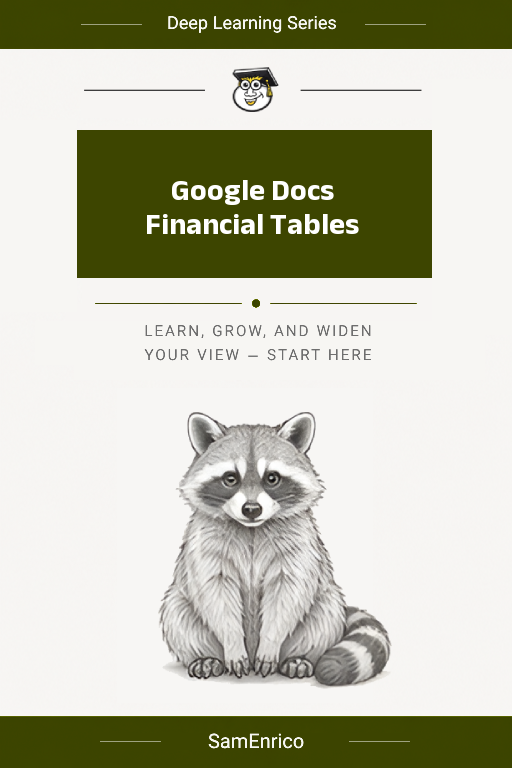
Google Docs Financial Tables
Build profit and loss, cash flow, and balance shee
Build profit and loss, cash flow, and balance sheets using Google Sheets templates.
Formats
About this book
Free sample
Chapter 1: The Spreadsheet Lie--–- Every day, millions of business owners, freelancers, and finance professionals open Microsoft Excel with a sense of dread. They stare at a grid of lifeless cells, knowing that somewhere in this file—or the seventeen versions before it—a single broken formula is about to cost them hours of troubleshooting. They email files back and forth, append "_FINAL_v2" to filenames, and pray that no one edits the same cell at the same time. This is the dirty secret of financial modeling: most spreadsheets are broken, most models are never finished, and most people hate the tool they rely on to make decisions about money.The problem is not you. The problem is not your math skills or your accounting knowledge.
The problem is that the financial modeling industry has been built on a forty-year-old assumption: that the only serious tool for the job is Microsoft Excel. That assumption is wrong. It has been wrong for years, but the financial world moves slowly, and old habits die hard. This chapter is going to show you why Google Sheets is not just a competent alternative to Excel for building profit and loss statements, cash flow forecasts, and balance sheets—it is a superior platform for the vast majority of financial modeling tasks, especially if you are a small business owner, a startup founder, a freelancer, or an analyst working in a collaborative environment.The Excel Cage Before we can appreciate what Google Sheets offers, we have to understand what we are escaping. Excel was revolutionary in 1985.
It replaced paper spreadsheets and calculators with something that could recalculate automatically when you changed a number. That was magic. Forty years later, Excel is still fundamentally the same tool, burdened with decades of backwards compatibility and designed for a single user working alone on a single computer.Think about the last time you tried to collaborate on an Excel file. You probably saved it to a shared drive, emailed it as an attachment, or uploaded it to Share Point. Someone else downloaded it, made changes, saved it with a new…
This is the end of the free sample. Get the eBook to keep going. Buy now
Contents
- Chapter 1
- Chapter 2
- Chapter 3
- Chapter 4
- Chapter 5
- Chapter 6
- Chapter 7
- Chapter 8
- Chapter 9
- Chapter 10
- Chapter 11
- Chapter 12
Details
- Author
- Hennessey Tona
- Publisher
- SamEnrico
- Language
- English
- Genre
- Non-Fiction, Startup Guide, Financial Planning, Spreadsheet Models
- Released
- 2026-06-01
- Pages (approx.)
- 146
- Available as
- eBook, Audiobook

Read better in the ZLOADR app
Your eBooks on your phone or tablet. Sign in with your SamEnrico account and start reading.
More by Hennessey Tona
 Pet Tech Growth Capital GuideHennessey Tona$11.99
 Loneliness Digital Nomad GuideHennessey Tona$11.99
 Senior Friendship BuildingHennessey Tona$11.99
 Burnout Recovery for Military SpousesHennessey Tona$11.99
 Cultural Variations in Recurring DreamsHennessey Tona$11.99
 Whistleblower ConversationsHennessey Tona$11.99
 Job Anxiety HypnosisHennessey Tona$11.99
 Antwerp Heist Mastermind ProfileHennessey Tona$11.99
 Lymphoma Remission StoryHennessey Tona$11.99
 The Skateboard Heist: How a Forgotten 18th-Century Hoax Launched a RebellionHennessey Tona$11.99
 The Last Whisper of the Sphinx: Decoding the Riddle That Shaped CivilizationHennessey Tona$11.99
 Ragnarok's Shadow: The Untold War of the JötnarHennessey Tona$11.99