
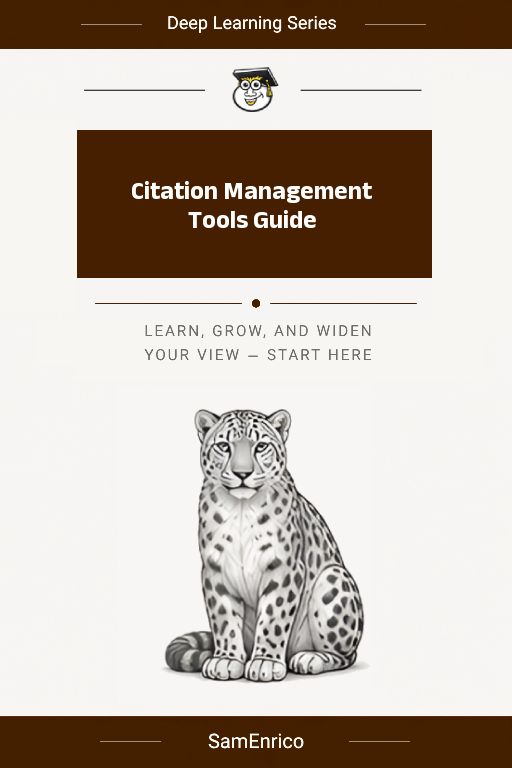
Non-FictionStudent's ShortcutCitation Managers
Citation Management Tools Guide eBook
Use Zotero, Mendeley, or EndNote to automate citat
by Newby Samuel
Use Zotero, Mendeley, or EndNote to automate citation formatting and reference organization fast.
Formats
Free sample
Chapter 1: The 4AM Bibliography--–- The email arrived at 11:47 PM on a Sunday. Dr. Maya Chen, a fourth-year Ph D candidate in political science, had just finished what she believed was the final draft of her dissertation chapter. She had spent the last six hours manually formatting 147 citations according to the Chicago Manual of Style, 17th edition. Her advisor's instructions were clear: "Follow Chicago author-date exactly.
No deviations."At 11:48 PM, her phone buzzed. A new email from her advisor: "Maya – quick change. The journal we're targeting uses APA 7th. Please reformat all citations and the bibliography by Tuesday. Sorry for the late notice."Maya stared at the screen.
She calculated the work ahead: 147 citations, each requiring different punctuation (parentheses instead of brackets, commas instead of periods, "&" instead of "and," year after the author instead of at the end). Then the bibliography – reverse the entire order, change every italicization, adjust every indentation. She estimated seven hours of mindless, error-prone work. She cried. Then she opened her laptop and worked until 4:17 AM.She made three mistakes.
The journal's copyeditor caught them. Her revision took another two hours. In total, Maya spent 11 hours on a task that should have taken zero – work that added nothing to her argument, her analysis, or her contribution to knowledge.Maya is not lazy. She is not technologically incompetent. She is the victim of an invisible tax that academia never teaches you about: the citation formatting tax.The Hidden Cost You Are Paying Right Now Let us calculate your personal citation tax.
If you are an undergraduate writing five papers per year, each requiring two hours of manual formatting, you lose ten hours annually – a full waking day. If you are a graduate student writing a dissertation with 200+ sources, you will likely spend 15-20 hours on citation formatting alone. If you are a postdoc or faculty member publishing three articles per year, plus peer review for five more, you lose 25-35 hours annually. Over a 30-year academic career, that is 750 to 1,050 hours – more than an entire month of continuous work. A month of your life spent formatting parentheses.But the cost is not merely time.
It is cognitive. Every time you stop your writing flow to look up whether a book chapter in Chicago style requires the publisher location (it no longer does, but many outdated guides still say yes), you lose the thread of your argument. Every time you manually type "(Smith, 2020, p. 45)" and then realize you need page numbers only for direct quotes but not for paraphrases, you interrupt your thinking. Every time you finish a paragraph and realize you forgot to add a citation, forcing you to scroll back and guess where that quote came from, you fracture your concentration.The hidden costs also include:Typographical errors that make you look careless to reviewers Inconsistent punctuation that triggers desk rejection Missing DOIs that prevent readers from finding your sources Citation-style switching errors when you repurpose a paper for a different journal Collaboration conflicts when two co-authors use different manual formatting systems The opportunity cost of not spending those hours on actual research One study of academic publishing workflows (conducted by a group of librarians at the University of Washington, published in College & Research Libraries in 2019) found that researchers who rely on manual citation formatting make an average of 4.2 errors per manuscript.
Those errors increase the likelihood of desk rejection by 18%. For early-career researchers, who already face acceptance rates below 20% in top journals, an 18% penalty is devastating.There is a better way. You do not have to be Maya. You do not have to cry at 11:48 PM on a Sunday. This book exists to ensure you never will.The Three Keys to Freedom (And Why You Have Never Been Told About Them)Academic culture has a strange relationship with tools.
We celebrate brilliant arguments, rigorous methods, and novel findings. We do not celebrate workflow efficiency. No one has ever received a tenure letter that said, "And her use of citation management software was exemplary." As a result, most researchers learn about citation tools through whispers – a fellow graduate student says, "You should try Zotero," or a lab mate mentions, "Mendeley changed my life." But no one ever sits down and explains how these tools actually work, how to choose between them, or why automation is not cheating but essential.The three dominant citation management tools – Zotero, Mendeley, and End Note – share a fundamental mechanism that, once understood, makes manual formatting as obsolete as a typewriter.The Database of References At the core of every citation management tool is a structured database. This is not a folder full of PDFs (though it can also store those). It is a relational database where each entry – called a record, an item, or a reference – has predefined fields: author, title, year, journal, volume, issue, pages, DOI, URL, date accessed, and dozens more depending on the item type (book, article, chapter, thesis, report, etc.).When you save a reference using a browser connector, the tool extracts metadata from the webpage (often using embedded tags like Dublin Core or highwire press tags) and populates these fields automatically.
When you manually enter a reference, you fill the fields yourself. Either way, the result is the same: a clean, structured record that a computer can read, sort, search, and reformat.This database lives independently of any particular document. You can have one library – a single database – that feeds into twenty different papers. When you correct a typo in the database (e.g., changing "Smyth" to "Smith"), every paper that cites that reference automatically updates. When you add a DOI to a record, every bibliography that includes that reference automatically includes the DOI.
When you change the citation style from APA to Chicago, every citation in every paper changes instantly.The Word Processor Plugin (The Bridge Between Database and Document)The second component is a plugin that installs directly into Microsoft Word, Google Docs (Zotero only), or Libre Office. This plugin creates a live connection between your document and your database. When you click "Insert Citation," the plugin opens a search box. You type an author name or title. The plugin queries your database and returns matching records.
You select the correct one. The plugin writes two things into your document:The visible citation – formatted according to your selected style, e.g., "(Smith, 2020)" for APA or "(Smith 2020)" for Chicago author-date.The hidden field code – a string of text that the plugin understands but that is invisible to you. This field code contains a unique identifier pointing back to the specific record in your database. It does not contain the full citation text; it contains a reference.When you later click "Insert Bibliography," the plugin scans your document for every hidden field code, gathers the corresponding records from your database, formats them according to your selected style, and writes the complete bibliography at your cursor.When you change your citation style from APA to MLA, the plugin reads the same hidden field codes, fetches the same database records, and re-formats every citation and the entire bibliography. The entire process takes less than one second.The Hidden Field Code (Why Automation Works)The hidden field code is the secret sauce…
This is the end of the free sample. Get the eBook to keep going. Buy now
About this book
Details
- Author
- Newby Samuel
- Publisher
- SamEnrico
- Language
- English
- Genre
- Non-Fiction, Student's Shortcut, Citation Managers
- Released
- 2026-05-29
- Pages (approx.)
- 150
- Available as
- eBook, Audiobook

Read better in the ZLOADR app
Your eBooks on your phone or tablet. Sign in with your SamEnrico account and start reading.
More by Newby Samuel
 Freelance Financial StressNewby Samuel$11.99
 Burnout Recovery For Sales ProfessionalsNewby Samuel$11.99
 Jimmy Hoffa Organized Crime Enforcer ProfilesNewby Samuel$11.99
 The Brag Sheet Mastery HandbookNewby Samuel$11.99
 OKR Template GuideNewby Samuel$11.99
 WFH Productivity HandbookNewby Samuel$11.99
 Goodreads Reading Challenge ComparisonNewby Samuel$11.99
 First Week WorkoutNewby Samuel$11.99
 Valkyrie's Oath: The Forgotten Shieldmaiden of AsgardNewby Samuel$11.99
 Growing Brassaia (Octopus Tree)Newby Samuel$11.99
 UAE Free Zone VAT ComplianceNewby Samuel$12.99
 A Collector's Handbook to the Rover 2000scNewby Samuel$11.99
You may also like
 Hong Kong Handover 1997Dunn Johnnie$11.99
 Zumba For Postnatal Recovery CourseNeal Christian$11.99
 Zumba for BeginnersLadner Nikia$11.99
 YouTube Comment Mining GuideHumes Pandora$12.99
 Worry Box MeditationCarlin Rudy$11.99
 Workplace Stress MeditationNguyen Lynn$11.99
 Workplace Stress and Sleep RepairHawley Ivory$11.99
 Workplace Perfectionism CureDelaney Jeffry$11.99
 Workplace Injustice Anger GuideWallen Isabelle$11.99
 Work Addiction and Burnout LinkGreenwood Ester$11.99
 Women in Yoga and WellnessBeattie Galina$11.99
 Women in Stand Up ComedyChun Evangeline$11.99