
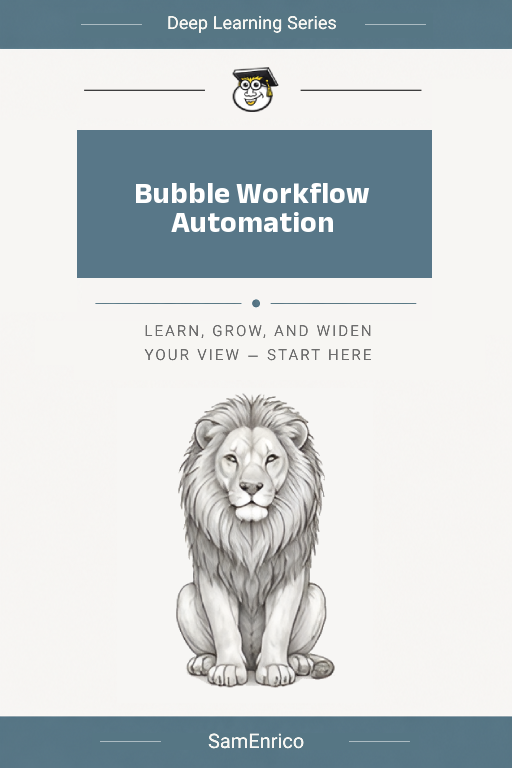
Bubble Workflow Automation eBook
Create Bubble workflows for your MVP. Conditional
by Gorman Clare
Create Bubble workflows for your MVP. Conditional logic, actions, and schedules.
Formats
Free sample
Chapter 1: The Logic First Lie...--You have been lied to.Not maliciously. Not by a villain in a hoodie. But lied to nonetheless by every well-meaning You Tube tutorial, every “Build Your App in a Weekend” webinar, and every Bubble influencer who shows you how to make a beautiful button with a gradient shadow before showing you how to make that button actually do something useful.The lie is this: Start with design.They tell you to pick colors first. Choose fonts. Align elements to a grid.
Make it pretty. Make it pop. And somewhere, buried at the bottom of the tutorial, after forty-five minutes of spacing and margin adjustments, they say: “Oh, and then add a workflow to make it work.”That is backwards. That is why your MVP is not an MVP. That is why you have a beautiful corpse instead of a living business.This chapter is the antidote.
It will reframe everything you think you know about building on Bubble. By the end of these pages, you will never open the Design tab before the Workflow tab again. You will understand why workflow automation is not a feature to add at the end, but the actual skeleton upon which every successful MVP is built. And you will be ready to join the minority of no-code builders who launch instead of tinkering forever.Welcome to the workflow-first mindset.The Beautiful Corpse: A Cautionary Tale Let me tell you about Sarah.Sarah was a former high school teacher who saw a problem: tutors in her city had no easy way to connect with students. She had an idea for a marketplace.
She watched thirty hours of Bubble tutorials. She meticulously designed her landing page with a calming blue gradient, rounded corners on every card, and a hero image of a smiling college student holding a laptop.She spent three months on design. Three months.She launched on Product Hunt, Reddit, and every Facebook group for parents in her city. The response was crickets. A few clicks.
Zero bookings. Zero dollars.Why?Because Sarah’s beautiful app had no logic. When a student clicked “Book Tutor,” nothing happened. There was no workflow to check tutor availability. No workflow to process payment.
No workflow to send a confirmation email. No workflow to remind the student of the session tomorrow.Sarah had built a brochure. A static, non-interactive, utterly useless brochure that happened to look like an app.She came to me for help. I opened her Bubble editor. The Design tab was immaculate.
The Workflow tab was empty.“You built the skin before the skeleton,” I told her. “You built a face without a brain.”She cried. Not because she was weak, but because she had wasted three months of her life and thousands of dollars on a beautiful corpse.We rebuilt together. This time, we started with workflows. We built the booking logic first.
Then the payment confirmation. Then the email notifications. Only when every critical workflow worked did we open the Design tab to add colors and fonts.Sarah launched her MVP in two weeks. She got her first booking within forty-eight hours.The difference was not skill. The difference was sequence.
Workflows first. Design second. Always.What Is Workflow Automation, Really?Before we go any further, we need a shared definition. The term “workflow automation” sounds technical and intimidating. It is neither.Workflow automation is simply this: a sequence of steps that happens automatically when a specific trigger occurs.That is it.
Trigger. Steps. Automatic.When you click a button (trigger), your email client sends a message (steps) automatically. That is a workflow.When the clock reaches 8 AM (trigger), your coffee maker starts brewing (steps) automatically. That is a workflow.When a customer submits a payment (trigger), your e-commerce platform marks the order as paid, deducts inventory, and sends a receipt (steps) automatically.
That is a workflow.Bubble workflows are the same idea, translated into visual blocks instead of code. Instead of writing if (button.clicked) { send Email(); }, you drag an action into a list. Bubble executes it. No programming language required.But do not let the visual nature fool you. Workflows are programming.
They are logic. They are the difference between a static webpage and a dynamic application.Without workflows, your Bubble app is a PDF. With workflows, your Bubble app is a business.From Static to Dynamic: The Mental Shift Most beginners think of an app as a collection of screens. Home screen. Profile screen.
Settings screen. This is the “page” mental model. It comes from decades of using static websites and printed forms.But a functional app is not a collection of screens. A functional app is a collection of actions.Think about the apps you use every day. When you open Uber, you are not admiring the screen layout.
You are performing actions: requesting a ride, confirming your location, rating the driver. When you open Airbnb, you are not studying the font choice. You are performing actions: searching dates, booking a listing, messaging a host.The screen is just the interface for actions. The workflow is the action itself.This is the mental shift that separates successful no-code builders from perpetual tinkerers:The tinkerer thinks: “What should this page look like?”The builder thinks: “What should this page do?”The tinkerer thinks: “Should this button be blue or green?”The builder thinks: “What happens when this button is clicked?”The tinkerer thinks: “Is this font readable on mobile?”The builder thinks: “Does this workflow handle errors gracefully?”You are becoming a builder. From this chapter forward, you will think in actions, not aesthetics.The Three Questions Every Workflow Must Answer Before you build any workflow, you must answer three questions.
Write them on a sticky note. Put it next to your monitor. Do not skip them.Question 1: What triggers this workflow?Every workflow needs a starting gun. The trigger can be a user action (click, hover, typing), a system event (page load, timer), or an external signal (webhook from Stripe, Zapier, or your own backend).If you cannot clearly state what starts the workflow, you are not ready to build it.Question 2: What does this workflow do?This is the sequence of steps. In what order do things happen?
What data is created, updated, or deleted? What emails are sent? What pages are navigated to?Write the steps as a numbered list on paper. Move them around until the sequence makes sense. Do not open Bubble until your sequence is clear.Question 3: Under what conditions should this workflow NOT run?This is the most overlooked question.
Workflows should have guardrails. A “Delete Account” workflow should not run unless the current user owns the account. A “Publish Post” workflow should not run unless the post content is not empty.These conditions are called “Only when” in Bubble, and they are your security bouncer. We will spend an entire chapter on them (Chapter 4), but for now, just ask the question.Traditional Coding vs. Bubble Workflows: The Bridge If you have never written a line of code, this section will show you what you are not missing.
If you have written code, this section will translate your existing knowledge into Bubble’s visual paradigm.In traditional coding, you write:javascript…
This is the end of the free sample. Get the eBook to keep going. Buy now
About this book
Details
- Author
- Gorman Clare
- Publisher
- SamEnrico
- Language
- English
- Genre
- Non-Fiction, Startup Guide, No-Code Build
- Released
- 2026-05-29
- Pages (approx.)
- 135
- Available as
- eBook, Audiobook

Read better in the ZLOADR app
Your eBooks on your phone or tablet. Sign in with your SamEnrico account and start reading.
More by Gorman Clare
 Workplace Anger ThoughtsGorman Clare$11.99
 The REM Nap GuideGorman Clare$11.99
 Atlassian Jira Outage ResponseGorman Clare$11.99
 Social Support Networks for StressGorman Clare$11.99
 Colombian Business GuideGorman Clare$11.99
 Fuego y Gloria: The Legendary Rivalry That Ignited Mexican FootballGorman Clare$11.99
 Kung Fu Panda DirectorGorman Clare$11.99
 Promotion Case Visual DesignGorman Clare$12.99
 Understanding Van Regemorter–pierquin–vamos SyndromeGorman Clare$17.99
 10 Ways to Use Flour Tortilla (Recipe Book)Gorman Clare$11.99
You may also like
 Bubble URL Parameters GuideTierney Tatiana$12.99
 FlutterFlow vs Native DevColby Bo$12.99
 FlutterFlow Version ControlMorehead Macie$12.99
 FlutterFlow UI Design GuideFelton Zulema$12.99
 FlutterFlow Template GuideLafleur Chanel$12.99
 FlutterFlow Scaling GuideChapa Farah$12.99
 FlutterFlow Push NotificationsBenevides Liliana$12.99
 FlutterFlow Payment GuideMidkiff Deetta$12.99
 FlutterFlow MVP Development GuideNesmith Rebekah$12.99
 FlutterFlow Firebase GuideLupi Taina$12.99
 FlutterFlow Custom CodeWhitner Kasha$12.99
 FlutterFlow Cost GuideSweeney Brynn$12.99