
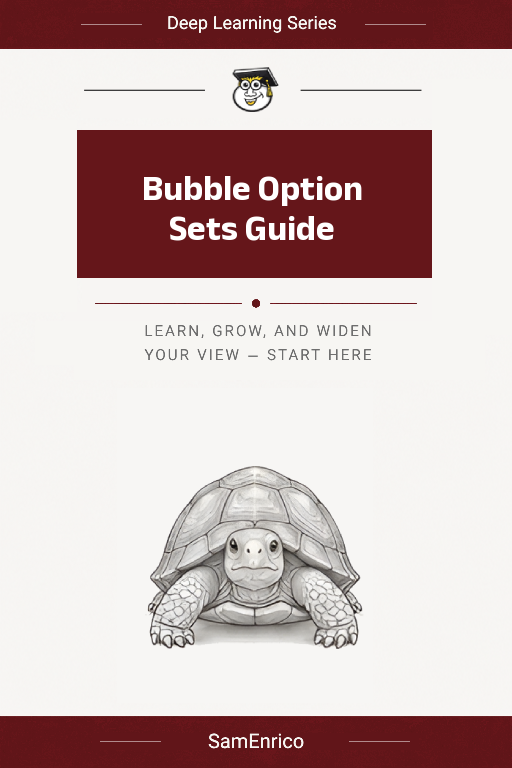
Non-FictionStartup GuideNo-Code Build
Bubble Option Sets Guide Audiobook
Use Bubble option sets for static data. Dropdown c
Use Bubble option sets for static data. Dropdown choices and configuration values.
Formats
Free sample
Chapter 1: The $47,000 Mistake--–- Sarah had 47 users and a $847 Bubble bill. Her crime? A country dropdown.She built her Saa S MVP the way most beginners do – quickly, logically, and wrong. When she needed a list of countries for her shipping address form, she created a new Data Type called "Country" and typed in 195 records by hand. It took her an afternoon.
It felt professional. It felt like real software development.Three weeks after launch, her usage dashboard told a horror story. Every time any user loaded any page with that country dropdown, Bubble queried the database. 47 users × 10 page loads per day × 195 countries = 91,650 unnecessary database calls daily. Her Workload Units (WU) were bleeding out like a burst pipe.
The $847 bill wasn't even the worst part – the app was slow. Users waited two to three seconds just to see a dropdown populate.What Sarah didn't know was that Bubble had a feature designed exactly for her problem. A feature that would have reduced her database calls to zero for that dropdown. A feature that would have made that list load instantly from local cache. A feature that she had scrolled past dozens of times in the Data tab, dismissing it as unimportant.That feature is the Option Set.
This book is the confession, the autopsy, and the redemption arc for every developer who has made Sarah's mistake – and for everyone who wants to avoid it entirely.The Three Ways to Build a Dropdown (And Why Two of Them Are Wrong)Before we can understand Option Sets, we need to understand the problem they solve. In Bubble, when you need to present a user with a list of choices – countries, order statuses, product sizes, user roles – you have exactly three architectural options. Two of them will eventually hurt you. One of them is the subject of this book.Option 1: Hardcoded Text (The "Magic String" Trap)The most tempting path for beginners is also the most dangerous. In Bubble's dropdown element, there is a field called "Choices" where you can manually type a list of options separated by commas: "Yes, No, Maybe" or "Pending, Approved, Rejected, Archived."At first glance, this seems perfect.
It took five seconds. No database setup. No configuration. The dropdown works immediately.The nightmare reveals itself three months later when your product manager decides that "Pending" should be renamed to "Awaiting Review." Now you have to find every single dropdown…
This is the end of the free sample. Get the Audiobook to keep going. Buy now
About this book
Details
- Author
- Zarate Charlena
- Publisher
- SamEnrico
- Language
- English
- Genre
- Non-Fiction, Startup Guide, No-Code Build
- Released
- 2026-05-30
- Pages (approx.)
- 137
- Available as
- eBook, Audiobook

Listen in the VoxFlicks app
Audiobooks and audio dramas wherever you go. Sign in with your SamEnrico account and press play.
More by Zarate Charlena
 Anger At Family MembersZarate Charlena$11.99
 The Student Nap GuideZarate Charlena$11.99
 Oracle Database Critical OutageZarate Charlena$11.99
 Polish Business GuideZarate Charlena$11.99
 Lecture Listening Without OverloadZarate Charlena$11.99
 The Billion-Dollar Cork: Canada's Wine Fraud EmpireZarate Charlena$11.99
 Understanding Varicella ZosterZarate Charlena$17.99
 Lead Maintenance MechanicZarate Charlena$11.99
 How to Become a Gas-pumping-station SupervisorZarate Charlena$11.99
 Nonprofit Promotion CaseZarate Charlena$12.99
You may also like
 Hong Kong Handover 1997Dunn Johnnie$11.99
 Zumba For Postnatal Recovery CourseNeal Christian$11.99
 Zumba for BeginnersLadner Nikia$11.99
 YouTube Comment Mining GuideHumes Pandora$12.99
 Worry Box MeditationCarlin Rudy$11.99
 Workplace Stress MeditationNguyen Lynn$11.99
 Workplace Stress and Sleep RepairHawley Ivory$11.99
 Workplace Perfectionism CureDelaney Jeffry$11.99
 Workplace Injustice Anger GuideWallen Isabelle$11.99
 Work Addiction and Burnout LinkGreenwood Ester$11.99
 Women in Yoga and WellnessBeattie Galina$11.99
 Women in Stand Up ComedyChun Evangeline$11.99