
Non-FictionStudent's ShortcutBackground AppsProcess Guide
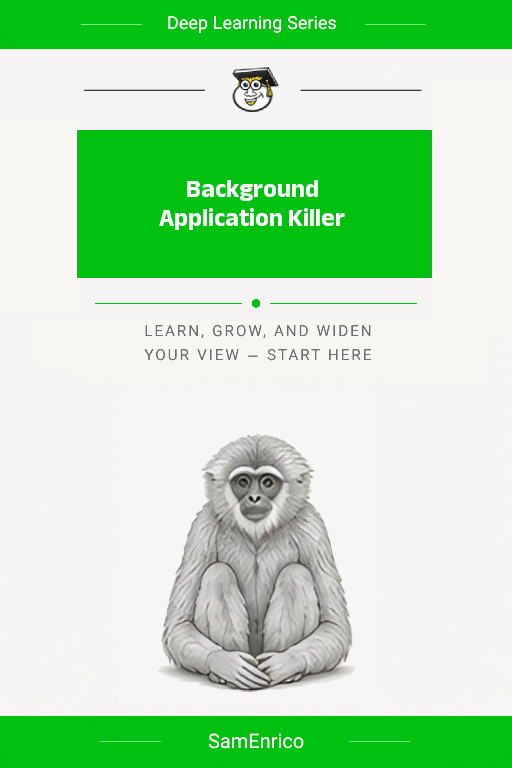
Background Application Killer eBook
Close background applications and processes that t
Close background applications and processes that trigger proctoring flags including messaging and recording software.
Formats
Free sample
Chapter 1: The Clean Machine Fallacy...–- The exam countdown on your screen reads 00:02:45. Your palm is damp against the mouse. The proctoring software has already scanned your processes twice—once when you launched the lockdown browser, and again when you granted camera permissions. You believe you are safe because you closed Slack, exited Zoom, and said goodbye to Discord. You believe the red light on your webcam is the only surveillance active.
You are wrong.Behind the cheerful interface of your operating system, a silent war is already underway. Your computer is not a neutral tool. It is a forensic laboratory running in reverse. Every application you have ever installed, every background service you forgot existed, and every driver that shipped with your motherboard is a potential witness for the prosecution. The proctor does not need to catch you cheating.
The proctor only needs to catch a possibility of cheating. And that possibility lives in the neglected corners of your process list.This chapter is not a gentle introduction. It is an intervention. We will dismantle the single most dangerous assumption that leads to failed exams, flagged accounts, and academic integrity reviews: the belief that closing a window equals killing a process. You will learn why your operating system lies to you, how proctoring software sees what you cannot, and why the only safe computer is one that you have explicitly rendered untrustworthy of running anything except the exam itself.
By the end of this chapter, you will have made a critical decision that determines which of the remaining eleven chapters you need to read—and which you can safely ignore.The Dirty Truth About "Clean" Computers Let us begin with a definition. A clean computer in the context of proctoring software is not one that has been recently virus-scanned or defragmented. A clean computer is one that contains no running process, no loaded driver, and no scheduled task that could theoretically be used to receive unauthorized information during an exam. This definition is impossibly strict. By this standard, almost no personal computer in active use is clean.Consider the average work or school laptop purchased in the last three years.
It came from the manufacturer with pre-installed utilities: a backup daemon, a hardware diagnostics tool, a fingerprint reader service, a Bluetooth stack, a Wi-Fi radio manager, and often a "companion" app that syncs with the user's smartphone. Each of these runs in the background. Each has legitimate purposes. Each can be repurposed.Proctoring platforms know this. They do not search for intent.
They search for capability. A running instance of Team Viewer is not proof that someone is controlling your screen remotely. But it is proof that someone could be. And in the risk-averse logic of automated proctoring, capability is indistinguishable from action. The flag is triggered not because you cheated, but because the digital environment was not sufficiently sterile.This is the clean machine fallacy: the belief that because you are not doing anything wrong, your computer will not appear suspicious.
The proctor's algorithm has no access to your intentions. It has only access to your process table, your network connections, your loaded kernel extensions, and your system logs. If any of those resemble a configuration commonly used by cheaters, you are flagged. It does not matter that you only installed OBS Studio last week to record a lecture. It does not matter that you forgot to uninstall Discord after a gaming session.
The algorithm sees what it sees, and it reports what it sees.User-Level vs. Kernel-Level Scanning: Why Task Manager Lies To understand what proctoring software actually sees, you must first understand two distinct layers of your operating system: user space and kernel space.User space is where your applications live. When you open Chrome, Slack, or Zoom, they run in user space. When you open Task Manager on Windows or Activity Monitor on mac OS, you are looking at a list of user-space processes. This is also the layer where you have the most control.
You can right-click an app in the dock or taskbar and select "Quit." You can open Task Manager and click "End Task." These actions terminate user-space processes.But here is the lie: many applications do not actually terminate when you close their windows. Instead, they minimize to the system tray (Windows) or the menu bar (mac OS). Worse, many install helper processes that run as background services, completely invisible to the standard task manager unless you explicitly check the "Show processes from all users" box or view "Background processes" separately. Discord, for example, runs an update helper that wakes up every few hours. Slack runs a renderer process that persists even after you quit the main app.
Zoom leaves a "zoom.us" background service that listens for meeting invitations.Kernel space is deeper. This is where device drivers, system services, and the core of the operating system reside. Most users never see kernel-space processes because they are not designed to be terminated by ordinary means. A driver for your webcam, a service for your fingerprint reader, a kernel extension for virtual machine software—these load at boot time and remain running until shutdown. Proctoring software with sufficient permissions can scan kernel space.
Standard antivirus tools do this. Sophisticated proctoring platforms do this.The practical implication is brutal: even if you terminate every visible application, your kernel space may still contain drivers that the proctor considers suspicious. A leftover virtual machine network driver from an old VMware installation. A kernel extension for screen recording software that you uninstalled months ago but whose driver remained. These are not visible in Task Manager.
They are visible to kernel-level scanning.Proctoring platforms differ in their scanning depth. Some perform only user-space checks. Others, particularly those marketed as "high-stakes" solutions like Respondus Lock Down Browser with Monitor, Proctor U, and Proctortrack, include kernel-level component scanning. This is why a computer that appears clean in Task Manager can still trigger a flag. The algorithm is looking at a different list than the one you see.The Forensic Traces You Never Knew Existed Even after you uninstall an application, pieces of it often remain on your system.
These artifacts are not malicious. They are the result of sloppy uninstallers, shared libraries that multiple programs depend on, or configuration files that the operating system preserves in case you reinstall the software. To a proctoring algorithm, however, these artifacts are indistinguishable from active components.Consider the following types of forensic traces:Registry entries (Windows). When you install an application, it writes keys to the Windows Registry. These keys include the installation path, version information, file associations, and often startup behavior.
Many uninstallers remove most of these keys but leave orphaned entries behind. A proctor scanning for "Team Viewer" may find a registry key at HKLM\SOFTWARE\Team Viewer even though the program was uninstalled two years ago. The flag is triggered.Property list files (mac OS). mac OS stores application preferences in .plist files within /Library/Preferences/ and ~/Library/Preferences/. Uninstalling an app by dragging it to the Trash does not remove these plist files.
A leftover com.teamviewer.teamviewer.plist file is enough to suggest that Team Viewer was recently present.Kernel extensions (.kext on mac OS, .sys…
This is the end of the free sample. Get the eBook to keep going. Buy now
About this book
Details
- Author
- Smithson Sharlene
- Publisher
- SamEnrico
- Language
- English
- Genre
- Non-Fiction, Student's Shortcut, Background Apps, Process Guide
- Released
- 2026-05-30
- Pages (approx.)
- 157
- Available as
- eBook, Audiobook

Read better in the ZLOADR app
Your eBooks on your phone or tablet. Sign in with your SamEnrico account and start reading.
More by Smithson Sharlene
 Smoking Cessation for DiabetesSmithson Sharlene$11.99
 Slack Notification Overload WorkbookSmithson Sharlene$11.99
 HIIT for Cheerleaders GuideSmithson Sharlene$11.99
 Grandparents Raising MeSmithson Sharlene$11.99
 Vision Loss Art AppreciationSmithson Sharlene$11.99
 The Bone Detectives: Unlocking the Secrets of the PastSmithson Sharlene$11.99
 Breaking the Code: The Unlikely Redemption of John McAfeeSmithson Sharlene$11.99
 Lebanon B2B Sales GuideSmithson Sharlene$12.99
 Understanding Carnitine-acylcarnitine Translocase DeficiencySmithson Sharlene$17.99
 MusicalsSmithson Sharlene$11.99
 How to Start a Potato Straw Business (Beginners Guide)Smithson Sharlene$11.99
You may also like
 Hong Kong Handover 1997Dunn Johnnie$11.99
 Zumba For Postnatal Recovery CourseNeal Christian$11.99
 Zumba for BeginnersLadner Nikia$11.99
 YouTube Comment Mining GuideHumes Pandora$12.99
 Worry Box MeditationCarlin Rudy$11.99
 Workplace Stress MeditationNguyen Lynn$11.99
 Workplace Stress and Sleep RepairHawley Ivory$11.99
 Workplace Perfectionism CureDelaney Jeffry$11.99
 Workplace Injustice Anger GuideWallen Isabelle$11.99
 Work Addiction and Burnout LinkGreenwood Ester$11.99
 Women in Yoga and WellnessBeattie Galina$11.99
 Women in Stand Up ComedyChun Evangeline$11.99