
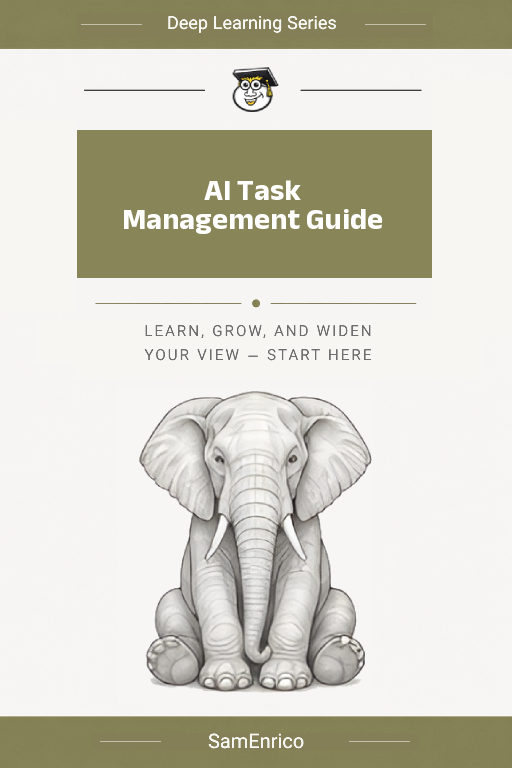
Non-FictionAnnual CheckupTask AI
AI Task Management Guide eBook
Use Todoist AI, Any.do, or Motion to prioritize ta
by Rust Alva
Use Todoist AI, Any.do, or Motion to prioritize tasks and schedule automatically.
Formats
Free sample
Chapter 1: The Debt Ledger--–- Sarah had twenty-seven tasks on her list. It was 9:47 on a Tuesday morning, and she had already spent fourteen minutes staring at those twenty-seven lines of text, trying to figure out what to do next. Her coffee was cold. Her inbox had grown by eleven messages. And the one thing she knew she needed to finish—a proposal for a new client—was buried somewhere on page three of her task manager, unstarted.Sarah is not lazy.
She is not disorganized. She is not bad at her job. Sarah is suffering from a problem that affects nearly every knowledge worker in the modern economy: her to-do list is lying to her.This chapter dismantles the traditional to-do list as a productivity tool. You will learn why static lists fail, how they actually increase your cognitive load rather than reduce it, and what the 2026 solution—the Digital Executive Assistant—does differently. By the end of this chapter, you will understand why "getting things done" is the wrong goal and why "directing action" is the right one.The Myth of the Simple List The to-do list is one of humanity's oldest productivity technologies.
Ancient Romans used wax tablets to track tasks. Medieval monks kept prayer schedules on parchment. Benjamin Franklin carried a small book of virtues he wanted to practice daily. The to-do list feels natural, almost inevitable, like breathing or walking.But here is the problem: the to-do list was designed for a world that no longer exists.When Benjamin Franklin wrote down "temperance" and "silence" as daily goals, he was not juggling fourteen Slack channels, a calendar with back-to-back Zoom meetings, email from three different time zones, and a project management tool with 140 open tickets. His world moved slowly.
Messages took days. Decisions took weeks. The cognitive load of a single task—deciding when to do it—was negligible because there were few competing demands.Today, the average knowledge worker has more than 150 unread emails, belongs to at least nine different collaboration tools, and switches tasks every ten and a half minutes, according to a 2025 study from the University of California, Irvine. The to-do list, which was once a helpful memory aid, has become a source of chronic low-grade anxiety.Why?Because a to-do list shows you what you owe, but it never tells you when or how to pay it.The Hidden Cost of Micro-Planning Every time you look at a static to-do list, your brain performs a series of unconscious calculations. Psychologists call this micro-planning.
Neuroscientists call it executive function drain. You probably call it "feeling overwhelmed."Let me walk you through what happens inside your head when you glance at a list of twenty-seven tasks.Step One: Deadline Detection – Your brain scans for deadlines. Is that report due today or next week? Did the client say Friday or "end of week" which might actually mean Thursday? You spend a few seconds—sometimes longer—trying to remember the context you didn't write down.Step Two: Duration Estimation – Your brain estimates how long each task will take.
How long will that proposal take? Two hours? Four? You cannot know for sure, so you guess. But guessing takes mental energy.
And if you guess wrong, you will later feel the frustration of running over time.Step Three: Energy Compatibility – Your brain checks whether you have the focus right now for that deep analytical task, or whether you should do the shallow email cleanup first. This is called task-context matching, and humans are surprisingly bad at it. We tend to overestimate our future energy and underestimate our current fatigue.Step Four: Interruption Forecasting – Your brain considers what might interrupt you. If you start that deep work now, what are the chances someone will interrupt you in the next ninety minutes? Your calendar says you have a meeting at eleven, so starting a two-hour task at 9:47 is actually impossible.
But the list does not know that. The list does not know anything.Step Five: The Loop – And this is the cruelest part: your brain repeats this entire process every single time you look at the list. Not once per day. Not once per hour. Every time.This is the hidden cost of the to-do list.
It is not a tool for getting things done. It is a machine for generating cognitive friction.The 2024-2025 Breaking Point In 2024 and 2025, something changed in the productivity software industry. After twenty years of building better task managers—apps like Remember the Milk, Wunderlist, Things, Omni Focus, and dozens of others—the industry finally hit a wall. Users were abandoning task management apps at record rates. According to internal data from three major providers, more than seventy percent of new users stopped using their task manager within ninety days.The reason was not bad design.
The reason was not missing features. The reason was that task managers had become more accurate mirrors of chaos. They showed you exactly how much you were failing, every day, in real time.Sarah, our overwhelmed professional, had tried four different task managers in the last two years. Each one worked beautifully for the first two weeks. She captured everything.
She felt organized. She felt hopeful.Then reality set in.Her calendar filled up. Meetings ran long. New urgent tasks arrived via email. And her beautifully organized task list became a museum of abandoned intentions.
Tasks migrated from Monday to Tuesday to Wednesday to "Someday." The app did not help her reschedule. The app did not protect her time. The app just sat there, silently judging her, showing her everything she was not doing.This was the moment when the industry finally realized a fundamental truth: task management without scheduling is just guilt management.Enter the Digital Executive Assistant The solution that emerged in late 2025 and matured throughout 2026 is the Digital Executive Assistant (DEA). Unlike a traditional task manager, which is essentially a fancy list, a DEA uses algorithms to automatically schedule tasks into your calendar based on hard constraints (deadlines, durations) and soft constraints (energy levels, priorities, work habits).The difference is not incremental. It is categorical.A traditional task manager asks: "What do you need to do?"A Digital Executive Assistant asks: "What do you need to do, and when exactly will you do it, given the reality of your calendar and your energy patterns?"The DEA does not wait for you to drag tasks onto a calendar.
It does not assume you have infinite time. It does not let you pretend that a four-hour task can be done on a day with only three hours of free time.Instead, the DEA acts like a real executive assistant—the kind that costs six figures and comes with an office down the hall. It looks at your calendar. It looks at your tasks, their durations, their deadlines, their priorities. And it builds a schedule that actually fits into your life.Then, when something changes—a meeting runs late, a new urgent task arrives, a deadline shifts—the DEA dynamically reschedules everything else to match the new reality.
You do not spend fifteen minutes at 9:47 AM trying to figure out what to do next. You open your…
This is the end of the free sample. Get the eBook to keep going. Buy now
About this book
Details
- Author
- Rust Alva
- Publisher
- SamEnrico
- Language
- English
- Genre
- Non-Fiction, Annual Checkup, Task AI
- Released
- 2026-06-01
- Pages (approx.)
- 144
- Available as
- eBook, Audiobook

Read better in the ZLOADR app
Your eBooks on your phone or tablet. Sign in with your SamEnrico account and start reading.
More by Rust Alva
 Self Hypnosis Scripts HandbookRust Alva$11.99
 Spin Class Race Day Simulation GuideRust Alva$11.99
 Stalking Peer Support Counselor CasesRust Alva$11.99
 Breath Counting for AnxietyRust Alva$11.99
 Discord Community Status HierarchyRust Alva$11.99
 Whispers of the Wild: The Untold Story of Jane Goodall’s Secret WarRust Alva$11.99
 The Vanishing Hiker of the AdirondacksRust Alva$11.99
 Understanding DwarfismRust Alva$17.99
 Alamy Stock Phone GuideRust Alva$12.99
 How to Become a ControllerRust Alva$11.99
 Clinical Nurse EducatorRust Alva$11.99
You may also like
 Hong Kong Handover 1997Dunn Johnnie$11.99
 Zumba For Postnatal Recovery CourseNeal Christian$11.99
 Zumba for BeginnersLadner Nikia$11.99
 YouTube Comment Mining GuideHumes Pandora$12.99
 Worry Box MeditationCarlin Rudy$11.99
 Workplace Stress MeditationNguyen Lynn$11.99
 Workplace Stress and Sleep RepairHawley Ivory$11.99
 Workplace Perfectionism CureDelaney Jeffry$11.99
 Workplace Injustice Anger GuideWallen Isabelle$11.99
 Work Addiction and Burnout LinkGreenwood Ester$11.99
 Women in Yoga and WellnessBeattie Galina$11.99
 Women in Stand Up ComedyChun Evangeline$11.99