
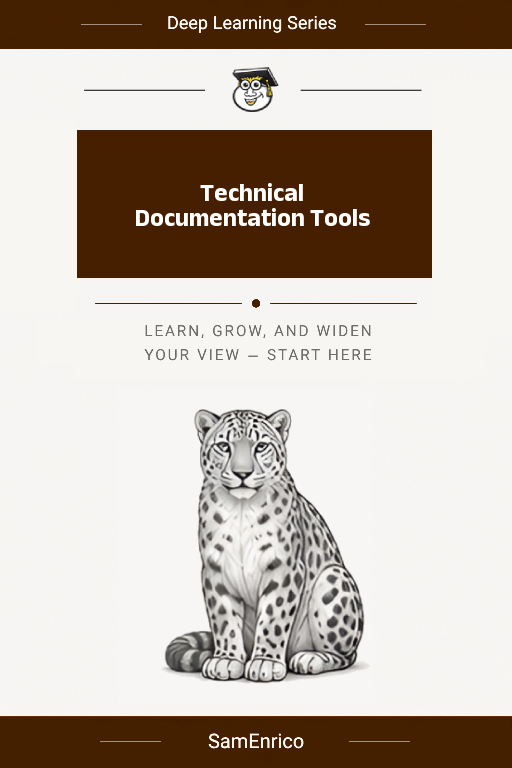
Technical Documentation Tools eBook
Use free and low-cost tools for technical writing.
Use free and low-cost tools for technical writing. Markdown, GitBook, Notion, and Confluence basics.
Formats
Free sample
Chapter 1: The $10,000 Lie--Every technical writer has heard the same reassuring lie from their manager, their IT department, or the enterprise software salesperson who just demoed a glossy all-in-one platform. The lie sounds reasonable. It sounds professional. It sounds like the kind of thing a responsible adult says when making a careful purchasing decision."You get what you pay for."The implication is clear. Free tools are for amateurs, hobbyists, and open-source idealists who don't have real deadlines or real stakeholders.
Low-cost tools are risky, unsupported, and unprofessional. If you want to produce documentation that looks like it came from a real company—a company that customers trust and investors believe in—you need to spend real money. You need Adobe Frame Maker or Mad Cap Flare. You need a Confluence Enterprise license. You need Snagit, Camtasia, and a half-dozen other subscriptions that quietly drain your department's budget while locking your content into proprietary formats that no one will be able to open in five years.This chapter exists to dismantle that lie.
Not with ideology or open-source evangelism, but with a simple, provable fact: the most technically advanced, most widely used, most profitable documentation in the world is built almost entirely with free tools.Google's developer documentation powers one of the largest ecosystems on Earth. It is written in Markdown and hosted on static sites. Stripe's legendary API docs, which have been called the gold standard for technical communication, are generated from plain text files stored in Git. The internal wikis at Netflix, Airbnb, and Dropbox run on Notion's free tier or open-source alternatives. The Linux kernel documentation—millions of words supporting the operating system that runs the world's servers—is written in plain text and formatted with tools that cost exactly nothing.These organizations are not using expensive software because they cannot afford it.
They are using free and low-cost tools because those tools are better for the job. Proprietary formats lock you in. Plain text sets you free. WYSIWYG editors hide complexity. Markdown reveals it in a way that works beautifully with version control, automation, and collaboration at scale.This book will teach you how to build professional, enterprise-grade documentation using tools that cost little or no money.
But before we touch a single line of Markdown or open a single text editor, we need to understand why the traditional model of technical documentation tools is broken—and why the unbundled, open-source, docs-as-code approach is not just a budget-friendly alternative, but a superior way to work.The Expensive Trap: How Enterprise Software Sold You a Solution to a Problem You Didn't Have Let us walk through the typical enterprise documentation purchase, because the pattern is so common that it has become a parody of itself. A technical writing team of four to twelve people is struggling. Their documentation is inconsistent. Publishing takes forever because IT has to approve every deployment. Different team members use different tools, so the output looks disjointed.
Stakeholders complain that they cannot review drafts easily. Developers say the documentation is never up to date with the code.A software vendor hears about these problems and schedules a demo. Their platform promises to solve every single issue. It has a beautiful WYSIWYG editor. It has built-in review workflows.
It integrates with Jira and Salesforce and Slack. It has version control, single sign-on, analytics, and AI-powered content recommendations. The salesperson shows a slide with a grid of features, and every box is checked.The price is eye-watering. The base license is 10,000peryearfortenusers.Thatdoesnotincludethepremiumsupportpackage,thecomplianceadd−on,ortheenterprisestoragetier.Bythetimethecontractissigned,theteamisspending10,000 per year for ten users. That does not include the premium support package, the compliance add-on, or the enterprise storage tier.
By the time the contract is signed, the team is spending 10,000peryearfortenusers.Thatdoesnotincludethepremiumsupportpackage,thecomplianceadd−on,ortheenterprisestoragetier.Bythetimethecontractissigned,theteamisspending25,000 annually on a tool that they will spend the next six months learning how to use. Six months after that, they will discover that the WYSIWYG editor generates bloated, unreadable XML behind the scenes. They will realize that the review workflow only works if every stakeholder has an expensive license. They will find out that migrating their content out of the platform is technically possible but practically impossible because the proprietary format is a labyrinth of nested tags and undocumented schemas.This is not an accident. This is the business model.Enterprise software companies thrive on lock-in.
They do not want you to be able to leave. They do not want you to compare their tool to a plain text alternative because the plain text alternative wins on every metric except the one that matters to their shareholders: recurring revenue. The features you actually need—consistent formatting, version control, collaboration, automation, portability—are not expensive to build or maintain. They are expensive to license because vendors know that once you commit to their ecosystem, you will pay almost anything to avoid the pain of migrating.The most insidious part of this model is that it convinces you that the pain is normal. Slow publishing cycles are normal.
Fighting with WYSIWYG editors that randomly change formatting is normal. Being unable to search your own documentation effectively is normal. Needing to email files back and forth because the "real" collaboration features are locked behind an enterprise tier is normal.None of this is normal. It is merely common within the narrow world of companies that bought the same bad solution. The rest of the software industry—developers, Dev Ops engineers, site reliability experts—solved these problems more than a decade ago using open protocols, plain text, and automation.
Technical writers have simply been too isolated from that world to realize the solutions exist.The Unbundling: Why Best-of-Breed Tools Beat All-in-One Suites The alternative to buying a monolithic suite is called unbundling. Instead of purchasing one tool that tries to do everything poorly, you assemble a stack of specialized tools that each do one thing excellently. Your text editor handles writing. Git handles version control. Git Hub or Git Lab handles collaboration.
A static site generator handles publishing. Notion or Confluence handles internal wikis. Each tool is best-in-class for its specific job, and because they communicate through open standards like Markdown and plain text, they work together seamlessly.Unbundling has three massive advantages over the all-in-one approach.First, cost. Most of the tools in an unbundled stack are completely free for individual users and small teams. The ones that charge money have generous free tiers that cover the vast majority of use cases.
You can build a professional documentation pipeline for a team of ten people without spending a single dollar on software licenses. The only costs are your time and attention.Second, portability. Because your content lives in plain text files, you are never locked into any specific tool. If you decide tomorrow that you hate Git Book, you can move your Markdown files to Docusaurus, Hugo, Mk Docs, or any of a dozen other static site generators in an afternoon. Your content is not trapped in a proprietary database or a binary file format.
It is just text. Text is forever.Third, automation. Plain text files are machine-readable. This means you can do things with your documentation that are impossible with…
This is the end of the free sample. Get the eBook to keep going. Buy now
About this book
Details
- Author
- Augustine Onita
- Publisher
- SamEnrico
- Language
- English
- Genre
- Non-Fiction, Professional's Cheat Sheet, Knowledge Management
- Released
- 2026-05-29
- Pages (approx.)
- 158
- Available as
- eBook, Audiobook

Read better in the ZLOADR app
Your eBooks on your phone or tablet. Sign in with your SamEnrico account and start reading.
More by Augustine Onita
 The Noticing Comparison ExerciseAugustine Onita$11.99
 WFH Contractor Time StrategiesAugustine Onita$11.99
 Financial Trauma Recovery GuideAugustine Onita$11.99
 Gambling Addiction and High Blood PressureAugustine Onita$11.99
 The Thames Torso Mystery: London's Victorian Dismemberment EnigmaAugustine Onita$11.99
 Order Management SpecialistAugustine Onita$11.99
 Learn to Play the TembûrAugustine Onita$11.99
 How to Start a Boxes Made of Metal (collapsible) Business (Beginners Guide)Augustine Onita$11.99
You may also like
 Technical Writing for Non Tech WritersDickey Kristan$12.99
 Technical Documentation Structure GuideBoucher Randi$12.99
 Technical Documentation ChecklistPagan Melissia$12.99
 Tech Docs for Non Tech WritersNoonan Ta$12.99
 Technical Writing for BeginnersAcosta Winnifred$12.99
 Technical Documentation TemplateCantrell Ariel$12.99
 Technical Documentation Review GuideHollins Crissy$12.99
 Simplify Technical Language GuideBeattie Shemika$12.99
 Visuals in Technical Docs GuideAgnew Lanette$12.99
 Technical Documentation MistakesJacobson Lourie$12.99