
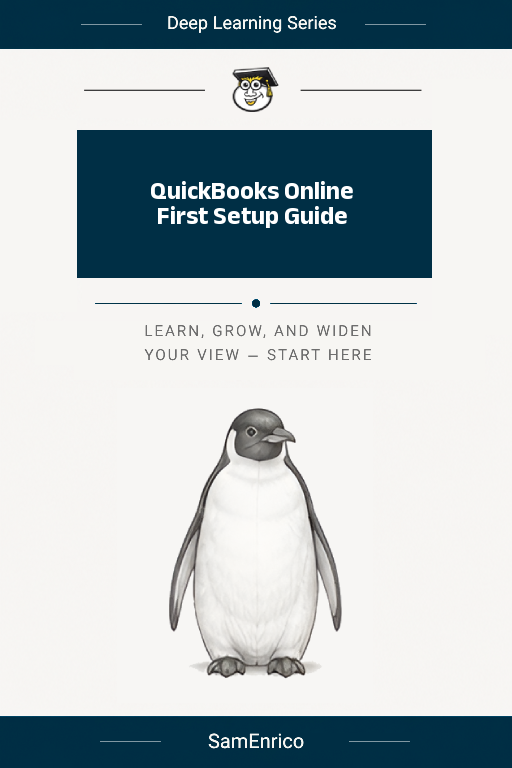
Non-FictionFirst 30 DaysBookkeeping
QuickBooks Online First Setup Guide eBook
Create your QuickBooks Online account and configur
Create your QuickBooks Online account and configure company settings. Add business info, fiscal year, and tax preferences.
Formats
Free sample
Chapter 1: The Intelligence Gap--–- Seven years ago, a carpenter named Marco sat at his kitchen table with a brand new Quick Books Online account, a cup of coffee, and what he thought was a simple task. He had just incorporated his contracting business, “Marco’s Fine Carpentry LLC,” and his accountant told him to “set up Quick Books” before the next meeting. Marco clicked through the setup wizard in eighteen minutes, entered his business name, chose a subscription that looked cheap, and considered the job done. Eighteen months later, his accountant called with news that Marco still describes as “a financial heart attack.” His profit and loss statement showed he had earned 187,000,buthisbankaccountheld187,000, but his bank account held 187,000,buthisbankaccountheld4,300. The discrepancy wasn’t fraud or bad debt.
It was a series of first-day setup errors: he had registered as a sole proprietor instead of an LLC, chosen the wrong fiscal year, and selected a subscription that couldn’t track his material costs against his labor. Fixing those errors required four months of forensic accounting, a amended tax return, and 7,400inprofessionalfees.Marco’seighteen−minutesetupcosthim7,400 in professional fees. Marco’s eighteen-minute setup cost him 7,400inprofessionalfees.Marco’seighteen−minutesetupcosthim7,400. This chapter exists to ensure you never become Marco.The cost of rushing past the preparatory phase of Quick Books Online setup is not measured in minutes saved. It is measured in thousands of dollars paid to accountants, weeks of reconciliation work, and the quiet dread of opening your financial reports because you no longer trust them.
The most successful Quick Books implementations are not the fastest. They are the most thoroughly prepared. Before you click “Sign Up,” before you choose a subscription, before you type your business name into any Intuit form, you must close what this chapter calls the Intelligence Gap—the distance between what you think you know about your business and what you actually need to configure correctly.The Intelligence Gap destroys new Quick Books users in three predictable ways. First, legal entity confusion leads you to select the wrong default Chart of Accounts, which misclassifies every owner transaction from day one. Second, subscription misunderstanding traps you in a plan that lacks essential features, forcing a migration that corrupts historical data.
Third, document disorganization forces you to guess at critical fields like opening balances and tax IDs, and guessing in accounting is arithmetic without a safety net. This chapter closes all three gaps before you ever see the Quick Books login screen.Why Your Legal Entity Changes Everything Quick Books Online is not a neutral tool. It assumes things about your business based on the legal structure you select during setup. Choose “Sole Proprietor,” and QBO creates an equity account called “Owner’s Draw” and assumes all profit flows directly to your personal tax return. Choose “S Corporation,” and QBO creates “Shareholder Distributions” and “Payroll Liabilities” accounts, assuming you will run payroll and retain earnings separately from your personal finances.
Choose “Nonprofit,” and QBO replaces “Equity” with “Net Assets” and changes every tax form reference. These are not cosmetic differences. They change how QBO calculates your taxable income, how it presents your balance sheet, and how it integrates with tax filing services.The most common mistake at this stage is not choosing the wrong entity. The most common mistake is not knowing which entity you have legally formed. Thousands of business owners register for an EIN as a sole proprietor, then later form an LLC or S-Corp, but never update their Quick Books setup.
They operate for years with a default Chart of Accounts designed for a business structure that no longer matches their legal reality. The result is a slow bleed of accounting errors. Owner draws are misclassified as expenses. Distributions are recorded as payroll. Tax forms are populated with incorrect entity types, triggering IRS matching letters.Before you proceed, locate your IRS confirmation letter—not the EIN number memorized in your phone, but the actual document the IRS sent when you registered your business.
On that letter, find the “Legal Name” field and the “Entity Type” field. Write them down exactly as they appear. If you cannot find this letter, or if you never received one, stop. Call the IRS Business & Specialty Tax Line at 800-829-4933 and request a confirmation. Do not guess.
Guessing at your legal entity is the first step toward Marco’s kitchen table nightmare.The Document Checklist That Prevents Guessing Professional Quick Books implementers use a standard document intake form before they touch any software. This chapter provides that same checklist, adapted for business owners setting up their own books. Gather these eight documents and have them physically present or open in adjacent browser tabs before you continue reading. Do not proceed to Chapter 2 until every item on this list is within reach.First, your EIN confirmation letter from the IRS. This document contains your legal name, your legal entity type, and your nine-digit employer identification number.
The name on this letter must match your Quick Books legal name field character for character. A missing “Inc.” or a space where a hyphen should appear will break bank feeds, tax form auto-population, and payment processing integrations. Second, your most recent business bank statement for every account that will connect to Quick Books. You need the account number, routing number, and the exact name on the account. Bank connection errors are the single most frequent support call to Intuit, and nearly half trace back to name mismatches between QBO and the bank’s records.Third, your prior year’s balance sheet if you are migrating from another accounting system.
This includes Quick Books Desktop, Xero, Fresh Books, or even a spreadsheet. Without this document, you cannot set accurate opening balances, and your first month of reporting will be wrong. Fourth, loan documents for any business debt, including the original principal amount, interest rate, payment terms, and outstanding balance as of your start date. Loans entered incorrectly as income are the second most common setup error after name mismatches. Fifth, your articles of incorporation or LLC operating agreement, which confirm your legal name and fiscal year election.
Some S-Corps elect a fiscal year different from the calendar year. Quick Books defaults to calendar year. If your legal documents say otherwise, you must override the default in Chapter 3.Sixth, your sales tax permit for every state where you have nexus—the legal term for a physical presence or economic threshold that obligates you to collect sales tax. You will need the permit number and the effective date of registration. Seventh, a list of every vendor you paid more than $600 in the prior year for services (not products).
These vendors will need 1099 tracking enabled before you process the first payment of the new year. Eighth, your opening bank reconciliation report from your previous system or from the date you are starting your Quick Books file. This report shows which transactions have cleared and which remain outstanding.This checklist seems excessive. That is the point. The Intelligence Gap is closed by over-preparation.
Professional bookkeepers spend two to four hours on document gathering before they enter a single transaction in Quick Books. Amateurs spend eighteen minutes and then seven…
This is the end of the free sample. Get the eBook to keep going. Buy now
About this book
Details
- Author
- Ontiveros Marx
- Publisher
- SamEnrico
- Language
- English
- Genre
- Non-Fiction, First 30 Days, Bookkeeping
- Released
- 2026-05-30
- Pages (approx.)
- 142
- Available as
- eBook, Audiobook

Read better in the ZLOADR app
Your eBooks on your phone or tablet. Sign in with your SamEnrico account and start reading.
More by Ontiveros Marx
 Compare Contrast Essay PromptsOntiveros Marx$11.99
 Tea Ceremony MeditationOntiveros Marx$11.99
 The Road Rage Safety PlanOntiveros Marx$11.99
 Divorce and Home DownsizingOntiveros Marx$11.99
 The Sleep Deprivation Memory Loss GuideOntiveros Marx$11.99
 The Clown of Cairo: Egypt's Dark Carnival Murders (1930s)Ontiveros Marx$11.99
 ASIC Design & Technology EngineerOntiveros Marx$11.99
 How to Become a Odd-shoe ExaminerOntiveros Marx$11.99
 JEE Sleep and Nutrition GuideOntiveros Marx$12.99
 Understanding Pillay SyndromeOntiveros Marx$17.99
You may also like
 Hong Kong Handover 1997Dunn Johnnie$11.99
 Zumba For Postnatal Recovery CourseNeal Christian$11.99
 Zumba for BeginnersLadner Nikia$11.99
 YouTube Comment Mining GuideHumes Pandora$12.99
 Worry Box MeditationCarlin Rudy$11.99
 Workplace Stress MeditationNguyen Lynn$11.99
 Workplace Stress and Sleep RepairHawley Ivory$11.99
 Workplace Perfectionism CureDelaney Jeffry$11.99
 Workplace Injustice Anger GuideWallen Isabelle$11.99
 Work Addiction and Burnout LinkGreenwood Ester$11.99
 Women in Yoga and WellnessBeattie Galina$11.99
 Women in Stand Up ComedyChun Evangeline$11.99