
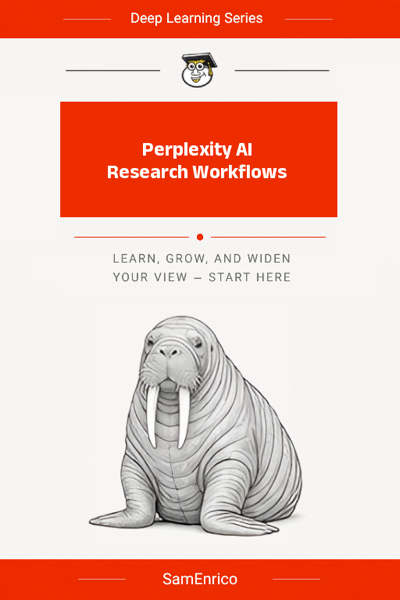
researchInformativeEducational
Perplexity AI Research Workflows eBook
A Coursebook on Perplexity AI Research Workflows
A Coursebook on Perplexity AI Research Workflows
Formats
Free sample
Chapter 1: The Dashboard Awakening--–- The first time I watched a graduate student spend forty-five minutes clicking through seventeen Google results, opening eight tabs, skimming three PDFs, and still not finding the answer to her research question, I realized something fundamental: the problem wasn’t her intelligence, her persistence, or even her search skills. The problem was the tool. She was using a hammer to perform surgery. Traditional search engines were designed for a different era—an era when finding any document felt like a victory. But we no longer live in that era.
We live in an age of information abundance, where the challenge isn’t locating documents but extracting answers from them. This book is about a different way forward. And it begins, as all great research journeys do, not with a question but with a space—your research environment.The Invisible Cost of Poor Setup Every researcher I have ever mentored has underestimated the importance of their starting environment. They open a browser, type “perplexity.ai” into the address bar, and assume they are ready. They are not.
What they have done is equivalent to buying a professional camera and never adjusting the aperture, shutter speed, or ISO. The camera takes pictures, yes. But the pictures are never quite what they could be. The same is true of Perplexity AI. Without proper configuration, you will get answers.
Those answers will often be useful. But you will work harder than necessary, you will miss features that could save you hours, and—most critically—you will fail to build a sustainable research practice because every session feels like starting from scratch.I have seen this pattern repeat across hundreds of researchers: journalists, Ph D students, product managers, consultants, and hobbyists. They use Perplexity like a magic eight ball. They shake it, get an answer, copy it into a note somewhere (or, more commonly, forget it entirely), and then repeat the process next week. There is no accumulation.
No system. No architecture. Just a series of disconnected queries floating in the void of browser history.This chapter ends that pattern. By the time you finish reading, you will have transformed your browser from a passive window into an active research dashboard. You will understand the difference between account tiers not as a marketing exercise but as a strategic decision.
You will know which extensions to install, which integrations to configure, and—most importantly—you will have established the habit of saving your work before you have any work to save. Because the best time to build a filing system is before you have files.Choosing Your Weapon: Account Tiers Decoded Perplexity AI offers three account tiers, and the differences between them are not merely about monthly fees. Each tier enables—or disables—specific research workflows. Choosing the wrong tier is like buying a bicycle for a cross-country road trip. It will move, but painfully.The Free tier is what most users encounter first.
It provides unlimited standard searches, access to the base model (which is competent but not exceptional), and limited Copilot interactions—usually five per day. You cannot upload files (PDFs, Word documents, Excel sheets) for analysis. You cannot switch between advanced models like GPT-4 Turbo or Claude 3. For someone conducting occasional research—perhaps five to ten queries per week for personal curiosity—the Free tier is adequate. But for professional, academic, or serious hobbyist research, it becomes a bottleneck within days.The Pro tier costs twenty dollars per month as of this writing.
For that investment, you receive unlimited Copilot usage (worth the price alone for heavy researchers), access to advanced models (GPT-4 Turbo, Claude 3, and others), file uploads of up to twenty-five megabytes per file, and priority processing during peak usage times. If you conduct more than ten research queries per week, the Pro tier pays for itself in time saved. The ability to upload a PDF and ask questions about its contents—without opening the PDF yourself—is transformative for literature reviews. The ability to switch between models when one is hallucinating or underperforming is a superpower that casual users never discover.The Enterprise tier adds team sharing, admin controls, single sign-on, and usage analytics. Most individual readers will not need this, but if you are building a research team, a lab, or a consulting practice, the Enterprise tier is non-negotiable.
The ability to share Collections (which you will learn about in Chapter 6) across a team, with permission controls, turns Perplexity from a personal tool into a collaborative platform. I have seen Enterprise teams reduce redundant research by more than sixty percent simply because everyone can see what everyone else has already asked.My recommendation, stated directly: Start with the Pro tier for one month. Treat it as a laboratory investment. After thirty days, evaluate whether you have used Copilot extensively (you will), whether you have uploaded files (you will), and whether the time savings justify the cost (they will). I have never had a researcher downgrade from Pro after trying it for a month.
The Free tier is a demo. The Pro tier is a tool.Configuring Your Interface for Speed Most users open Perplexity, see a search box, and start typing. They never look at the settings menu. This is a mistake. The settings menu contains five toggles that, when configured correctly, will save you literal hours over the course of a research project.First, set your default Focus Mode.
Focus Modes are the subject of Chapter 5, but for now, understand that they change where Perplexity searches. Academic Mode searches only peer-reviewed papers and preprints. Reddit Mode searches only Reddit. Video Mode searches You Tube transcripts. Writing Mode optimizes for prose generation.
You can change Focus Mode on the fly with a dropdown menu, but setting a default saves you one click per query. If you are a student or academic, set your default to Academic. If you are a product manager tracking competitors, set your default to Web. If you are a journalist, set your default to All (the standard mode). One click saved per query, multiplied by hundreds of queries per month, adds up to real time.Second, toggle Copilot on by default.
Copilot is Perplexity’s interactive mode—it asks you clarifying questions before answering. Chapter 3 is entirely about Copilot, but for now, just turn it on. The default should be that every query starts with Copilot; you can always turn it off manually for simple factual lookups. But the cognitive overhead of remembering to turn Copilot on is higher than the overhead of turning it off. Default to the more powerful mode.Third, disable auto-suggest if you find it distracting.
Auto-suggest shows possible completions as you type. Some researchers love it; others find it interferes with their train of thought. There is no right answer here, but there is a wrong move: leaving the default setting without testing both. Spend one day with auto-suggest on, one day with it off, and decide.Fourth, enable follow-up questions unless you have a specific reason not to. After every answer, Perplexity offers four suggested follow-up questions based on your query.
These suggestions are often remarkably insightful, helping you discover angles you had not considered. Disabling them closes a door to…
This is the end of the free sample. Get the eBook to keep going. Buy now
About this book
Details
- Author
- Knoll Filomena
- Publisher
- SamEnrico
- Language
- English
- Genre
- research, Informative, Educational
- Released
- 2026-05-07
- Pages (approx.)
- 143
- Available as
- eBook, Audiobook

Read better in the ZLOADR app
Your eBooks on your phone or tablet. Sign in with your SamEnrico account and start reading.
More by Knoll Filomena
 The Social Media and LonelinessKnoll Filomena$11.99
 Speculation Demand BriefKnoll Filomena$11.99
 Tabata Protocol HandbookKnoll Filomena$11.99
 Binge Eating Disorder Recovery GuideKnoll Filomena$11.99
 The Phantom of the Zambezi: A 19th-Century Cruise Ship Mystery Solved by DNAKnoll Filomena$11.99
 Learn to Play the Yaylı TanburKnoll Filomena$11.99
 Board Report Presentation GuideKnoll Filomena$12.99
 How to Become a Pantograph-machine Set-up OperatorKnoll Filomena$11.99
You may also like
 Scientific Research On TM GuideMartens Nathanial$11.99
 Research Proposal Methodology Section MasteryPauley Debroah$11.99
 Research Proposal Appendix CompilationRaines Tyisha$11.99
 Academic Researcher Distraction GuideFord Virgil$11.99
 TM Research and ScienceCovert Nicki$11.99
 Social Anxiety Research ReviewRoberge Cole$11.99
 Research Proposal Significance Section GuideBock Tory$12.99
 Research Proposal Reviewer PsychologyLugo Tawanda$11.99
 Research Proposal Research Questions DesignLara Robbi$11.99
 Research Proposal References and CitationsPatten Shanice$11.99
 Research Proposal Mixed Methods DesignCameron Omega$11.99
 Research Proposal Data Management PlanAnderson Roberto$12.99