
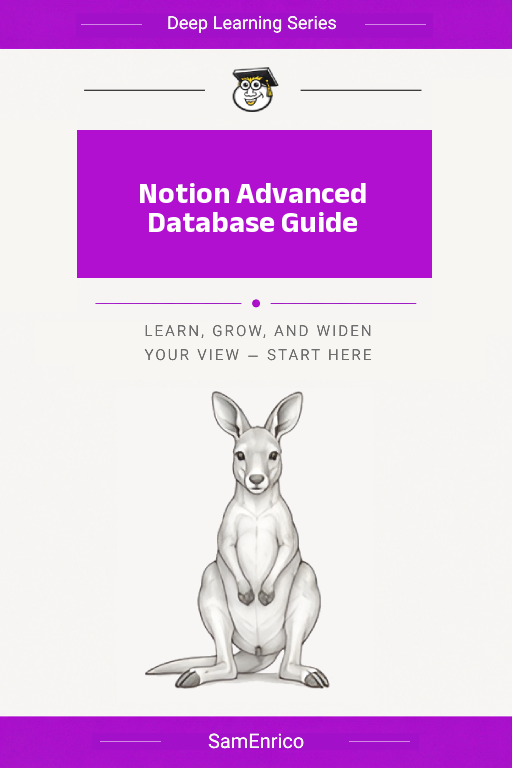
Non-FictionProfessional's Cheat SheetAdvanced
Notion Advanced Database Guide Audiobook
Master Notion advanced database features for proje
Master Notion advanced database features for project management including rollups and formulas.
Formats
Free sample
Chapter 1: The Flat Table Trap--Every Notion user remembers the moment they discovered databases. It feels like magic—you click “New Database,” add a few properties (Status, Due Date, Assignee), and suddenly your chaotic list of tasks transforms into a filtered, sorted, searchable system. You feel productive. You feel organized. You feel, for the first time, like you’ve mastered your work.Then comes the product launch.What started as a tidy list of 20 tasks balloons to 200.
The “Marketing Launch” project now includes tasks for email, social media, paid ads, press relations, blog content, landing pages, analytics setup, and a dozen other categories you didn’t anticipate. You add a “Project” select property to tag each task. But now a single task—say, “Review final copy”—belongs to both the email campaign and the landing page. You can only choose one tag, so you duplicate the task. Now you have two copies of the same work, and when the copy changes, you update one but forget the other.The launch date shifts by two weeks.
You manually update 50 tasks, one by one, because there’s no single place to change the project’s due date. You miss three tasks, and now your timeline is wrong.Leadership asks: “What’s the status of the landing page?” You filter your 200-task database by “Project: Landing Page” and get 45 tasks. But five tasks were tagged “Website” instead of “Landing Page.” They don’t appear in the filter. Your report is incomplete. You look foolish.Welcome to the Flat Table Trap.This trap is not a failure of effort or intelligence.
It is a failure of architecture. You built a flat table—a single database with rows and columns—and expected it to behave like a relational system. It cannot. A flat table is a spreadsheet. A relational database is something else entirely.
The difference between chaos and clarity is not how hard you work inside Notion. It is how carefully you design the connections between your databases before you type a single task.In this chapter, you will learn why a single “Tasks” database fails for any project of real complexity. You will learn to see your work not as a list of items but as a web of relationships. You will discover Entity Relationship Diagrams (ERDs)—a tool used by professional database designers—adapted specifically for Notion. And you will learn to sketch the architecture of…
This is the end of the free sample. Get the Audiobook to keep going. Buy now
About this book
Details
- Author
- Mcguire Timmy
- Publisher
- SamEnrico
- Language
- English
- Genre
- Non-Fiction, Professional's Cheat Sheet, Advanced
- Released
- 2026-05-30
- Pages (approx.)
- 137
- Available as
- eBook, Audiobook

Listen in the VoxFlicks app
Audiobooks and audio dramas wherever you go. Sign in with your SamEnrico account and press play.
More by Mcguire Timmy
 Roblox Microtransaction TrapMcguire Timmy$11.99
 Early Career ConnectorMcguire Timmy$11.99
 Job Search Task PriorityMcguire Timmy$11.99
 DHT Blocker Natural GuideMcguire Timmy$11.99
 Upwork Hourly Versus Fixed Price GuideMcguire Timmy$11.99
 The Ballot Box Rebellion: How a College Dropout Almost Toppled a Political GiantMcguire Timmy$11.99
 Nanotechnology Skills GuideMcguire Timmy$12.99
 Ultimate Handbook Guide to Yantai : (China) Travel GuideMcguire Timmy$11.99
 Understanding Mengel–konigsmark SyndromeMcguire Timmy$17.99
 Research Project ManagerMcguire Timmy$11.99
You may also like
 Hong Kong Handover 1997Dunn Johnnie$11.99
 Zumba For Postnatal Recovery CourseNeal Christian$11.99
 Zumba for BeginnersLadner Nikia$11.99
 YouTube Comment Mining GuideHumes Pandora$12.99
 Worry Box MeditationCarlin Rudy$11.99
 Workplace Stress MeditationNguyen Lynn$11.99
 Workplace Stress and Sleep RepairHawley Ivory$11.99
 Workplace Perfectionism CureDelaney Jeffry$11.99
 Workplace Injustice Anger GuideWallen Isabelle$11.99
 Work Addiction and Burnout LinkGreenwood Ester$11.99
 Women in Yoga and WellnessBeattie Galina$11.99
 Women in Stand Up ComedyChun Evangeline$11.99