
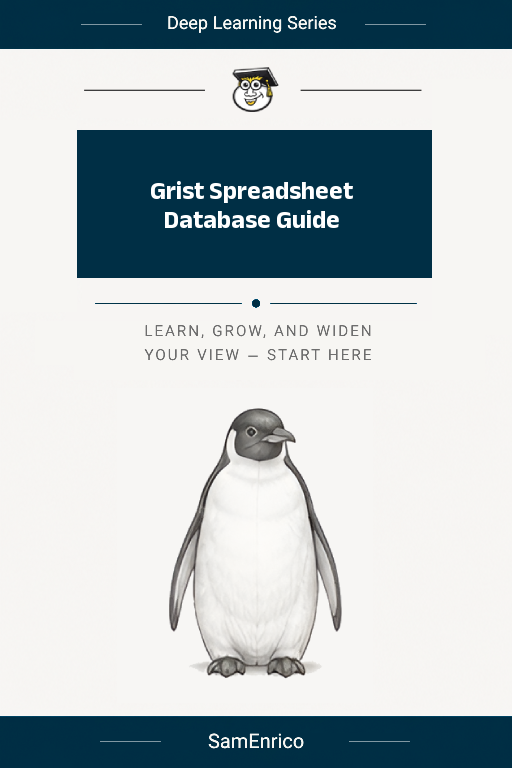
Non-FictionStartup GuideSpreadsheetDatabase
Grist Spreadsheet Database Guide eBook
Combine spreadsheet and database functionality wit
by Wampler Luba
Combine spreadsheet and database functionality with free Grist instead of paying for Airtable.
Formats
Free sample
Chapter 1: The Thousand-Dollar Spreadsheet--It was 11:47 PM on a Tuesday when Jenny, the operations director for a 12-person boutique marketing agency, realized she had just paid $1,847 for a spreadsheet.Not a fancy spreadsheet. Not a spreadsheet with AI features or real-time collaboration or any of the other buzzwords that software companies slap on their pricing pages. Just a spreadsheet. Rows and columns. Text and numbers.
The same fundamental technology that has existed since the 1970s, running on the same basic principles that Visi Calc introduced to the Apple II in 1979.Jenny had been an Airtable customer for three years. She started with the free plan, as everyone does. Five users, 1,200 records—plenty for her small team's content calendar and client tracker. Then the agency grew. They hired two more account managers.
Suddenly the free plan's five-user limit meant half the team couldn't access the project tracker. So she upgraded to the Plus plan at 20peruserpermonth.Sevenusers.20 per user per month. Seven users. 20peruserpermonth.Sevenusers.140 monthly. $1,680 annually.
Annoying, but manageable.Then came the automation limits. The agency wanted to send automatic Slack notifications when a project status changed to "Ready for Review." Airtable charged extra for that—another 6peruserpermonth.Thentheyhitthe50,000−recordlimitonthe Plusplan.Upgradeto Business.6 per user per month. Then they hit the 50,000-record limit on the Plus plan. Upgrade to Business. 6peruserpermonth.Thentheyhitthe50,000−recordlimitonthe Plusplan.Upgradeto Business.45 per user per month.
Seven users. Now we're at 315monthly.315 monthly. 315monthly.3,780 annually.Then they needed to invite three contractors who only needed to view two tables. Airtable counts all users. 45each.45 each.
45each.135 more.Then they needed to collaborate with a client who insisted on using their own Airtable account, so the agency had to pay for an Enterprise plan to get the "seamless sharing" feature that cost an additional $1,500 per month.By the time Jenny added it all up—base subscriptions, automation add-ons, per-seat overages, enterprise features, and the hidden cost of the three hours per week her team spent working around Airtable's limitations—her spreadsheet was costing $1,847 monthly.That's $22,164 per year.For a spreadsheet.She called me the next morning. "There has to be another way," she said. "I feel like I'm being held hostage."She was. And she's not alone.The Airtable Trap Let me tell you something no software company wants you to realize: You are not paying for features. You are paying for fear.The fear of migrating your data.
The fear of retraining your team. The fear of losing your automations. The fear of breaking something critical while trying to save money. Airtable knows this. Every software-as-a-service company knows this.
The first year's subscription is cheap—sometimes free—because they're not selling you software. They're selling you a dependency.And once you're dependent, the pricing page becomes a trapdoor.Airtable's current pricing (as of 2025) tells you everything you need to know about their business model. The free tier gives you just enough to get hooked: unlimited bases, 1,200 records per base, and five editors. That's a full team's worth of free access. Perfect for a startup, a side project, or a department running a pilot.But here's what the free tier doesn't tell you: the moment you hit 1,201 records, you cannot add another row until you delete data or pay.
The moment you add a sixth editor, you cannot invite them until you upgrade. The moment you want to automate something—even a simple "send an email when this field changes"—you need at least the Plus plan at $20 per user per month.And here's the kicker: Airtable charges per user, not per document. That means your finance person who only reviews the budget once a quarter? Full price. Your CEO who just wants to look at the dashboard every Monday morning?
Full price. Your intern who needs read-only access to a single table? Believe it or not, full price.Multiply that by your team size. Multiply that by twelve months. Multiply that by the three years you've been paying.
That's not a subscription. That's a mortgage payment.The Success Tax Economists call this phenomenon "vendor lock-in." I call it the success tax.Here's how the success tax works:You start with a free tool. You build something useful. The tool helps your business grow. Your success creates more data, more users, and more complexity.
The tool's pricing model is designed to capture that success. The more you use the tool, the more you pay. The more you pay, the harder it becomes to leave. The harder it becomes to leave, the more the tool can raise prices.You are taxed for your own success.I've watched this happen to dozens of companies. A nonprofit that built their donor tracking in Airtable hits 50,000 records and suddenly owes 5,000permonth.Arealestateagentwhomanages200propertiesonthefreeplanupgradestothe Businesstierandseeshermonthlybilljumpfrom5,000 per month.
A real estate agent who manages 200 properties on the free plan upgrades to the Business tier and sees her monthly bill jump from 5,000permonth.Arealestateagentwhomanages200propertiesonthefreeplanupgradestothe Businesstierandseeshermonthlybilljumpfrom0 to $900 overnight. A software startup that embedded Airtable as their internal CRM realizes they've built their entire operational workflow on a platform that costs more than their cloud hosting bill.The worst part? Most of them didn't even know there was an alternative.Enter Grist: The Spreadsheet That Fights Back There is a tool that does everything Airtable does—relational databases, beautiful interfaces, automations, collaboration—without the per-seat pricing trap. It's called Grist, and it's been quietly used by data teams at Google, Dropbox, and MIT for years while the rest of the world was busy paying Airtable's bills.Grist is an "evolved spreadsheet." That phrase sounds like marketing nonsense until you actually use it. Open a Grist document.
It looks like a spreadsheet. It feels like a spreadsheet. You can type data into cells, create formulas, and format columns just like Excel or Google Sheets.But then you notice something different.Every column has a strict type. When you create a column called "Transaction Date," Grist forces every value in that column to be an actual date. No more finding random text strings or numbers in your date column because someone typed "TBD" or "asap" or—and I have seen this—"whenever we get around to it."When you want to connect two tables, you don't write fragile VLOOKUP formulas that break when someone renames a column.
You create a Reference column. Click a button. Select the table you want to connect. That's it. Grist maintains the relationship for you, automatically, forever.When you want to write a formula, you don't squeeze logic into a single line of Excel syntax.
You write multi-line Python. Python is the most popular programming language on Earth, used by data scientists, AI researchers, and now, spreadsheet users. You can write loops. You can import libraries. You can use conditional logic that actually makes sense instead of nesting seventeen IF statements into an unreadable mess.And when you want to share your document with your team, you don't pay per person.
Grist's free plan allows unlimited editors. Unlimited. The same plan that limits you to 5,000 rows—which is generous compared to Airtable's 1,200—lets you add your entire company, all your contractors, every intern, and your mom if she wants to see your sales…
This is the end of the free sample. Get the eBook to keep going. Buy now
About this book
Details
- Author
- Wampler Luba
- Publisher
- SamEnrico
- Language
- English
- Genre
- Non-Fiction, Startup Guide, Spreadsheet, Database
- Released
- 2026-05-29
- Pages (approx.)
- 131
- Available as
- eBook, Audiobook

Read better in the ZLOADR app
Your eBooks on your phone or tablet. Sign in with your SamEnrico account and start reading.
More by Wampler Luba
 Chronic Exhaustion Recovery PlanWampler Luba$11.99
 Group Creative Energy Management WorkbookWampler Luba$11.99
 Arnold Palmer Life Story GuideWampler Luba$11.99
 Bottom Funnel Conversion TacticsWampler Luba$11.99
 Physical Pain Anger ConnectionWampler Luba$11.99
 The Spice Hunter’s Secret: Ibn Battuta’s Forgotten Voyage Across the Indian OceanWampler Luba$11.99
 The Clockwork Genius: How a Farm Boy Built the First Practical Combustion EngineWampler Luba$11.99
 10 Ways to Use Chayote (Recipe Book)Wampler Luba$11.99
 Bankruptcy Asset BuyersWampler Luba$12.99
 Understanding Chromosome 9, Duplication 9q21Wampler Luba$17.99
 VP of EngineeringWampler Luba$11.99
You may also like
 Hong Kong Handover 1997Dunn Johnnie$11.99
 Zumba For Postnatal Recovery CourseNeal Christian$11.99
 Zumba for BeginnersLadner Nikia$11.99
 YouTube Comment Mining GuideHumes Pandora$12.99
 Worry Box MeditationCarlin Rudy$11.99
 Workplace Stress MeditationNguyen Lynn$11.99
 Workplace Stress and Sleep RepairHawley Ivory$11.99
 Workplace Perfectionism CureDelaney Jeffry$11.99
 Workplace Injustice Anger GuideWallen Isabelle$11.99
 Work Addiction and Burnout LinkGreenwood Ester$11.99
 Women in Yoga and WellnessBeattie Galina$11.99
 Women in Stand Up ComedyChun Evangeline$11.99