
Non-FictionSelf-HelpGoogle Tools
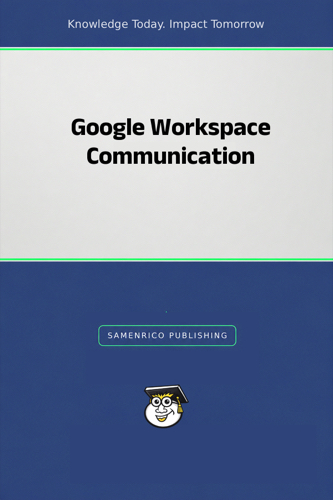
Google Workspace Communication eBook
Collaborate via Gmail, Chat, Meet, and Docs for in
Collaborate via Gmail, Chat, Meet, and Docs for integrated workflow.
Formats
Free sample
Chapter 1: The Toggle Tax--Every time you switch from Gmail to a Google Doc to check a Calendar invite while a Chat message pings in the corner of your screen, you pay a toll. Not in dollars, but in cognitive bandwidth—the finite mental fuel your brain uses to focus, solve problems, and make decisions. Most knowledge workers pay this toll between 300 and 400 times per day. By the time you finish reading this chapter, you will have paid it at least twice.The average professional today does not have an attention problem. They have a switching problem.
You can focus. You can complete deep work. You have done it before, late at night or early in the morning when notifications finally stopped. The issue is not your brain. The issue is the architecture of your digital workspace—specifically, how Gmail, Google Chat, Google Meet, and Google Docs currently fight against each other instead of working as one unified system.This book exists to solve that problem.
But before we can fix the architecture, you must understand the hidden cost you are already paying. In this chapter, you will calculate your personal "Toggle Tax," learn why Google Workspace is uniquely positioned to eliminate it, and create a Communication Decision Matrix that will serve as the framework for every workflow in the remaining eleven chapters. By the time you finish, you will never look at app-switching the same way again.The Anatomy of a Context Switch Let us define our terms precisely. A context switch happens when you stop working in one application and begin working in another. This seems trivial—what harm could come from clicking a different browser tab?
The harm, according to decades of cognitive psychology research, is substantial and measurable.When you focus on a single task, your brain enters a state of fluid attention. Neural pathways fire efficiently. Working memory—the mental scratchpad where you hold information temporarily—operates at full capacity. You feel "in the zone." This state takes approximately 7 to 10 minutes of uninterrupted concentration to achieve, according to research by Gloria Mark at the University of California, Irvine.Then you switch. Your email chimes.
You glance at it. That glance costs you nothing in isolation—maybe half a second. But the cost is not the glance. The cost is the resumption time: the 20 to 25 seconds your brain requires to re-establish fluid attention after even a momentary interruption. Multiply that by 300 daily switches, and you lose roughly 6,000 seconds per day.
That is 100 minutes. That is nearly two hours of cognitive friction before you have done any actual work.This is the Toggle Tax. And you pay it whether you realize it or not.Consider a typical morning for a marketing manager named Priya. She opens Gmail to check client feedback on a campaign proposal. While reading, a Chat notification appears from her design lead asking about image specs.
She switches to Chat, answers the question, then returns to Gmail. That switch cost her 25 seconds of resumption time. She is now reading the client email again, trying to remember where she left off. She finishes the email, opens a Google Doc to draft a response, but then a Calendar reminder pops up for a meeting in 10 minutes. She switches to Calendar to check the meeting agenda link.
Another 25 seconds gone. By 10:00 AM, Priya has switched apps 47 times. She has paid nearly 20 minutes of Toggle Tax before her first meeting.The insidious truth is that Priya feels busy. She feels productive. Her fingers are moving, her eyes are scanning, her inbox is shrinking.
But she is not doing deep work. She is performing shallow switching—the exhausting illusion of productivity that comes from rapid task-swapping without meaningful progress on any single thing.Why Google Workspace Is Different (And Why Most People Miss It)You might be thinking: "Every office worker switches between apps. Why is this book specifically about Google Workspace?"The answer lies in how Google designed its suite versus how Microsoft, Slack, Zoom, and other competitors designed theirs. Most productivity tools were built as standalone products that later added integration as an afterthought. Slack was a chat app first; its document previews and video calls came years later.
Zoom was a video app first; its chat and whiteboarding features remain rudimentary. Microsoft Teams tried to bundle everything into one interface, but the underlying apps (Word, Excel, Outlook) still feel like separate programs wearing the same uniform.Google took a different path. Gmail, Chat, Meet, and Docs were not separate products that learned to play nice. They were designed from the beginning as interfaces to the same underlying data. Your Google account does not store "emails" and "chats" and "documents" in separate silos.
It stores "communications" and "content" attached to "people." The distinction between an email and a Chat message is primarily about when and how you see it, not what it fundamentally is.This architectural choice creates an opportunity that no other productivity suite can match: seamless context preservation. When you move from an email to a Chat message about that email, the system can carry your context with you. When you elevate a Chat thread to a Meet video call, the system already knows who is involved and what they were discussing. When you write a comment in a Doc, that comment can trigger an email, a Chat notification, and a Calendar reminder simultaneously.Most Google Workspace users never exploit this advantage. They use Gmail like Outlook, Chat like Slack, Meet like Zoom, and Docs like Microsoft Word.
They pay the same Toggle Tax as everyone else, despite owning the only toolset that could eliminate it entirely.This book will change that. Starting with the framework below, you will learn to use Google Workspace as an integrated communication engine, not four separate apps.The Communication Decision Matrix Before we can stop switching, we must know what we are switching to. The single most common cause of Toggle Tax is not technical limitation but decision paralysis: you do not know which tool to use for which purpose, so you guess, and guessing leads to switching.The Communication Decision Matrix solves this problem. It is a simple two-by-two grid that categorizes every work conversation along two dimensions: urgency (how quickly a response is needed) and permanence (whether the conversation needs to be referenced later).text Copy Download URGENT | | Chat | Meet (urgent, short) | (urgent, complex) | -----------------------|----------------------- | Doc Comment | Email (non-urgent, async) | (formal, record) | NON-URGENTLet us walk through each quadrant.Quadrant 1: Chat (Urgent + Ephemeral). Use Google Chat when you need an answer within minutes and the answer will be irrelevant by tomorrow.
Examples: "Are you free for a quick call?" "What's the link to that file?" "Lunch?" Chat messages should be short, frequent, and deletable. If a Chat conversation goes longer than 10 back-and-forth messages, you are using the wrong tool—escalate to Meet.Quadrant 2: Meet (Urgent + Permanent). Use Google Meet when you need an answer immediately but the discussion is too complex for text. Examples: brainstorming, conflict resolution, decision-making with more than two people, anything involving emotion or nuance. Meet calls should always produce a permanent artifact—a shared Google Doc where notes are taken live.
Without that Doc, the "permanent" quadrant is meaningless.Quadrant 3: Doc Comments (Non-Urgent + Permanent). Use Google Doc comments when a…
This is the end of the free sample. Get the eBook to keep going. Buy now
About this book
Details
- Author
- Ahrens Normand
- Publisher
- SamEnrico
- Language
- English
- Genre
- Non-Fiction, Self-Help, Google Tools
- Released
- 2026-06-10
- Pages (approx.)
- 147
- Available as
- eBook, Audiobook

Read better in the ZLOADR app
Your eBooks on your phone or tablet. Sign in with your SamEnrico account and start reading.
More by Ahrens Normand
 Dreams in Borderline Personality WorkAhrens Normand$11.99
 Dreams After Refugee Trauma GuideAhrens Normand$11.99
 Sex Addiction And Porn Induced Erectile Dysfunction GuideAhrens Normand$11.99
 Menstrual Health In SportsAhrens Normand$11.99
 The Bitcoin Laundromat: How a Teen Hacker Outsmarted the Dark WebAhrens Normand$11.99
 Orpheus and the Lyre: The Music That Moved the GodsAhrens Normand$11.99
 Understanding Hemangioma Thrombocytopenia SyndromeAhrens Normand$17.99
 Renewable Energy Real Estate OutlookAhrens Normand$12.99
 International Student Visa Prep ManualAhrens Normand$12.99
 How to Become a Keyboard-action AssemblerAhrens Normand$11.99
 Financial ProfessionalAhrens Normand$11.99
You may also like
 Hong Kong Handover 1997Dunn Johnnie$11.99
 Zumba For Postnatal Recovery CourseNeal Christian$11.99
 Zumba for BeginnersLadner Nikia$11.99
 YouTube Comment Mining GuideHumes Pandora$12.99
 Worry Box MeditationCarlin Rudy$11.99
 Workplace Stress MeditationNguyen Lynn$11.99
 Workplace Stress and Sleep RepairHawley Ivory$11.99
 Workplace Perfectionism CureDelaney Jeffry$11.99
 Workplace Injustice Anger GuideWallen Isabelle$11.99
 Work Addiction and Burnout LinkGreenwood Ester$11.99
 Women in Yoga and WellnessBeattie Galina$11.99
 Women in Stand Up ComedyChun Evangeline$11.99