
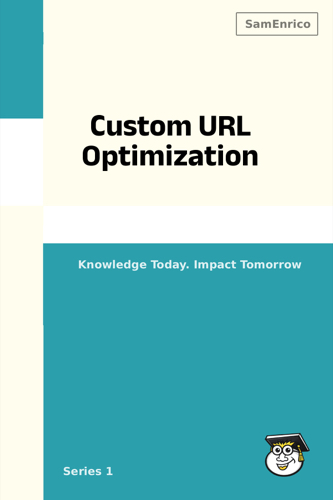
Custom URL Optimization eBook
Teaches creating a clean LinkedIn URL for resumes
Teaches creating a clean LinkedIn URL for resumes and email signatures.
Formats
Free sample
Chapter 1: The Digital Handshake--–- The recruiter has exactly forty-seven seconds before her next Zoom call. She opens your resume, scans your name, and glances at your most recent role. Then her eyes drift to the top of the page—right next to your phone number and email—where a single line of text will determine whether she clicks or closes the tab. That line is your Linked In URL. And in the time it takes you to read this sentence, she has already judged you.This is not an exaggeration.
This is not career advice hyperbole. This is the reality of modern professional screening, backed by data from Linked In’s own hiring reports and behavioral studies conducted by career sites like Forbes and The Muse. Before a recruiter reads your headline, before they evaluate your bullet points, before they even register your profile photo—they see your URL. And they interpret it as a signal.The question is not whether your URL matters. The question is what signal you are sending right now without knowing it.The Half-Second Judgment Let us begin with a simple experiment that you can complete in less time than it takes to brew a cup of coffee.
Open a new browser tab. Type linkedin.com/in/ and then pause. Without looking at your profile settings, try to complete the URL from memory. Can you do it? If you hesitated, if you had to guess whether there was a number at the end, if you found yourself mumbling “I think it’s jsmith-3847 or maybe jsmith-3847b1a2”—then you have already experienced the core problem that this book exists to solve.Your Linked In URL is not a back-end technical detail that lives quietly in your account settings.
It is a public-facing asset. It sits on your resume. It lives in your email signature. It appears on your business card. It gets copied and pasted into Slack messages, conference bios, and applicant tracking systems.
Every single time someone encounters your name professionally, there is a non-zero chance they will also encounter your URL. And every time they do, they make a judgment.Sandra Long, author of Linked In for Personal Branding, calls this phenomenon the “executive presence of small details.” In her research, she found that hiring managers consistently rated candidates with clean, customized profile elements as more detail-oriented, more self-aware, and more professionally mature than candidates with default settings. The difference was not rational. It was visceral. One candidate simply felt more put together than the other—and the only difference was a handful of characters in a URL.This is the psychology of the digital handshake.
In the physical world, a handshake conveys confidence, warmth, and competence within the first three seconds of meeting someone. In the digital world, your custom URL is that handshake. A clean, memorable, professional-looking link says: I pay attention to details. I care about how I present myself. I am organized enough to fix something that most people ignore.A default, algorithm-generated URL—the kind that ends in -3847b1a2—says the opposite.
It whispers: I didn't bother to change this. I don't know this setting exists. Or if I do know, I didn't care enough to fix it.And here is the cruel truth: recruiters are not charitable interpreters. They are not looking for excuses to forgive a sloppy URL because your bullet points are strong. They are drowning in applications.
They are looking for reasons to eliminate candidates. A messy URL is an easy reason.The Three Pillars of URL Optimization Throughout this book, we will return to a framework that I call the Three Pillars of URL Optimization. Every decision you make about your custom URL—from the characters you choose to where you place it on your resume—should be evaluated against these three criteria. If your URL fails any one of these pillars, it is not optimized.Pillar One: Memorability A memorable URL is one that someone can hear once, remember, and type correctly without looking it up. This matters more than most professionals realize.
Consider the difference between two hypothetical URLs for a candidate named Jane Doe:linkedin.com/in/janedoelinkedin.com/in/jane-doe-3847b1a2The first URL can be communicated verbally in a single breath: “Find me on Linked In at linkedin dot com slash in slash J A N E D O E.” The second URL requires spelling, pausing, clarifying whether the numbers are letters or digits, and inevitably—inevitably—someone will mistype it. That mistype is not a minor inconvenience. It is a lost connection. Every time someone attempts to visit your profile and fails, you lose an opportunity.Memorability also matters for printed materials. When a recruiter pulls your resume from a stack of two hundred applicants and manually types your URL into their browser, every extra character increases the probability of error.
The human brain is not designed to accurately transcribe random alphanumeric strings. We are pattern-recognition machines. We remember words, names, and familiar sequences. We do not remember 3847b1a2.Pillar Two: Shareability A shareable URL is one that looks clean and professional in any context where it appears—resumes, email signatures, business cards, social media bios, conference slide decks, and Slack messages. Shareability is about aesthetics, but it is also about trust.A URL that contains your actual name, properly spelled, with no extraneous numbers or special characters, signals legitimacy.
A URL that looks like a spam bot generated it signals the opposite. When you share your profile link with a potential employer, a client, or a collaborator, you are asking them to invest time in you. A messy URL makes that request feel slightly riskier. If this person cannot be bothered to clean up their own link, what else have they neglected?Shareability also encompasses the practical reality of copy-paste behavior. Most professionals will not manually type your URL; they will highlight it, copy it, and paste it into a browser.
This seems trivial until you realize that copy-paste preserves everything—including awkward formatting, stray spaces, and hidden characters. A clean URL is less likely to break during copy-paste than a long, complex one filled with hyphens and numbers.Pillar Three: Searchability A searchable URL is one that helps Google (and other search engines) correctly associate your name with your professional identity. This is the least understood pillar and arguably the most powerful over the long term.When you claim a custom URL that contains your real name—/janedoe rather than /user-3847b1—you are telling Google: This is a real person. This is their professional profile. Rank it accordingly.
Google’s algorithms are sophisticated, but they rely on signals. A clean, human-readable URL is a strong signal that the page is legitimate and relevant to searches for that name.Conversely, a default URL that looks like a randomly generated session ID sends a weaker signal. Google may still index your profile, but it will not prioritize it the same way. Over time, this can mean the difference between your Linked In profile appearing as the first result for “Jane Doe Marketing” or being buried on page three behind a dozen other…
This is the end of the free sample. Get the eBook to keep going. Buy now
About this book
Details
- Author
- Wooden Karleen
- Publisher
- SamEnrico
- Language
- English
- Genre
- Non-Fiction, Professional's Cheat Sheet, Personal Branding
- Released
- 2026-06-05
- Pages (approx.)
- 147
- Available as
- eBook, Audiobook

Read better in the ZLOADR app
Your eBooks on your phone or tablet. Sign in with your SamEnrico account and start reading.
More by Wooden Karleen
 Dual Diagnosis Cannabis and Mental HealthWooden Karleen$11.99
 Coffee Shop BehaviorWooden Karleen$11.99
 Women in Esports HistoryWooden Karleen$11.99
 Psychopathy Defense in CourtWooden Karleen$11.99
 Spaced Repetition SettingsWooden Karleen$11.99
 Alzheimer's Caregiver StressWooden Karleen$11.99
 Social Comparison Mindset FixWooden Karleen$11.99
 The Unseen Canvas: How Jean-Michel Basquiat Defied the Art WorldWooden Karleen$11.99
 The Architect's Gambit: Designing the Impossible in the City of KingsWooden Karleen$11.99
 How to Produce a Garbage DisposalWooden Karleen$11.99
 Understanding MacrencephalyWooden Karleen$11.99
 How to Produce Slow-releaseWooden Karleen$11.99
You may also like
 Skills Endorsement StrategySigler Nereida$11.99
 Profile Photo ChecklistKaminski Elva$11.99Profile Photo ChecklistKaminski Elva$11.99
 Recruiter LinkedIn Search GuideTipton Natashia$12.99
 LinkedIn Profile Photo GuidePeyton Gearldine$12.99
 LinkedIn Profile for Recruiters GuideVerdun Charlyn$12.99
 LinkedIn Recommendations GuideKlein Brett$12.99
 LinkedIn Featured Section GuidePeel Ivory$12.99
 LinkedIn About Section GuideLitwin Shin$12.99
 LinkedIn Skills Section GuideLundy Elenor$12.99
 LinkedIn Open to Work GuideTripp Reynalda$12.99
 LinkedIn Headline for RecruitersHyde Merle$12.99