
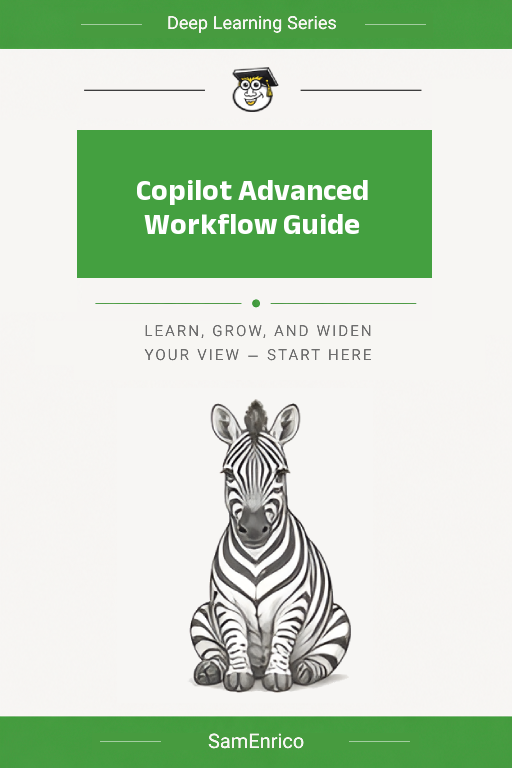
Copilot Advanced Workflow Guide eBook
Go beyond tab completion with strategic prompting
Go beyond tab completion with strategic prompting and context setting in GitHub Copilot.
Formats
Free sample
Chapter 1: Beyond The Tab...–- Every developer remembers their first time. You type a comment—# create a function to validate email addresses—and before you finish the thought, gray text appears. It’s coherent. It’s relevant. It’s almost magical. You press Tab, the code becomes real, and you feel a rush of productivity. Git Hub Copilot just saved you fifteen seconds, and you are hooked.But here is the uncomfortable truth that no marketing blog post will tell you: pressing Tab is the least interesting thing Copilot can do. The developers who stop at tab completion are using approximately 15% of Copilot’s actual capability. They are riding a bicycle on the Autobahn—moving, yes, but missing the point entirely.This book is for developers who want the other 85%. The developers who look at Copilot’s gray text and ask not “How can I accept this faster?” but rather “How can I get this AI to architect, implement, test, and document an entire feature while I supervise?” The developers who understand that the real leverage is not in completing lines but in executing intent.The gap between these two groups is not technical. It is philosophical. One group sees Copilot as a tool that completes their sentences. The other sees Copilot as an engine that executes their projects. This chapter dismantles the autocomplete assumption, reveals why most developers are leaving massive value on the table, and builds the mental framework that will transform you from a prompt writer into a workflow designer.The Autocomplete Trap: Why Most Developers Stop Too Soon Open any social media platform and search for “Copilot.” You will find screenshots of impressive completions, heated debates about code quality, and developers marveling at how the AI guessed their variable names. What you will rarely find is a discussion of workflow. The conversation has been captured by the autocomplete narrative—the idea that Copilot’s primary value is predicting what you were about to type.This narrative is not wrong. It is incomplete.Git Hub Copilot is a large language model fine-tuned on billions of lines of public code. It has seen every design pattern, every architectural mistake, every clever optimization, and every catastrophic bug. It understands not just syntax but structure, not just functions but systems. Reducing this capability to line completion is like using a supercomputer to calculate your grocery budget—technically possible, but spectacularly wasteful.The autocomplete trap is seductive because it requires no mental shift. You continue coding as you always have, but now with occasional gray text that saves keystrokes. Your workflow does not change. Your thinking does not change. You simply type less. This is the path of least resistance, and it is the path that most developers take.But consider what you are leaving behind. When you treat Copilot as autocomplete, you are the architect, the engineer, the tester, and the documenter. Copilot is a faster typist. When you treat Copilot as an execution engine, Copilot becomes the engineer and tester while you remain the architect. You shift from doing to directing. This is not typing faster. This is leverage.The developers who escape the autocomplete trap share one characteristic: they stopped asking “What will Copilot complete next?” and started asking “What can I delegate to Copilot entirely?” The first question leads to incremental gains. The second question leads to transformative workflows.The Seven Deadly Sins of Copilot Users Before we build better workflows, we must name the patterns that hold developers back. These are the seven deadly sins of Copilot users—habits that feel productive but actively prevent mastery.Sin One: The Vague Prompt. You type “write a login system” into an empty file and expect magic. Copilot generates something plausible but insecure, incomplete, and wrong for your specific architecture. You blame the AI. The AI was doing exactly what you asked—guessing based on insufficient information. Vague prompts produce vague code.Sin Two: The Endless Chat Loop. You discover inline chat and abandon everything else. Every interaction becomes a conversation. “Can you add error handling?” “Now make it faster.” “Now handle edge cases.” You are coding by committee with an AI, and the committee is just you talking to yourself. The endless chat loop mistakes activity for progress.Sin Three: The Context Hoarder. You believe more context is always better. You keep every file open, paste entire documentation pages into chat, and wonder why Copilot becomes confused. Copilot’s context window is finite. More context is not better—relevant context is better. The context hoarder drowns the signal in noise.Sin Four: The Micromanager. You cannot trust Copilot to make decisions. Every prompt specifies not just what to do but exactly how to do it. “Open auth.py, go to line 42, change the variable name to token.” This is typing with extra steps. If you know exactly what to change, change it yourself. The micromanager mistakes control for productivity.Sin Five: The Blind Accepter. Gray text appears. You press Tab without reading. The code looks plausible. Later, a bug emerges. The blind accepter treats Copilot’s suggestions as authoritative rather than tentative. No AI generates perfect code on the first try. Verification is not optional—it is the primary job.Sin Six: The Mode Confuser. You use Ghost Text for multi-file changes. You use Agent Mode for single-line fixes. You use Inline Chat when you need terminal execution. The mode confuser has the right tools but uses them in the wrong contexts. Each mode has a purpose. Using the wrong mode is like driving a race car on a hiking trail—technically possible, but why?Sin Seven: The Workflow Skeptic. You have tried none of this. You read about advanced workflows and assume they are overkill for your projects. You stick with tab completion because it works well enough. The workflow skeptic mistakes familiarity for efficiency.If you recognize yourself in any of these sins, good. Awareness is the first step. The rest of this chapter—and this book—provides the alternative.Ghost Text, Inline Chat, and Agent Mode: The Three Faces of Copilot Copilot is not one tool with one interface. Copilot is three distinct tools sharing a single brand, and each mode serves a different purpose. Understanding these modes is table stakes. Knowing when to use each mode is where mastery begins.Ghost Text: The Speed Demon Ghost text is what most people mean when they say “Copilot.” You type, gray text appears, you press Tab. Ghost text is optimized for speed and low cognitive load. It works best in predictable contexts where the next token is statistically obvious.Use ghost text when you are writing routine code: for loops, property access, conditional statements, simple transformations. Ghost text shines when the pattern is clear and the scope is small. One line. One expression. One obvious completion.Do not use ghost text for anything that requires reasoning, multi-file changes, or complex logic. Ghost text has no memory of previous suggestions within the same session. It cannot plan. It cannot iterate. It is a very fast typist with excellent pattern matching and zero understanding.Inline Chat: The Surgeon Inline chat (triggered with Cmd+I on Mac, Ctrl+I on Windows, or Cmd+Shift+I for agent mode) opens a chat interface directly in your editor. Unlike ghost text, inline chat is conversational. You can ask for changes, request refactoring, or debug broken code.Use inline chat when you need to change a specific…
This is the end of the free sample. Get the eBook to keep going. Buy now
About this book
Details
- Author
- Ladner Kimbery
- Publisher
- SamEnrico
- Language
- English
- Genre
- Non-Fiction, AI Operator
- Released
- 2026-06-01
- Pages (approx.)
- 143
- Available as
- eBook, Audiobook

Read better in the ZLOADR app
Your eBooks on your phone or tablet. Sign in with your SamEnrico account and start reading.
More by Ladner Kimbery
 Salesperson Imposter SyndromeLadner Kimbery$11.99
 Work Break Reset GuideLadner Kimbery$11.99
 Time for Self Care ParentsLadner Kimbery$11.99
 Constipation in PregnancyLadner Kimbery$11.99
 Olympic Coach Stress HandbookLadner Kimbery$11.99
 The Papal Bulls of ExcommunicationLadner Kimbery$11.99
 Hybrid Work Stress SolutionsLadner Kimbery$11.99
 Earth Elder Mentorship HandbookLadner Kimbery$11.99
 Pastoral Counseling ListeningLadner Kimbery$11.99
 The Great Tech Melt: How Silicon Valley’s Dream CollapsedLadner Kimbery$11.99
 The Drive-In Revolution: How America Invented Fast Food TheaterLadner Kimbery$11.99
 Neon Lotus: The Digital Afterlife of Ancient EgyptLadner Kimbery$11.99
You may also like
 AI Presentation WorkbookSommers Tonda$11.99
 PowerPoint Copilot MasteryConway Lanita$11.99
 Branded AI DecksWindham Loni$11.99
 AI Presentation CourseGrooms Olin$11.99
 AI Presentation CertificationBlank Dolly$11.99
 AI Deck Version ControlMedley Lorina$11.99
 AI Deck Update AutomationFraser Tresa$11.99
 AI Deck Myths DebunkedCrittenden Romelia$11.99
 AI Deck Customization GuideDove Hannelore$11.99
 AI Bullet to Slide ConverterKohn Eloisa$11.99
 AI Deck Notes CreatorBarela Sunday$11.99
 AI Deck Outline GeneratorAshmore Morgan$11.99