
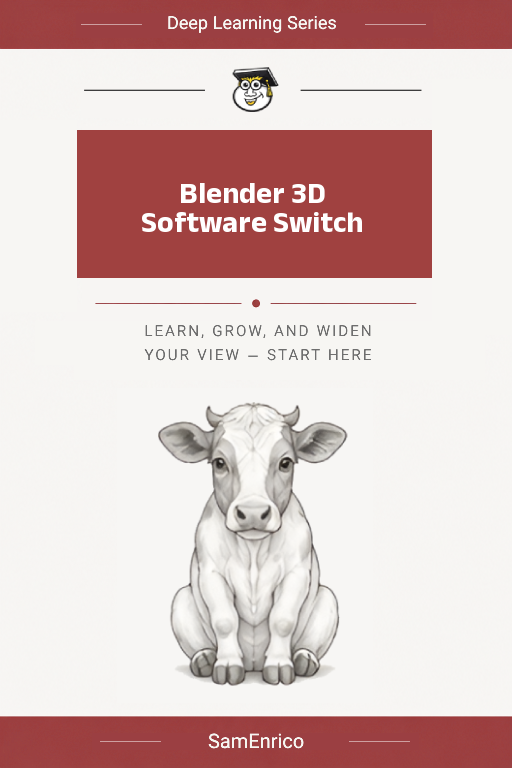
Blender 3D Software Switch eBook
Model, animate, and render 3D graphics using Blend
by Ocasio Londa
Model, animate, and render 3D graphics using Blender instead of Maya or 3ds Max.
Formats
Free sample
Chapter 1: The Golden Handcuffs--–- The email arrived on a Tuesday. “Due to budget restructuring, we are sunsetting our Maya licenses effective immediately. Please export your work by Friday.” The author remembers staring at that message for ten full minutes. Fifteen years of muscle memory, a carefully curated shelf of scripts, and a portfolio built entirely in Maya – all suddenly irrelevant. The studio wasn’t closing.
They were switching to Blender. And they assumed everyone would just… adapt.That was the moment this book became necessary. Not because Blender is hard to learn, but because unlearning Maya or 3ds Max is genuinely painful. The author spent six weeks in a fog of misplaced right-clicks, accidental transforms, and the humiliating realization that “just knowing 3D” doesn’t automatically translate to “knowing Blender.” This chapter exists to save you those six weeks. It will not teach you a single shortcut yet.
Instead, it will convince you that switching is not only possible but professionally advantageous – and it will prepare you for the psychological journey ahead.The Economic Reality Nobody Wants to Discuss Let’s start with money, because studios and freelancers alike are bleeding it. Since 2020, Autodesk has increased subscription prices for Maya and 3ds Max by approximately 40 percent. A single seat of Maya now costs 235permonthor235 per month or 235permonthor1,875 annually. A 3ds Max seat runs similarly. For a studio with fifty artists, that is nearly $94,000 per year – before taxes, before render farms, before plugins.
Blender costs nothing. Zero. Zilch. That is not a marketing gimmick; it is the single most disruptive force in professional 3D since the introduction of affordable raytracing.But the author will not insult your intelligence by claiming “free” is the only reason to switch. Free software that cannot do the job is worthless regardless of price.
The real argument is more nuanced: Blender 4.x and beyond is now feature-competitive with Maya and 3ds Max across modeling, UV mapping, rigging, animation, rendering, and simulation – and superior in several specific areas including real-time viewport performance, sculpting, and procedural texturing. When a tool is both free and competitive, the economic argument becomes overwhelming.Consider a mid-sized VFX house the author consulted for in 2024. Twelve artists, all Maya veterans. Annual Autodesk bill: 26,000.Afterswitchingto Blender,theyspent26,000. After switching to Blender, they spent 26,000.Afterswitchingto Blender,theyspent0 on software, 2,000ontrainingmaterials(includinganearlydraftofthisbook),and2,000 on training materials (including an early draft of this book), and 2,000ontrainingmaterials(includinganearlydraftofthisbook),and5,000 on custom pipeline tools.
Total savings in year one: 19,000.Inyeartwo:19,000. In year two: 19,000.Inyeartwo:26,000. In year five: over $130,000. That is not a rounding error. That is a new hire or a significant hardware upgrade.The Studio Adoption Myth (and Reality)You may be thinking, “That’s fine for small studios, but the majors still use Maya/Max.” This is partially true and increasingly false.
Ubisoft now uses Blender for rigging and animation across multiple franchises. NVIDIA employs a dedicated Blender development team. Epic Games has integrated Blender into their Unreal Engine training pipeline. DNEG, the Oscar-winning VFX house behind Dune and Interstellar, adopted Blender for layout and asset preparation. Even Pixar – yes, that Pixar – has released Blender integration tools for their Universal Scene Description (USD) pipeline.What changed?
Three things. First, Blender 2.8 (released 2019) completely overhauled the user interface, making it professionally viable. Second, the Blender Foundation established a predictable release cycle with long-term support versions, satisfying studio risk management. Third, the community of developers expanded to include former Autodesk engineers who understood what professionals actually need.The myth that “Blender is just for hobbyists” died around the same time that “Maya is industry standard” stopped meaning “Maya is the only option.” Today, the standard is software-agnostic. Studios care about deliverables – USD files, Alembic caches, FBX exports – not about which tool created them.The Fear Inventory: Naming Your Demons Before you learn a single Blender shortcut, you must confront what scares you.
The author has taught over two hundred transitioning artists, and the fears cluster into five categories. Take out a piece of paper (or open a text file) and rank these from 1 (most frightening) to 5 (least):Productivity loss: “I’ll take weeks to do what I currently do in hours.”Muscle memory betrayal: “My fingers keep hitting the wrong keys and I feel stupid.”Pipeline incompatibility: “Our studio’s tools won’t work with Blender.”Professional credibility: “Clients will think I’m using a toy.”Missing features: “Blender simply cannot do X.”Now write down your specific version of each fear. Not “productivity loss” but “I need to bevel complex hard-surface models without breaking topology.” Not “missing features” but “I rely on Maya’s Arnold AOV system for compositing.”This inventory will become your progress tracker. As you work through this book, return to your list. Check off fears as they are resolved.
The author guarantees that by Day 30, at least four of your top five fears will be gone. The fifth will be reduced to a manageable nuisance.The Economic Case Study: Real Numbers, Real People Let the author introduce you to Marco. Marco was a 3ds Max artist with fourteen years of experience, specializing in architectural visualization. His studio paid $2,200 per year for his Max seat. When the pandemic hit, the studio asked everyone to take a 20 percent pay cut.
Marco instead proposed switching to Blender. The studio agreed on a trial basis.Marco’s first month was brutal. He spent forty hours just re-mapping his shortcuts and rebuilding his material library. He nearly quit three times. But by month two, he was 80 percent as fast as he had been in Max.
By month four, he was faster. Why? Because Blender’s real-time viewport (Eevee) allowed him to light and texture iteratively without waiting for CPU renders. A scene that took eight hours in Max took five in Blender.The studio saved 2,200on Marco’sseat.Theysavedanother2,200 on Marco’s seat. They saved another 2,200on Marco’sseat.Theysavedanother1,200 on his coworker’s seat.
They redirected that $3,400 into a new GPU render node. Marco got a 5 percent raise for leading the transition. Today, Marco teaches a Blender for Arch Viz course and has written two add-ons. He does not miss Max. He misses nothing.Modal Editing vs.
Tool-Based Editing: The Philosophical Divide Here is the single most important conceptual difference between Blender and Maya/3ds Max. Read this section twice.Maya and 3ds Max use tool-based editing. You select a tool (Move, Rotate, Scale, Extrude, Bevel), then you apply it to geometry. The tool remains active until you switch to another tool. This feels natural if you learned 3D before 2010.Blender uses modal editing.
You never select a “move tool.” Instead, you select geometry, then press G (Grab) to enter move mode, R to enter rotate mode, or S to enter scale mode. When you are done, you press Left-Click to confirm or Right-Click to cancel. You never leave “move mode” because there is no move mode – there is only the action of moving, which you invoke when needed.This difference drives Maya/Max users insane for approximately three days. Then it clicks. Modal editing is faster because you never move your mouse to a toolbar.
Your left hand stays on the keyboard. Your right hand stays on the mouse. Every operation is one or two…
This is the end of the free sample. Get the eBook to keep going. Buy now
About this book
Details
- Author
- Ocasio Londa
- Publisher
- SamEnrico
- Language
- English
- Genre
- Non-Fiction, Startup Guide, 3D Modeling, Open Source
- Released
- 2026-05-30
- Pages (approx.)
- 136
- Available as
- eBook, Audiobook

Read better in the ZLOADR app
Your eBooks on your phone or tablet. Sign in with your SamEnrico account and start reading.
More by Ocasio Londa
 Loneliness Toastmasters GuideOcasio Londa$11.99
 Death and Dying TalksOcasio Londa$11.99
 Tech Startup Founder NetworkingOcasio Londa$11.99
 Antwerp Heist Podcast PhenomenonOcasio Londa$11.99
 Senior Doctor Visit ConfidenceOcasio Londa$11.99
 Stress Multiple Sclerosis GuideOcasio Londa$11.99
 The Prevention ProtocolOcasio Londa$11.99
 Separation Anxiety TranceOcasio Londa$11.99
 Eye Fixation Trance MethodOcasio Londa$11.99
 The Vanishing of the SS Marine Sulphur Queen: A 50-Year MysteryOcasio Londa$11.99
 The Red Cliff Gambit: Zhuge Liang's Shadow War of DeceptionOcasio Londa$11.99
 Echoes of the Ice: The 1982 Discovery That Changed Climate Science ForeverOcasio Londa$11.99