
Non-FictionMental WealthContingency
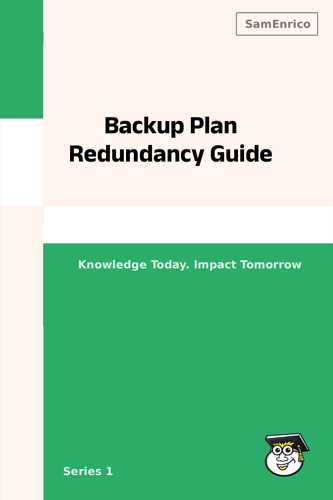
Backup Plan Redundancy Guide eBook
Prepare printed handouts and USB drive for worst c
Prepare printed handouts and USB drive for worst case tech failure.
Formats
Free sample
Chapter 1: The Sync Lie...--You are not paranoid. You are not a prepper. You are not a digital hoarder clinging to obsolete media. You are a rational adult who has noticed something unsettling: every single promise of safety in the modern world comes with a silent asterisk.The cloud promised you would never lose another file. Instead, you have felt the cold dread of a "suspicious login" notification that locks you out of your own Google account for thirty days.
Your password manager swore to remember everything for you. Then one day it asked for a master password you saved "somewhere safe" but cannot find. Two-factor authentication was supposed to be the final lock on your digital fortress. Then your phone fell in a puddle, and with it went the authenticator app that held the keys to your bank account, your email, and your social media.You have been sold a beautiful illusion. The illusion is called sync.
And it is failing you right now, even if you do not know it yet.Sync is not backup. Sync is not safety. Sync is a mirror that breaks when the original wall does. When a hacker deletes your cloud files, sync happily deletes the copies on your devices because it believes you wanted that. When ransomware encrypts your local drive, sync uploads the encrypted garbage to the cloud, overwriting clean versions.
When you accidentally delete a folder from 2019, sync whispers to every connected device, "Delete that too, the human must have meant it."The tragedy of modern data loss is not that people fail to make copies. The tragedy is that they make copies and then wire them all together with sync, turning redundancy into a single, synchronized suicide pact.This book exists because you need something that sync cannot touch. You need a system that does not ask for permission, does not require internet access, does not trust any corporation to hold your life in its terms of service, and does not assume that the technology you rely on today will exist tomorrow.You need a backup plan that is truly redundant. Not a second copy that lives in the same house, not a cloud folder that mirrors your mistakes, but a deliberate, offline, multi-format system that survives everything from a spilled coffee to a nationwide internet outage.The first step in building that system is understanding how you got here. Because until you see the sync lie for what it is, you will keep adding digital copies to a digital house of cards.
And that house will fall.The Day I Believed the Checkmark Let me tell you about a Tuesday that changed how I think about data. Not because it was dramatic, not because there was a fire or a flood or a cyberattack, but because it was so utterly ordinary that it could happen to anyone.I was preparing a presentation for a client. The file lived in my cloud drive of choice—green checkmark, all synced, three devices confirmed. I opened my laptop at the coffee shop, made a few edits, closed the lid, and went home. At my desktop that evening, I opened the same file.
The edits were not there.I waited. I forced a sync. I signed out and back in. I watched the progress bar crawl across the screen. Nothing.
The file on the desktop was a version from three days ago. Somewhere between the coffee shop Wi Fi and my home network, the sync had split. My laptop believed it had uploaded. The cloud disagreed. The desktop had never received the memo.I lost about four hours of work.
Not because the file was gone, but because the sync had created two conflicting versions of the truth. The cloud, in its infinite wisdom, had decided to keep the older version and treat my new edits as a "conflicted copy"—a graveyard where good work goes to die.That was a small loss. A few hours. A learning experience. But it planted a seed.
If sync could fail on a Tuesday afternoon for a single Power Point file, what else was it failing at silently?The answer, I later learned, was nearly everything.The Anatomy of the Sync Lie To understand why sync feels like safety but is not, you have to understand what sync actually does. Synchronization is the process of making two or more locations identical. That is its only job. It does not ask whether the changes are good or bad. It does not check if the deletion was intentional.
It does not pause to say, "Hey, you are about to overwrite six months of work with an empty folder."Sync is a faithful servant with no judgment. That is its strength and its fatal flaw.Consider a ransomware attack. Malware encrypts every file on your computer, appending an extension and demanding payment. Your cloud sync client sees that every file on your computer has changed. It dutifully syncs those changes to the cloud.
Now your cloud backup is also encrypted. The ransomware did not need to touch your cloud provider. It just needed you to do the upload for it.Consider accidental deletion. You are cleaning up your desktop and delete a folder you think is empty. It is not empty.
Your sync client sees the deletion and immediately removes that folder from every connected device. Your laptop, your desktop, your phone—all of them obey the deletion command. The files are gone from everywhere. The cloud's "trash" folder might save you if you notice within thirty days. Or it might not.Consider a corrupted file.
A bad sector on your hard drive damages a family photo. Your computer still sees the file, but the image is half gray static. Your sync client uploads the corrupted version. Now the good copy you had on your phone is overwritten with static because the cloud believes the most recent version is the correct one.These are not hypotheticals. They happen every day.
They happen to careful people. They happen to people who pay for premium cloud storage. They happen to people who assume that a green checkmark means safety.The sync lie is this: that keeping copies connected is the same as keeping copies safe. It is not. Connection is the enemy of true redundancy.
The only backup that cannot be corrupted by sync is the backup that sync never touches.The Three-Word Rule That Could Save You Professional IT has known about this problem for decades. The solution is codified in something called the 3-2-1 backup rule. It is simple enough to memorize, powerful enough to survive almost any disaster, and almost never followed by individuals because it requires intentional effort instead of automated convenience.The 3-2-1 rule says this:Three total copies of your data.Two different storage formats.One copy stored offsite.Let me break that down because every word matters.Three total copies means your original plus two backups. If you have only one backup, you have a single point of failure. If that backup drive dies the same hour your main drive dies, you lose everything.
Three copies is the minimum number that creates genuine redundancy.Two different formats means your copies cannot all live on the…
This is the end of the free sample. Get the eBook to keep going. Buy now
About this book
Details
- Author
- Kemper Dorene
- Publisher
- SamEnrico
- Language
- English
- Genre
- Non-Fiction, Mental Wealth, Contingency
- Released
- 2026-06-10
- Pages (approx.)
- 140
- Available as
- eBook, Audiobook

Read better in the ZLOADR app
Your eBooks on your phone or tablet. Sign in with your SamEnrico account and start reading.
More by Kemper Dorene
 Job Loss Self Esteem GuideKemper Dorene$11.99
 HIIT for Athletes GuideKemper Dorene$11.99
 Zang Fu Organ TheoryKemper Dorene$11.99
 The Silk and Gold Empire: The Rise of Al-Hajj Salim bin AbdullahKemper Dorene$11.99
 How to Produce a Chair CoverKemper Dorene$11.99
 Startup Invoice Factoring GuideKemper Dorene$12.99
 Powellite MiningKemper Dorene$11.99
 How to Start a Pipes Made of Fibre-cement Business (Beginners Guide)Kemper Dorene$11.99
You may also like
 Hong Kong Handover 1997Dunn Johnnie$11.99
 Zumba For Postnatal Recovery CourseNeal Christian$11.99
 Zumba for BeginnersLadner Nikia$11.99
 YouTube Comment Mining GuideHumes Pandora$12.99
 Worry Box MeditationCarlin Rudy$11.99
 Workplace Stress MeditationNguyen Lynn$11.99
 Workplace Stress and Sleep RepairHawley Ivory$11.99
 Workplace Perfectionism CureDelaney Jeffry$11.99
 Workplace Injustice Anger GuideWallen Isabelle$11.99
 Work Addiction and Burnout LinkGreenwood Ester$11.99
 Women in Yoga and WellnessBeattie Galina$11.99
 Women in Stand Up ComedyChun Evangeline$11.99