
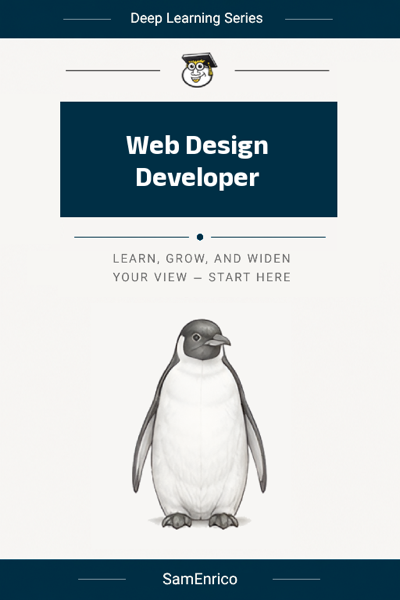
Web Design Developer eBook
A Coursebook on Web Design Developer
A Coursebook on Web Design Developer
Formats
Free sample
Chapter 1: The Architect-Artist Paradox...–- Every great website you have ever admired—the one that felt effortless to navigate, the one that made you forget you were even using a software interface—was born from a single, uncomfortable truth. The person who built it was probably not a pure “designer” reclining behind a sketchbook, nor a pure “developer” muttering incantations in a dark terminal. They were something rarer, stranger, and increasingly indispensable: a hybrid creature equally at home in the subjective currents of human emotion and the cold, deterministic logic of code. This hybrid is the web design developer, and this chapter is where you become one.For decades, the tech industry maintained a polite fiction: designers dream, and developers build. The designer hands over a perfect, pixel‑perfect mockup. The developer translates it faithfully, like a clerical scribe. In reality, this walled garden has always leaked. Designers who cannot code produce beautiful, impossible layouts that break when text expands or screens shrink. Developers who cannot design produce functional but repulsive interfaces that repel users like a cold door handle. The tension between these two worlds is not a bug—it is the fundamental creative friction that generates great work. Mastering that friction is the entire point of this book, and it begins with a paradox: you cannot be a great web developer without thinking like a designer, and you cannot be a great web designer without building like a developer.The False Binary: Why “Designer” and “Developer” Are Outdated Labels Walk into any tech company built before 2015, and you will find a clear organizational chart. UX researchers, visual designers, front‑end developers, back‑end engineers—each in their own silo, each with their own tools and vocabulary. Projects moved left to right like a factory assembly line. A problem lived exclusively in one silo until it was thrown over the wall to the next. This linear model fails because the web is not linear. A responsive layout requires design thinking at the exact moment you write a media query. An interactive component demands visual intuition while you debug an event listener.Consider a real‑world example. You are building a checkout form. A traditional designer might specify where each field goes, what fonts to use, and what color the error message should be. But the developer alone knows the technical constraints: the input type="tel" field behaves differently on mobile keyboards than type="text". The designer alone knows the human constraint: users abandon forms that ask for their phone number in a different format than they naturally type it. Neither person has the full picture. The design developer—that hybrid role—sees both. You will notice a request for a billing address and immediately understand the accessibility implications of autocomplete attributes, the performance cost of loading a country‑select dropdown with 250 options, and the visual rhythm of proper field spacing. That synthesis is your new superpower.Throughout this book, we will use specific role definitions to keep our bearings:UX (User Experience) Designer: Focuses on research, user flows, wireframes, and usability testing. They ask, “Does this make sense to the human using it?” They care about psychology, not pixels.UI (User Interface) Designer: Focuses on visual language—color, typography, spacing, icons, and motion. They ask, “Is this beautiful and clear?” They sweat over 8px grids and border radii.Front‑End Developer: Writes HTML, CSS, and Java Script that runs in the browser. They ask, “Does it work correctly across devices and browsers?” They care about semantics, performance, and maintainable code.Full‑Stack Designer (or Design Developer): Spans the gap. They can sketch a user flow in Figma, then open VS Code and build it with semantic HTML, responsive CSS, and interactive Java Script. They ask, “How do I solve the user’s problem with the fewest moving parts?” This is what you are training to become.You do not need to abandon your primary identity. Sometimes you will think more like a designer; sometimes you will sink into deep development. The goal is fluency—the ability to speak both languages without a translator, and to know when to switch hats.The Modern Workflow: From Abstract Idea to Live URLBefore you write a single line of code, you need a mental map of how professional web projects actually move from concept to deployment. Even if you are working alone on a personal portfolio, following this structured workflow saves you from the most common beginner disaster: building for weeks only to realize the navigation makes no sense, or that the design cannot adapt to mobile screens.Here is the seven‑stage workflow we will use throughout this book. Each stage maps to specific chapters, but we present the full arc now so you see the destination.Research & Discovery (Chapters 2 & 3): Who are the users? What tasks do they need to accomplish? What existing solutions frustrate them? You gather content, analyze competitors, and define measurable goals (e.g., “users can find the pricing page in under three clicks”).Information Architecture & Wireframing (this chapter): You organize content into a logical structure (sitemaps, card sorting) and sketch low‑fidelity wireframes—gray boxes and placeholder text that show layout and hierarchy without visual design. Wireframes are cheap and fast; you can throw away ten bad ideas before committing to one.Visual Design Mockup (Chapters 3 & 4): You apply color, typography, spacing, and imagery. This stage produces a high‑fidelity static representation of what the finished site will look like. Tools like Figma dominate this space.Interactive Prototype (Chapter 9): You link mockup screens into a clickable simulation. Users can tap buttons and navigate between pages, but nothing is real code. Prototypes catch interaction flaws before a single HTML tag is written.Development (Chapters 5–8): You write semantic HTML, modular CSS, and vanilla Java Script to build a working, responsive, accessible site. This is the longest stage, and where most of this book lives.Testing & QA (Chapters 10 & 11): You test across browsers (Chrome, Firefox, Safari), devices (phone, tablet, desktop), and assistive technologies (screen readers, keyboard‑only navigation). You measure performance (Core Web Vitals), fix bugs, and refine accessibility.Launch & Maintenance (Chapter 11): You deploy to a web server, connect a custom domain, and set up analytics. Then you monitor, update content, and iterate based on real user behavior.This is not a rigid checklist. Small projects might compress stages together. A solo portfolio could blend wireframing, mockup, and prototyping in a single afternoon. But the sequence—understand before you sketch, sketch before you design, design before you code, test before you launch—is inviolable. Every time you skip a stage, you will pay back that time with interest during frantic late‑night debugging sessions.Your Essential Toolkit: Software That Builds Websites Woodworkers have chisels and planes. Surgeons have scalpels and retractors. Web design developers have a specific set of digital tools, and using them proficiently distinguishes a professional from someone who only writes code in a tutorial environment. Let us introduce the four tools you will use every single day, starting today.1. Figma (Design & Prototyping)Figma is the industry standard for interface design, and it runs entirely in your browser (with a desktop app available). Think of it as infinite canvas where you draw rectangles, add text, arrange components, and link screens together. Unlike older tools like Photoshop, Figma was built for screen design: it understands pixels, constraints, auto layout (similar to…
This is the end of the free sample. Get the eBook to keep going. Buy now
About this book
Details
- Author
- Forney Romaine
- Publisher
- SamEnrico
- Language
- English
- Genre
- Non-Fiction, Informative, Educational
- Released
- 2026-05-09
- Pages (approx.)
- 152
- Available as
- eBook, Audiobook

Read better in the ZLOADR app
Your eBooks on your phone or tablet. Sign in with your SamEnrico account and start reading.
More by Forney Romaine
 Remote Work Errand GuideForney Romaine$11.99
 Immigrant Child Coparenting SiblingsForney Romaine$11.99
 Anger at Childs PregnancyForney Romaine$11.99
 Gallery Walk Idea SharingForney Romaine$11.99
 French Vacation Entitlement QueryForney Romaine$11.99
 Small Talk for Public TransitForney Romaine$11.99
 Dream Hair Loss JournalForney Romaine$11.99
 Design Thinking for NonprofitsForney Romaine$11.99
 The Ironclad Gambit: John Ericsson and the Birth of Naval RevolutionForney Romaine$11.99
 The Silk Road Warriors: The Forgotten Martial Arts Masters of the Ming DynastyForney Romaine$11.99
 How to Produce CoffeeForney Romaine$11.99
 How to Produce an Omega Hydraulic DiggingsForney Romaine$11.99