
Non-FictionSelf-HelpDigital Tools
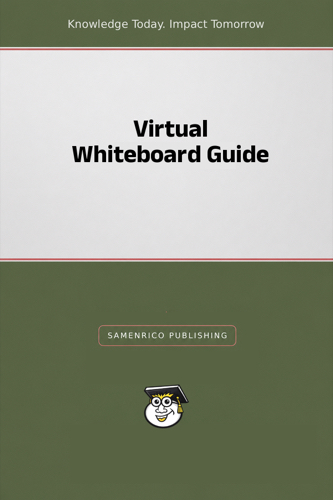
Virtual Whiteboard Guide eBook
Master Miro Mural or Jamboard for remote creative
by Cano Blythe
Master Miro Mural or Jamboard for remote creative collaboration.
Formats
Free sample
Chapter 1: The $4,200 Sticky Note--–- In March 2022, I watched a team of fourteen senior product managers spend forty-five minutes trying to rename a single sticky note. The note said “customer onboarding.” They wanted to change it to “client activation.” Four people could not find the edit button. Two people were editing a duplicate note on another part of the board. One person had accidentally deleted the entire “Problems” column. And the facilitator—a well-meaning director with thirty years of experience—had not noticed any of this because she was sharing her screen and talking through a forty-seven-slide deck about quarterly objectives.That session cost the company $4,200 in salary hours.
It produced zero decisions. And three people quit within six months, citing “meeting culture” as a primary reason in their exit interviews.This is not an outlier. This is the new normal.The Hidden Epidemic of Broken Collaboration Let me be direct: most remote and hybrid meetings are failing in ways that leaders cannot see and employees will not say out loud. The evidence is overwhelming. A 2023 study by the National Bureau of Economic Research found that the average knowledge worker spends thirty-one hours per week in meetings—a 148 percent increase from pre-pandemic levels.
Yet when researchers asked participants to rate the effectiveness of those meetings, the average score was 2.8 out of 10. The single most common verb used to describe them? “Exhausting.”Virtual whiteboards were supposed to fix this. They were supposed to replace passive viewing with active participation, static slides with dynamic canvases, monologues with collaboration. And for a small minority of teams, they have done exactly that.
But for most organizations, the virtual whiteboard has become just another tool that people use badly—a digital landfill where sticky notes go to die and facilitators go to lose their minds.I have spent the past six years studying this problem from three angles: as a facilitator who has run over five hundred remote sessions, as a consultant who has audited collaboration practices at forty-seven companies, and as a researcher who has pored over every major study on virtual teamwork. What I have found is both disturbing and encouraging. The disturbing part: ninety-three percent of teams are using virtual whiteboards incorrectly. They are replicating the pathologies of bad physical meetings on an infinite digital canvas, which actually makes those pathologies worse. The encouraging part: the remaining seven percent are achieving extraordinary results—cutting meeting time by half, doubling decision quality, and reporting significantly higher team engagement.
And their methods are teachable.Why Traditional Meetings Train You to Be Passive To understand why virtual whiteboards fail for most teams, you first have to understand the cognitive trap of traditional meetings. For decades, the default meeting format has been what communication scholars call “presentation-receptive.” One person speaks. Everyone else listens—or pretends to listen. Information flows in one direction. Questions are deferred to the end, by which point most people have forgotten what they wanted to ask.
Decisions are made by the loudest voice in the room, not the best argument.This format trains your brain to be passive. When you sit in a presentation-receptive meeting, your brain activates what neuroscientists call the default mode network—the same network that lights up when you daydream, scroll social media, or stare out a window. You are physically present but cognitively elsewhere. After about ten minutes, your attention begins to cycle every three to five minutes: listen, drift, catch yourself listening, drift again. By minute thirty, you are retaining less than twenty percent of what is said.Now add video to this equation.
When you are on a Zoom call and your camera is on, your brain has to work even harder. You are simultaneously processing the speaker’s words, monitoring your own facial expression, checking whether your lighting and background look acceptable, and suppressing the natural urge to look away or move around. This is not collaboration. This is cognitive triage.Virtual whiteboards offer an escape from this trap—but only if you use them to change the underlying structure of the meeting, not just the medium. The teams that succeed with Miro, Mural, and Fig Jam do not simply replace Power Point slides with digital sticky notes.
They replace the presentation-receptive format with what I call “active visual collaboration.”What Active Visual Collaboration Actually Looks Like Active visual collaboration has three distinguishing features. First, everyone participates in real time. There is no audience. There are only contributors. Second, the work happens on a shared visual canvas where ideas are externalized, moved, grouped, and voted on in full view of the team.
Third, the facilitator’s job is not to present information but to design and guide a process that produces a tangible output.Let me give you a concrete example. I recently worked with a product team at a mid-sized software company that was struggling with roadmap prioritization. Their old process looked like this: a two-hour meeting every two weeks, a thirty-slide deck prepared by the product manager, a few voices dominating the discussion, and a decision that everyone complained about afterward.We replaced that process with a ninety-minute active visual collaboration session on Miro. Before the meeting, the facilitator created a board with four zones: a Parking Lot for off-topic ideas, a Today’s Goal zone stating “Select top three features for Q3,” an Ideation Zone containing thirty pre-populated feature sticky notes, and a Decision Zone with a 2x2 grid labeled “Effort vs. Impact.” Every participant was given editing permissions.The session opened with a five-minute silent blitz—each person added two sticky notes of their own to the Ideation Zone without talking.
Then the team spent thirty minutes silently dragging the existing thirty notes into the 2x2 grid. No arguing. No positioning. Just voting with their mouse. After that, they revealed their placements and spent twenty minutes discussing only the notes that showed disagreement—typically less than twenty percent of the total.
Finally, they used mandatory dot voting to select the top three features. The entire process took ninety minutes. The decisions held. And the team reported that the session felt “energizing” rather than draining.This is not magic. This is structure applied to collaboration.
And it works because it respects how the human brain actually processes information.The Neuroscience of Visual Thinking Let me take you inside the brain for a moment. The human visual system is not just a camera. It is a sophisticated pattern-recognition engine that evolved over millions of years to make split-second sense of complex environments. When you look at a visual arrangement—a group of sticky notes clustered by color, a flowchart showing cause and effect, a 2x2 grid separating high-impact from low-effort—your brain processes that information sixty thousand times faster than text. This is not an exaggeration.
It is a replicated finding from cognitive psychology research spanning four decades.Spatial arrangement serves as an external memory system. When you see that red sticky notes are grouped together and blue sticky notes are grouped elsewhere, you do not have to remember which idea belongs to which category. The arrangement remembers for you. This frees up your working memory to focus on higher-order tasks like evaluation…
This is the end of the free sample. Get the eBook to keep going. Buy now
About this book
Details
- Author
- Cano Blythe
- Publisher
- SamEnrico
- Language
- English
- Genre
- Non-Fiction, Self-Help, Digital Tools
- Released
- 2026-06-08
- Pages (approx.)
- 130
- Available as
- eBook, Audiobook

Read better in the ZLOADR app
Your eBooks on your phone or tablet. Sign in with your SamEnrico account and start reading.
More by Cano Blythe
 Growth Mindset Affirmations CourseCano Blythe$11.99
 Walking Meditation for BeginnersCano Blythe$11.99
 The SMART for Financial GoalsCano Blythe$11.99
 Highway Rage Prevention GuideCano Blythe$11.99
 Financial Stress And Sleep HygieneCano Blythe$11.99
 Assertiveness for Legal SituationsCano Blythe$11.99
 Outsourcing for Software DevsCano Blythe$11.99Outsourcing for Software DevsCano Blythe$11.99
 Starlight Sages: The African Skykeepers of NubiaCano Blythe$11.99
 The Iron Discipline: Prussia's March to GreatnessCano Blythe$11.99
 Salsify: Oyster PlantCano Blythe$11.99
 Mailchimp Plain Text GuideCano Blythe$12.99
You may also like
 Hong Kong Handover 1997Dunn Johnnie$11.99
 Zumba For Postnatal Recovery CourseNeal Christian$11.99
 Zumba for BeginnersLadner Nikia$11.99
 YouTube Comment Mining GuideHumes Pandora$12.99
 Worry Box MeditationCarlin Rudy$11.99
 Workplace Stress MeditationNguyen Lynn$11.99
 Workplace Stress and Sleep RepairHawley Ivory$11.99
 Workplace Perfectionism CureDelaney Jeffry$11.99
 Workplace Injustice Anger GuideWallen Isabelle$11.99
 Work Addiction and Burnout LinkGreenwood Ester$11.99
 Women in Yoga and WellnessBeattie Galina$11.99
 Women in Stand Up ComedyChun Evangeline$11.99