
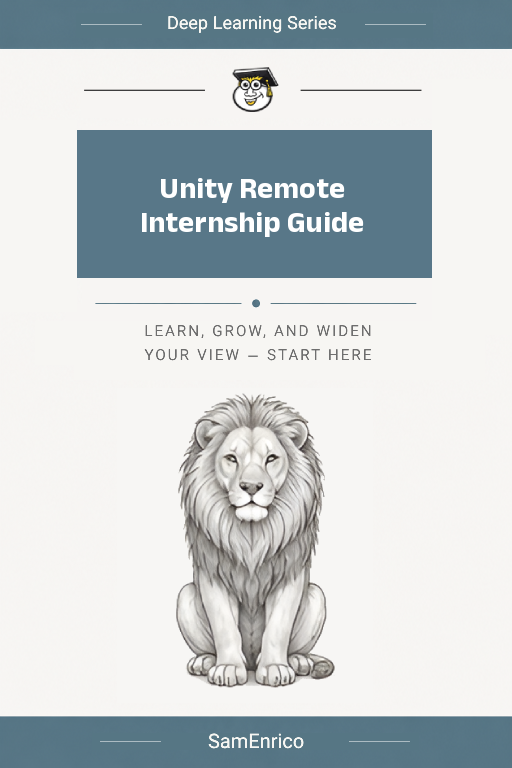
Non-FictionVirtual Work ExperienceARVR Guide
Unity Remote Internship Guide eBook
Navigate Unity's virtual internship program. Real-
Navigate Unity's virtual internship program. Real-time 3D, AR/VR development, and remote creative tech.
Formats
Free sample
Chapter 1: The Invisible Workspace...--The Unity Remote Internship Guide Chapter 1: The Invisible Workspace--You have just accepted a remote internship in spatial computing. You have no office to report to, no badge to swipe, no cubicle to decorate. Your commute is twelve feet from your bed to your desk. Your coworkers are avatars, Slack profiles, and voice notes sent from time zones six hours ahead of yours. Your manager has never seen you in person and likely never will.
This is the invisible workspace—and it is the fastest-growing entry point into the $500 billion real-time 3D economy.Welcome to the remote Unity internship. If you are reading this book, you are likely one of three people: a student who just landed a virtual internship at a company building AR filters, VR training simulations, or digital twins; a career-changer who realized that "real-time 3D" is the new "full-stack web development"; or a mentor or educator trying to prepare the next generation for a workforce where physical presence is no longer required. Regardless of which category describes you, you have noticed a gap. There are hundreds of books that teach you how to write C# scripts in Unity. There are dozens of courses that walk you through building your first VR app.
But almost nothing teaches you how to survive—let alone thrive—in a remote internship program where the code is complex, the hardware is expensive, and your mentor is two thousand miles away.This chapter closes that gap. Before you write a single line of code, before you install Unity Hub, before you even open your laptop, you need to understand the landscape of remote creative tech. You need to know what recruiters in 2025 and beyond are actually looking for, how virtual internship programs differ structurally from in-person ones, and why "remote" means three different things in this book—each of which will require a different set of skills. You will also need a clear-eyed assessment of the hardware you actually require versus what you can emulate, because buying the wrong headset or skipping a necessary tool is the fastest way to fail before you start.This chapter is the foundation. It contains no code.
It contains no Unity setup instructions. What it contains is a mental model that will make every subsequent chapter make sense. By the end of this chapter, you will know exactly what kind of remote internship you are entering, what equipment you genuinely need, and how to avoid the three most common mistakes that get remote interns quietly let go before the end of their first sprint.Let us begin by understanding why remote internships in spatial computing are fundamentally different from remote internships in any other field.The Asynchronous Reality Most people hear "remote internship" and imagine a video call with a manager, a shared Google Doc, and maybe a Slack channel. That works for marketing interns, content writers, and data analysts. It does not work for Unity developers building interactive 3D experiences.
The reason is simple: Unity projects are files. Large, binary, fragile, merge-conflict-prone files. You cannot edit a Unity scene collaboratively in real time the way two people can edit a Google Doc. You cannot roll back a corrupted prefab with "version history" the way you can in Figma. And you certainly cannot ask your mentor to "quickly look at something" when your project is fifty gigabytes and their internet connection is slow.This is why the first and most important concept you need to internalize is asynchronous communication.
In a traditional in-person internship, you might tap your mentor on the shoulder, pull up your laptop, and say, "Hey, can you look at this for five minutes?" That synchronous, immediate feedback loop is the default mode of learning in physical offices. In a remote internship, especially one involving Unity and XR, that tap on the shoulder is impossible. Your mentor might be in a different time zone, in back-to-back meetings, or deep in their own coding flow. Even if they are available, you cannot casually share your screen without scheduling a call, waiting for them to join, and praying that your headset emulator does not crash during the demo.Asynchronous communication flips this model. Instead of expecting immediate answers, you structure your work so that it can be reviewed and responded to on your mentor's schedule.
You record videos instead of asking for live screen shares. You write detailed stand-up updates instead of typing "quick question" in Slack. You create reproducible bug reports instead of saying "it doesn't work." This shift—from synchronous to asynchronous—is not a downgrade. It is a skill. And like any skill, it can be learned, practiced, and mastered.Throughout this book, especially in Chapter 11, you will learn the exact templates and tools for asynchronous communication.
For now, simply recognize that your remote internship will reward documentation, clarity, and patience. The intern who sends a five-minute Loom video with a timestamped bug reproduction and a proposed fix will consistently outperform the intern who sends "hey are you free?" every hour.Three Meanings of Remote Before we go further, we need to establish a vocabulary that will be used consistently across all twelve chapters of this book. The word "remote" appears everywhere in the title and content, but it actually describes three distinct situations, each requiring different techniques. Many Unity guides use "remote" to mean all three interchangeably, leading to confusion. This book will not make that mistake.First, asynchronous remote describes teams that work at different times.
You might be in Boston, your mentor in London, and your teammate in Singapore. There is no overlap in working hours. Communication happens through recorded videos, written documents, and scheduled messages. Chapters 1 and 11 focus heavily on asynchronous remote workflows because they are the hardest to master. Most interns fail not because they lack coding ability but because they cannot communicate effectively across time zones.Second, geographically remote describes teams that work at the same time but in different locations.
You and your mentor are both online from 10 AM to 6 PM your respective local times, but you are not in the same room. You can screen share, pair program, and even do live debugging together. Chapters 2, 5, 6, and 7 focus on geographically remote workflows because they involve technical setups like wireless headset debugging and emulated AR testing—tasks that assume you can coordinate live but not physically share hardware.Third, networked remote describes code that runs on different machines connected via the internet. This is not about people being remote; it is about the software being distributed. Multiplayer XR experiences, shared spatial anchors, and cloud-based digital twins all fall into this category.
Chapter 8 is dedicated entirely to networked remote development, which is a technical challenge rather than a communication challenge.You will encounter all three types of remote during your internship. A typical day might involve an asynchronous remote stand-up update (written in Slack), followed by geographically remote pair debugging with a teammate (screen share via Discord), while building a networked remote feature (multiplayer synchronization using Photon). The book marks each chapter with its primary remote type so you can quickly reference the relevant skills when you need them.The Hardware Question That Everyone Avoids…
This is the end of the free sample. Get the eBook to keep going. Buy now
About this book
Details
- Author
- Otis Sharmaine
- Publisher
- SamEnrico
- Language
- English
- Genre
- Non-Fiction, Virtual Work Experience, ARVR Guide
- Released
- 2026-05-30
- Pages (approx.)
- 151
- Available as
- eBook, Audiobook

Read better in the ZLOADR app
Your eBooks on your phone or tablet. Sign in with your SamEnrico account and start reading.
More by Otis Sharmaine
 Assertiveness for Healthcare WorkersOtis Sharmaine$11.99
 Caffeine And Anger Link WorkbookOtis Sharmaine$11.99
 Walking Meditation Retreat GuideOtis Sharmaine$11.99
 Cooperative Internal Audit GuideOtis Sharmaine$11.99
 Pomodoro for Job SearchingOtis Sharmaine$11.99
 The Unseen Symphony: How a Lost Tape Changed Music ForeverOtis Sharmaine$11.99
 B2B Pricing in Inflationary EconomiesOtis Sharmaine$12.99
 Hessonite MiningOtis Sharmaine$11.99
 Understanding OnychocryptosisOtis Sharmaine$17.99
 A Beginners Guide to Fullbore target rifle (Volume 1)Otis Sharmaine$11.99
You may also like
 Hong Kong Handover 1997Dunn Johnnie$11.99
 Zumba For Postnatal Recovery CourseNeal Christian$11.99
 Zumba for BeginnersLadner Nikia$11.99
 YouTube Comment Mining GuideHumes Pandora$12.99
 Worry Box MeditationCarlin Rudy$11.99
 Workplace Stress MeditationNguyen Lynn$11.99
 Workplace Stress and Sleep RepairHawley Ivory$11.99
 Workplace Perfectionism CureDelaney Jeffry$11.99
 Workplace Injustice Anger GuideWallen Isabelle$11.99
 Work Addiction and Burnout LinkGreenwood Ester$11.99
 Women in Yoga and WellnessBeattie Galina$11.99
 Women in Stand Up ComedyChun Evangeline$11.99