
Non-FictionSelf-HelpApple Notes
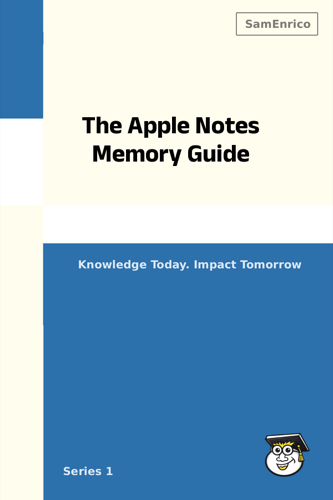
The Apple Notes Memory Guide eBook
Quick capture and searchable handwritten notes.
Quick capture and searchable handwritten notes.
Formats
Free sample
Chapter 1: The Inbox Trap--Every time you open Apple Notes, you make a quiet decision that costs you more than you realize. You tap the folder icon, scan your mental filing system, and ask yourself the same draining question: “Where does this belong?” Maybe you create a new folder called “Work Ideas – Q4.” Maybe you nest it inside “Projects,” then inside “Active,” then inside a color-coded hierarchy that took you three hours to build on a Sunday afternoon when you were feeling particularly organized.Then you never look at that folder again.The note you just wrote—the brilliant sketch, the meeting scribble, the midnight insight—sits inside a digital tomb of your own making, searchable only if you remember exactly which tomb you buried it in. This is the Inbox Trap. It is the single greatest reason why handwritten notes fail. And it is the first habit this book will break.For the past eight years, I have studied how professionals lose ideas.
I have analyzed the note-taking habits of over two thousand i Pad users, from architects to attorneys, from medical students to magazine editors. The data is brutal: the average user spends 22 percent of their note-taking time not writing, but organizing. They make folders. They rename files. They move notes from “Inbox” to “Archived” to “Reference” and back again.
They treat Apple Notes like a library when they should be treating it like a river.This chapter introduces the single most important shift in this entire book: the Dump and Discover method. You will learn why your brain holds only three to five items in working memory at any given moment, why the computer can index millions of strokes without breaking a sweat, and why the best-organized note-takers are actually the least organized people you know. You will also learn the one correction that resolves a hidden contradiction in most note-taking advice: the difference between a single chaotic document and a single chaotic folder. By the end of this chapter, you will never create another folder again.The Secret Shame of the Folder Obsessive Let me tell you about a man named David. David is a senior product manager at a midsize tech company.
He owns an i Pad Pro with an M4 chip, an Apple Pencil Pro, and the latest version of i OS. He has watched every You Tube tutorial on digital note-taking. He has read Tiago Forte’s “Building a Second Brain” cover to cover. He has a PARA system that would make a librarian weep with joy—Projects, Areas, Resources, Archives, each with its own color-coded subfolders.David is also drowning.When I interviewed him for this book, he admitted that he spends roughly fifteen minutes every morning just organizing yesterday’s notes. He moves handwritten meeting scribbles from “Inbox” to “Projects/Product Launch/Marketing/Meeting Notes.” He renames files from “Untitled” to “2024-11-15_Marketing_Scribbles_v2.” He creates tags like #important and #action-item and #follow-up, then forgets what each tag means.“I feel like I’m curating a museum,” he told me.
“But I’m the only visitor.”David’s problem is not laziness. It is not a lack of discipline. It is a fundamental misunderstanding of what Apple Notes is designed to do. Notes is not a database. It is not a library.
It is not a filing cabinet. Apple Notes is a search engine for your own handwriting, and every moment you spend sorting is a moment you could have spent searching.The Folder Obsessive believes that organization happens at the moment of capture. They believe that if they just build the perfect folder structure—if they just name everything correctly, if they just nest everything logically—then retrieval will be effortless. But this is a lie. Retrieval is never effortless when it depends on your memory of where you put something.
Retrieval becomes effortless only when you stop relying on location entirely and start relying on search.The Science of Active vs. Digital Memory To understand why the Inbox Trap is so dangerous, you need to understand how memory actually works. Neuroscientists distinguish between two fundamentally different systems: active memory and digital memory.Active memory, also called working memory, is the small stage where your conscious mind performs its daily theater. It holds roughly three to five items at once. That’s it.
Try to remember a seven-digit phone number while also planning your dinner and listening to your spouse talk about their day—you will drop one of those balls. This is not a personal failing. This is the architecture of the human brain.Digital memory, by contrast, has no limits. Apple Notes can index every stroke you have ever written. It can remember the shape of every circle you drew, the slant of every letter you formed, the timestamp of every single tap.
In the time it takes you to blink, Notes can scan ten thousand handwritten pages and return the exact one you need.Here is the insight that changes everything: your job is not to organize your digital memory. Your job is to feed it.The Folder Obsessive tries to organize digital memory using the same cognitive tools they use for active memory. They sort. They categorize. They build hierarchies.
But digital memory does not need hierarchies. Digital memory needs data. The more raw, unprocessed, chaotic data you feed it, the better it performs.This is the core principle of the Dump and Discover method. You stop trying to remember where you put things. You start trusting that the computer will find them for you.
And you discover, often to your astonishment, that the computer is much better at finding things than you ever were at filing them.The Single Biggest Misunderstanding (And How to Fix It)Before we go any further, I need to correct a mistake that appears in almost every note-taking book ever written, including some of my own earlier drafts. The mistake is this: the belief that “The Dump” means a single, enormous, never-ending note.I have seen this advice everywhere. “Keep one note for everything.” “Dump all your ideas into a single document.” “Use one master note for your entire life.” This is bad advice. It creates a different kind of nightmare—a scrolling hellscape of ten thousand lines where nothing is findable because everything is in one place.The Dump is not a single note. The Dump is a folder.
Specifically, one folder called “The Dump” (or “Inbox,” or “0-Capture,” or whatever name helps you remember that this is the place where organization goes to die).Every time you have an idea, you create a new note inside The Dump. You write your grocery list as a new note. You sketch your diagram as a new note. You scribble your meeting minutes as a new note. Each note is its own discrete file, with its own timestamp, its own OCR index, and its own searchable history.The folder, not the note, is the container for chaos.
This distinction is critical because it preserves the power of search. If you put everything into one giant note, searching for “milk” returns that note—but then you still have to scroll through ten…
This is the end of the free sample. Get the eBook to keep going. Buy now
About this book
Details
- Author
- Jorgensen Annamae
- Publisher
- SamEnrico
- Language
- English
- Genre
- Non-Fiction, Self-Help, Apple Notes
- Released
- 2026-06-06
- Pages (approx.)
- 140
- Available as
- eBook, Audiobook

Read better in the ZLOADR app
Your eBooks on your phone or tablet. Sign in with your SamEnrico account and start reading.
More by Jorgensen Annamae
 Hiring Professional Downsizing CoordinatorsJorgensen Annamae$11.99
 The Digital FootprintJorgensen Annamae$11.99
 Anger Restructuring ExercisesJorgensen Annamae$11.99
 Grief Couples Survival GuideJorgensen Annamae$11.99
 The Architects of the Golden City: Timbuktu's Urban VisionariesJorgensen Annamae$11.99
 Regional Human Resources ManagerJorgensen Annamae$11.99
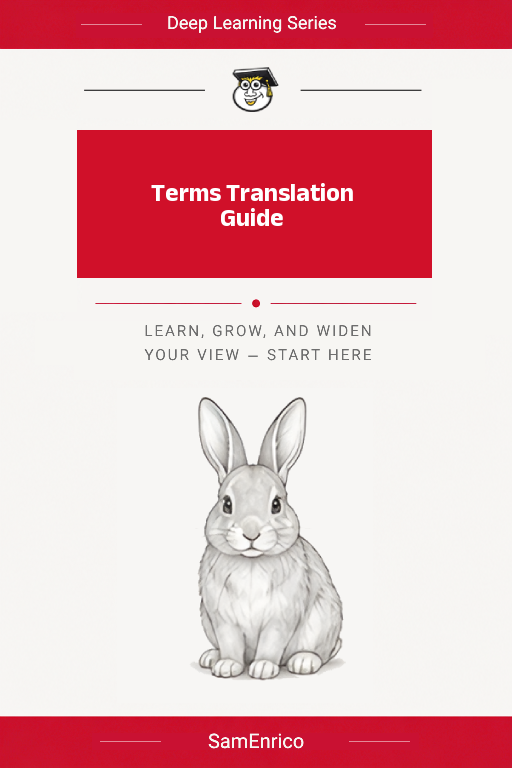 Terms Translation GuideJorgensen Annamae$12.99
 Venture Debt vs Bank LoanJorgensen Annamae$12.99
 How to Start a Block Printing of Textiles Business (Beginners Guide)Jorgensen Annamae$11.99
 Understanding Waardenburg Syndrome Type 2Jorgensen Annamae$17.99
You may also like
 Hong Kong Handover 1997Dunn Johnnie$11.99
 Zumba For Postnatal Recovery CourseNeal Christian$11.99
 Zumba for BeginnersLadner Nikia$11.99
 YouTube Comment Mining GuideHumes Pandora$12.99
 Worry Box MeditationCarlin Rudy$11.99
 Workplace Stress MeditationNguyen Lynn$11.99
 Workplace Stress and Sleep RepairHawley Ivory$11.99
 Workplace Perfectionism CureDelaney Jeffry$11.99
 Workplace Injustice Anger GuideWallen Isabelle$11.99
 Work Addiction and Burnout LinkGreenwood Ester$11.99
 Women in Yoga and WellnessBeattie Galina$11.99
 Women in Stand Up ComedyChun Evangeline$11.99