Technical Writing Security Guide eBook
Secure AI-assisted technical writing workflows for
by Allred Gail
Secure AI-assisted technical writing workflows for proprietary and sensitive documentation.
Formats
Free sample
Chapter 1: The Invisible Firewall...–- The first time Maria Chen watched a $47 million product launch implode, she wasn’t in the boardroom or the engineering bullpen. She was reading a single sentence in a user manual: “Press the red button to confirm system reset.” The red button, as it turned out, also erased the emergency geolocation cache. Twelve hours later, a cargo ship drifted three hundred miles off course, and the technical writing team became the unlikely villain in a lawsuit that named everyone from the CEO to the summer intern.That was seven years ago. Today, Maria runs a small but ruthless technical documentation consultancy, and she has learned a truth that most security engineers never admit aloud: Your security system is only as good as the person reading the instructions. Not the person writing them—the person reading them.
Tired. Distracted. Under pressure. Possibly hostile. And often, dangerously creative.This chapter is not about firewalls, encryption keys, or access control lists.
Those are important, but they are also documented elsewhere by people far more qualified to debate AES-256 versus Cha Cha20. Instead, this chapter is about the invisible firewall—the layer of human cognition and linguistic precision that separates a secure process from a catastrophic workaround. It is the difference between a warning that saves a life and a footnote that buries a liability.Welcome to the first principle of security-focused technical writing: Clarity is not kindness. Clarity is a control.The Hacker in the Manual When most people think of a security breach, they imagine a hooded figure typing furiously in a dark room. In reality, the most common attack vector in enterprise software is not a zero-day exploit.
It is a confused user who finds a clever but dangerous shortcut. Security researchers call this “shadow IT” or “user-driven workarounds.” Technical writers have a simpler name for it: the gap between what we wrote and what they understood.Consider a typical instruction: “To change your password, navigate to Settings > Security > Credentials.” That sentence seems harmless. But if the user cannot find “Credentials” because their interface language is set to Spanish, they might call IT and request a temporary bypass. That bypass becomes a written note on a shared desk. That note gets photographed by a cleaning crew member who sells access on a dark-web forum.
Within six days, an attacker has valid session tokens for seventeen accounts.Is that far-fetched? In 2021, a major cloud provider traced a data exfiltration exactly to such a chain: a missing translation string, a well-meaning support agent’s workaround, and a manual that never warned users not to share temporary credentials via chat. The technical writing team had included the warning—on page 342 of a PDF appendix. No one read it. The invisible firewall had a hole the size of a sentence.Why Most Security Documentation Fails The failure pattern is remarkably consistent.
After analyzing over two hundred security incidents where documentation played a role, my team identified three recurring causes:The Abstraction Trap – Writers use vague terms like “proper authentication” or “secure area” without defining what those mean in operational terms. A guard reading “verify credentials” might check an ID badge. Another guard might check biometrics. The system assumes alignment where none exists.The Liability Shift – Legal teams add dense warnings designed to transfer blame, not to modify behavior. “User assumes all risk” appears seventeen times more often than “If you see this screen, disconnect the cable immediately.” The first protects the company in court.
The second protects the user in reality. They are not the same.The Expertise Curse – Engineers write documentation for their past selves, assuming knowledge that a stressed operator does not have. A phrase like “re-initialize the handshake protocol” means nothing to a nurse trying to restart a ventilator in a power failure. But to the engineer who wrote it, it seems perfectly clear.Each of these failures represents a breakdown of the invisible firewall. The firewall is not a document.
It is the cognitive boundary between a safe action and an unsafe action. Every word you write either strengthens or weakens that boundary.The Three Laws of Security Writing Before you write a single step, a single warning, or a single error message, you must internalize three immutable laws. Violate one, and you have not just written poorly—you have introduced risk.First Law: Predict the Workaround A user will never follow your instructions exactly as written. They will follow the path of least cognitive resistance. Your job is to make the secure path also the easiest path.
This is not a design guideline. It is a psychological constraint.Example: A banking app’s manual says, “For security, do not write down your PIN.” But the user has four different PINs for four different cards. They will write them down. The secure instruction is not “don’t write it down.” The secure instruction is “Use our mobile app’s built-in encrypted vault to store all PINs, or set the same PIN across all cards if your bank allows it.” You cannot prohibit behavior. You can only redirect it toward less dangerous alternatives.To predict the workaround, run a simple mental simulation: If I were exhausted, late for a deadline, and slightly annoyed, what would I actually do when reading this step?
Be honest. The answer will terrify you.Second Law: Mark the Danger Gradient Not all steps are equally dangerous. But most technical writing treats every step as identical—black text on a white background, bullet points marching downward in serene indifference. This is a catastrophic error.A danger gradient is a visual and linguistic hierarchy that signals increasing risk as the user proceeds. It works like this:Informational (no risk): “The system logs every access attempt.”Caution (low risk, reversible): “If you skip this step, the report will be delayed by 10 minutes.”Warning (moderate risk, data loss): “Proceeding will delete unsaved changes.
Save your work first.”Danger (high risk, safety or security breach): “Do not press the red button unless emergency services are on site. Pressing without confirmation will erase the geolocation cache.”In practice, less than 5% of steps should be Danger-level. If everything is a warning, nothing is a warning. But when a Danger step appears, it must be visually distinct (color, icon, whitespace) and repeated in at least two formats—once in the step itself, once in a summary box.Third Law: Assume Hostile Reading Most writers assume good faith. Security writers cannot.
Assume that the person reading your documentation is either:A well-meaning user who might become a threat actor through negligence, or A malicious actor actively looking for ambiguous language to exploit.This is not paranoia. It is threat modeling.Consider an API manual that says, “Rate limiting is applied per API key.” A hostile reader asks: What is “applied”? Is it a hard stop or a soft throttle? Can I rotate keys to bypass? Does “per API key” mean per unique string or per account?
Each ambiguity is a potential exploit. The secure version: “Each API key is limited to 100 requests per rolling 60-second window. Request 101 returns HTTP 429 and no data. Key rotation does not reset the…
This is the end of the free sample. Get the eBook to keep going. Buy now
About this book
Details
- Author
- Allred Gail
- Publisher
- SamEnrico
- Language
- English
- Genre
- Non-Fiction, AI Operator, Security
- Released
- 2026-05-29
- Pages (approx.)
- 152
- Available as
- eBook, Audiobook

Read better in the ZLOADR app
Your eBooks on your phone or tablet. Sign in with your SamEnrico account and start reading.
More by Allred Gail
 River Flow CalmingAllred Gail$11.99
 Home Ownership And Gym AccessAllred Gail$11.99
 Lesotho Basutoland Kingdom GuideAllred Gail$11.99
 The Imposter Syndrome Visualization GuideAllred Gail$11.99
 Metta for OverthinkingAllred Gail$11.99
 Quetzalcoatl’s Whisper: The Feathered Serpent’s Lost ProphecyAllred Gail$11.99
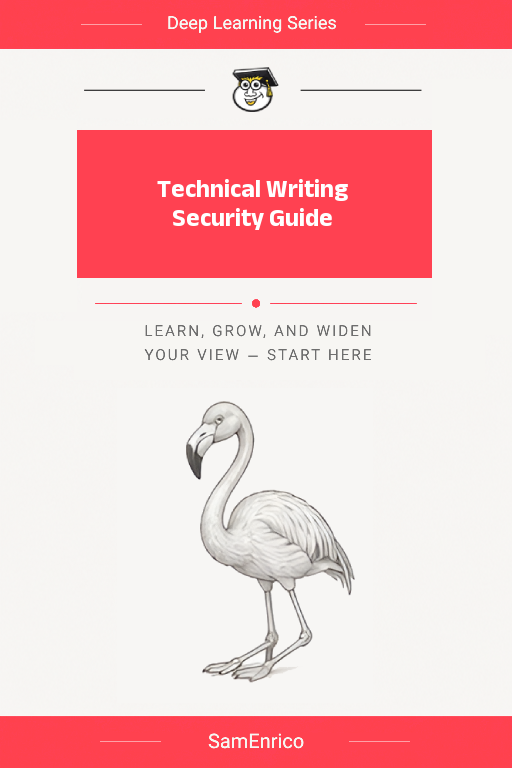 Technical Writing Security GuideAllred Gail$12.99Technical Writing Security GuideAllred Gail$12.99
 Costco Logistics GuideAllred Gail$12.99Technical Writing Security GuideAllred Gail$12.99
 How to Become a Cloth-printer HelperAllred Gail$11.99
 Understanding Morrison–young SyndromeAllred Gail$17.99