
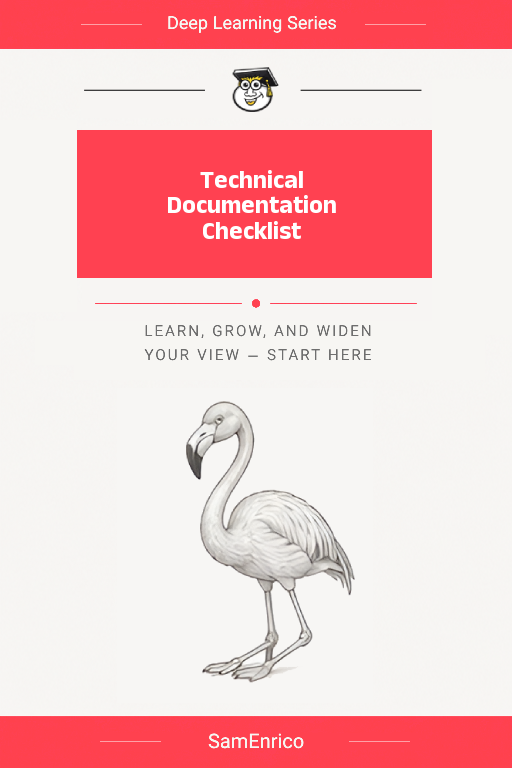
Technical Documentation Checklist eBook
Checklist for quality technical docs. Accuracy, co
Checklist for quality technical docs. Accuracy, completeness, readability, and usability checks.
Formats
Free sample
Chapter 1: The Retention Killer--–- It began with a single outdated screenshot. Not a catastrophic server failure, not a data breach, not a security vulnerability. Just one image showing an old version of a settings menu. The software company had released fourteen updates since that screenshot was taken, but the documentation team—overworked, understaffed, and racing to keep up with the engineering sprint—had never gotten around to refreshing it. The screenshot showed a "Save" button in the top-right corner.
The current software had moved it to the bottom-left. And that mismatch, across thousands of new users each month, created a ripple of confusion so consistent that the company's product manager eventually gave it a name: "the two-minute stumble."New users would follow the instructions. They would read the text, glance at the screenshot, look at the actual interface, and hesitate. Where was the button? Did they miss a step?
Was this the wrong version? They would click around, growing frustrated, and eventually either find the button by luck or abandon the task entirely. The support team logged an average of sixty-two tickets per week about this single issue. Sixty-two. That was three full-time support agents, paid to answer the same question over and over: "Where did the Save button go?"When the company finally ran the numbers, the result was staggering.
The documentation error—one screenshot, one mismatch—had contributed to a 15 percent drop in user retention during the first week of onboarding. Fifteen percent. Users who experienced the "two-minute stumble" were three times more likely to cancel their subscription within thirty days. The company had lost an estimated $4.2 million in annual recurring revenue. All because of a screenshot nobody had bothered to verify.This is not an outlier.
This is the invisible tax that bad documentation extracts from every software company, every developer tool, every API, every hardware manual, every internal wiki. And most organizations never even notice it happening.The Gap Between Writing and Working Most people assume that technical documentation is an act of writing. You type words. You add screenshots. You publish.
If you are diligent, you run a spell-checker and maybe ask a colleague to glance at it. This is the "just write" mentality, and it is the single greatest source of quality failure in the documentation industry.The problem is that writing—the arrangement of words into sentences—is only 20 percent of what makes documentation work. The other 80 percent is verification, testing, structural auditing, and user validation. But those activities do not feel like writing. They feel like bureaucracy, like overhead, like time spent not producing content.
So they get skipped. And the gaps accumulate.Consider what a spell-checker actually catches. It flags "teh" instead of "the." It notices when you write "their" instead of "there." It might, if configured aggressively, catch a missing period. But a spell-checker will never notice that your command references a file that no longer exists. It will never notice that your screenshot shows a menu that was redesigned three sprints ago.
It will never notice that your instructions assume the user has administrator privileges when 40 percent of your users do not. It will never notice that your "quick start" guide takes forty-five minutes to complete.These are not typos. These are structural failures. And they require a different kind of tool.The Four Pillars of Quality Documentation Before we can build a checklist, we must define what we are checking against. After analyzing the most effective documentation systems across hundreds of organizations—from small open-source projects to Fortune 500 enterprises—a clear pattern emerges.
Quality technical documentation rests on four interdependent pillars. No document is truly good unless it satisfies all four.Pillar One: Accuracy Accuracy means that every statement in the document corresponds to reality. When you write "Click the Save button," there must be a Save button exactly where you indicate. When you write "Run npm install," that command must complete without errors on a clean machine. When you write "Version 2.1.0 introduced this feature," version 2.1.0 must actually exist and actually contain that feature.Accuracy is the foundation.
An inaccurate document is not just unhelpful—it is actively harmful. It misleads users, wastes their time, and erodes trust. If a user follows your instructions and fails because the instructions were wrong, they will not blame themselves. They will blame you. And they will be correct.Yet accuracy is surprisingly difficult to maintain.
Software changes continuously. APIs deprecate. UI elements relocate. Commands evolve. A document that was perfectly accurate on the day of publication can become dangerously inaccurate six months later.
Accuracy is not a one-time achievement; it is an ongoing discipline.Pillar Two: Completeness Completeness means that the document contains everything a user needs to succeed and nothing they do not need. This is a balancing act. Incomplete documentation omits critical steps, hidden prerequisites, or error conditions. The user starts the process with confidence and ends it with frustration, stranded in the gap between what the document said and what reality required.But completeness also means avoiding excess. A document that includes every possible configuration option, every edge case, every theoretical scenario becomes overwhelming.
Users cannot find the one thing they need amid the avalanche of things they do not. The complete document is not the longest document. It is the document that contains exactly the right information for its intended audience and task.The completeness pillar is where most documentation fails first. Writers assume knowledge that users do not have. They skip steps that feel obvious to them but are opaque to beginners.
They forget to mention prerequisites because those prerequisites were already installed on their own machines. The curse of knowledge—the inability to remember what it was like not to know something—is the enemy of completeness.Pillar Three: Clarity Clarity means that the user can understand the document quickly and without confusion. This is not about grammar pedantry. It is about cognitive load—the amount of mental effort required to extract meaning from text. Unclear documentation forces the user to read sentences multiple times, to parse passive constructions, to untangle nested clauses, to infer meaning from vague references.Clarity is measurable.
You can count the number of passive sentences. You can measure the average sentence length. You can test whether headings describe their content. You can verify that steps are parallel in structure. These are not subjective preferences; they are engineering metrics for prose.The clearest documentation is invisible.
The user does not notice the writing at all. They simply absorb the information and complete their task. Any moment when the user stops to re-read a sentence, to puzzle over a phrase, to wonder what a heading means—that moment is a clarity failure.Pillar Four: Usability Usability is the ultimate test. A document can be accurate, complete, and clear, yet still fail because it is not organized for how users actually behave. Usability means that users can find the document (discoverability), can navigate within it (scanning), can apply it to their specific situation (task orientation), and can recover when something goes wrong (error handling).Usability is the bridge between documentation and the user's goal.
It asks not "Is this sentence correct?" but "Does this document help someone finish their work?" This is a fundamentally…
This is the end of the free sample. Get the eBook to keep going. Buy now
About this book
Details
- Author
- Pagan Melissia
- Publisher
- SamEnrico
- Language
- English
- Genre
- Non-Fiction, Professional's Cheat Sheet, Knowledge Management
- Released
- 2026-06-01
- Pages (approx.)
- 148
- Available as
- eBook, Audiobook

Read better in the ZLOADR app
Your eBooks on your phone or tablet. Sign in with your SamEnrico account and start reading.
More by Pagan Melissia
 Remote Work Core Hours PolicyPagan Melissia$11.99
 Financial Stress Mindfulness WorkbookPagan Melissia$11.99
 The Filter Literacy GuidePagan Melissia$11.99
 Gambling Addiction for GriefPagan Melissia$11.99
 Orthotic Brace FittingPagan Melissia$11.99
 Learn to Play the TimplePagan Melissia$11.99
 How to Start a Blackplate Business (Beginners Guide)Pagan Melissia$11.99
You may also like
 Technical Writing for Non Tech WritersDickey Kristan$12.99
 Technical Documentation Structure GuideBoucher Randi$12.99
 Tech Docs for Non Tech WritersNoonan Ta$12.99
 Technical Writing for BeginnersAcosta Winnifred$12.99
 Technical Documentation ToolsAugustine Onita$12.99
 Technical Documentation TemplateCantrell Ariel$12.99
 Technical Documentation Review GuideHollins Crissy$12.99
 Simplify Technical Language GuideBeattie Shemika$12.99
 Visuals in Technical Docs GuideAgnew Lanette$12.99
 Technical Documentation MistakesJacobson Lourie$12.99